Technical Guides
Guide 6: Interactive Applications
Introduction
Interactive applications are software programs that respond to user input in real time, creating dynamic, engaging experiences. Unlike traditional passive media, interactive applications place the user at the center of the experience—their actions, gestures, or touch directly shape what they see and hear. From museum installations and public exhibits to retail activations and educational tools, interactive applications have become a powerful medium for communicating ideas and engaging audiences in memorable ways.
Depending on the project, interactive applications may be built on game engines—software platforms originally developed for video games that have since been adopted across industries for their ability to render real-time graphics, handle physics simulations, and respond to input from a wide range of devices. Unity and Unreal Engine are two widely used examples, both freely available and supporting deployment across screens, projectors, touch devices, and immersive displays. Other tools such as TouchDesigner offer node-based visual programming tailored to real-time media and sensor-driven installations.
Input methods vary greatly depending on the context and audience. Some projects use conventional touch screens, while others employ Natural User Interfaces (NUI)—interfaces that allow users to interact through natural human behaviors such as gesture, body movement, or voice, removing the need for traditional input devices.Depth cameras, ordinary webcams combined with computer-vision software, microcontrollers and single-board computers are all commonly used to capture and process these inputs.The choice of technology is always driven by the goals of the experience and the environment it is designed for.
Live coding has become an important approach within this field. In live coding, performers write or modify code in real time during a performance, generating both sound and visuals on the spot. Browser-based tools make this accessible without complex software installations, while desktop environments offer deeper control over synthesis and timing. Communication protocols such as OSC, MIDI and UDP allow visual systems, sensors and audio engines to exchange data continuously, creating tightly linked audiovisual experiences.
Tools
[Table]
- Software
- Key features
- Access
- Ease-of-use
Unity 3D
- 3D game engine for creating interactive virtual environments
- 2D/3D rendering, physics, animation, multi-display output, C# scripting, cross-platform deployment
- Free for students, academic staff and hobbyists.
- Intermediate to advanced
Unreal Engine
- 3D game engine for creating interactive virtual environments
- Photorealistic rendering, node-based visual scripting (no coding required), physics simulation
- Free for students, academic staff and hobbyists.
- Intermediate to advanced
TouchDesigner
- Node-based visual programming environment for real-time interactive media
- Real-time generative visuals, multi-display output, sensor integration, MIDI/OSC/UDP support, video processing
- Free (non-commercial)
- Intermediate to advanced
Max/MSP & Pure Data
- Visual programming for audio, MIDI, and interactive sound synthesis
- Modular DSP, spatial audio routing (Ambisonics, Spat5), real-time sensor processing
- Paid (Max) / Free Open Source (PD)
- Intermediate
WebXR / A-Frame
- Web-based 3D and immersive interaction frameworks
- Browser-native 3D, WebGPU accelerated, no app installation required
- Free Open Source
- Beginner to Intermediate
SuperCollider
- Algorithmic sound synthesis environment
- Text-based live coding, high-performance audio engine, precise timing
- Free / open source
- Intermediate to advanced
ChucK
- Strongly-timed audio programming language
- Precise timing, concurrent sound processes, real-time parameter control
- Free / open source
- Intermediate
Strudel
- Web-based algorithmic pattern live coding
- Browser-native live coding for sound patterns, simple visual feedback
- Free / open source
- Beginner to intermediate
Hydra
- Web-based live coding visual synthesizer
- Modular video synthesis in the browser, reactive to audio
- Free / open source
- Beginner to intermediate
Hardware & Sensors
[Table]
- Hardware
- Key features
- Access
- Ease-of-use
Microsoft Kinect
- Motion-sensing depth camera for NUI interactions
- Full-body and hand skeletal tracking, depth sensing, gesture recognition, USB connectivity
- Discontinued (Legacy); Available via third-party retailers
- Intermediate to advanced
Orbbec Femto Bolt
- Motion-sensing depth camera for NUI interactions and spatial tracking applications
- Depth sensing, body tracking support, gesture-based interaction, RGB video capture, USB connectivity, and suitability for real-time interactive systems
- Available for purchase
- Intermediate to advanced
Webcam + MediaPipe / OpenCV
- Standard RGB camera for low-cost vision-based interaction
- Can be used with computer vision frameworks such as MediaPipe for body tracking, hand tracking, object detection, and many other real-time analysis tasks
- Low cost
- Beginner to intermediate
Arduino
- Open-source microcontroller platform for connecting physical sensors and outputs
- Supports a wide range of sensors and actuators, large community and library support, easy integration with creative coding tools
- Free software; hardware at low cost
- Beginner to intermediate
Raspberry Pi
- Low-cost single-board computer for running lightweight interactive applications, sensor-based systems, and physical computing prototypes
- Supports cameras, USB peripherals, GPIO-based sensor and output connections, and compact deployment for kiosks or embedded installations
- Low cost
- Beginner to intermedia
Tutorials
[Tutorial]
Unity
Unreal
- https://youtu.be/k-zMkzmduqI?si=Nfgzsv-BhVp63MIH
https://dev.epicgames.com/community/unreal-engine/learning
TouchDesigner
- https://www.youtube.com/playlist?list=PLpuCjVEMQha9rjhDET3uuE0T3UeIcROJu
https://derivative.ca/tutorials
Strudel
SuperCollider
Case Study
Interactive Shark Exhibit — Australian Museum
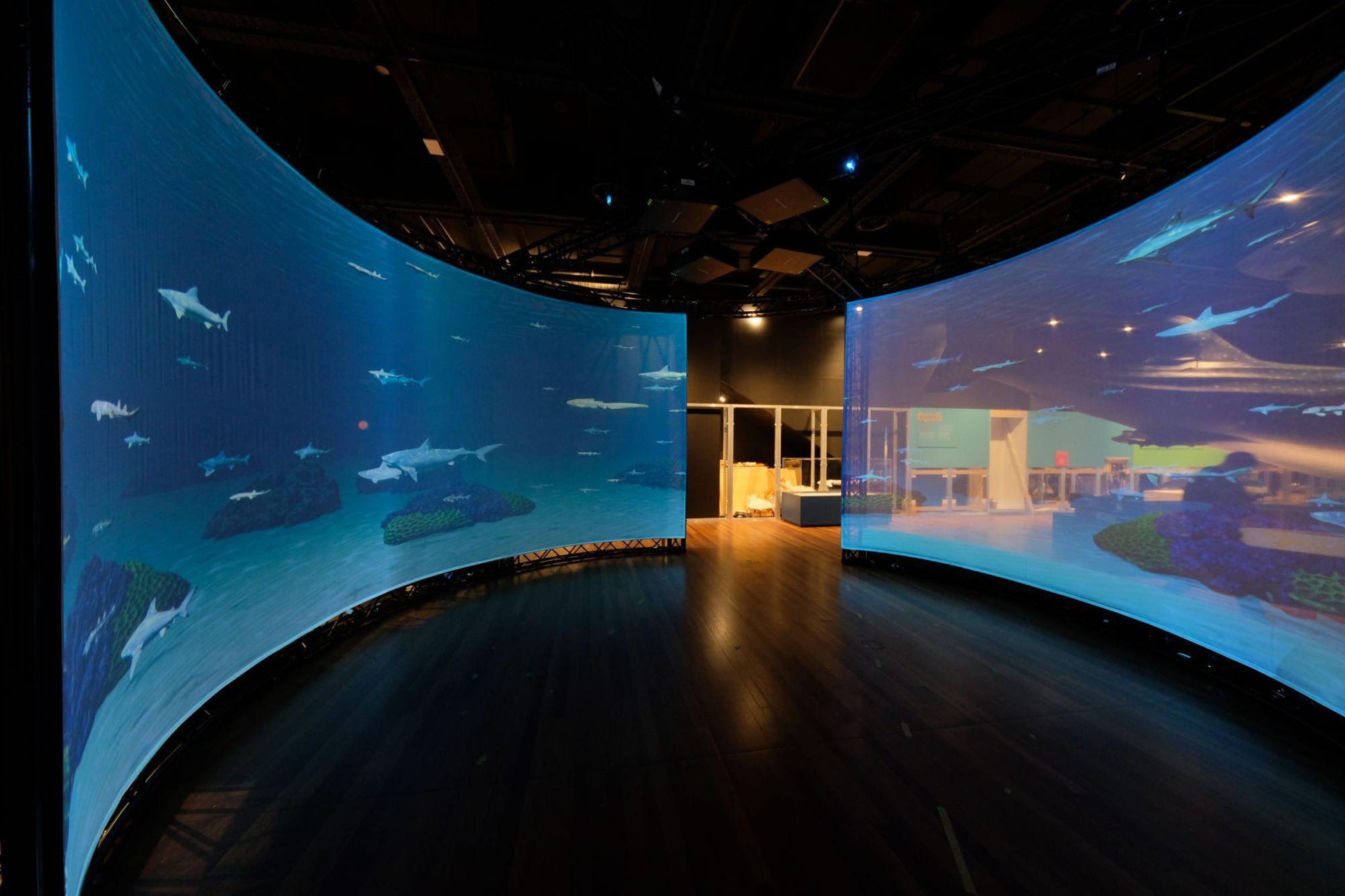
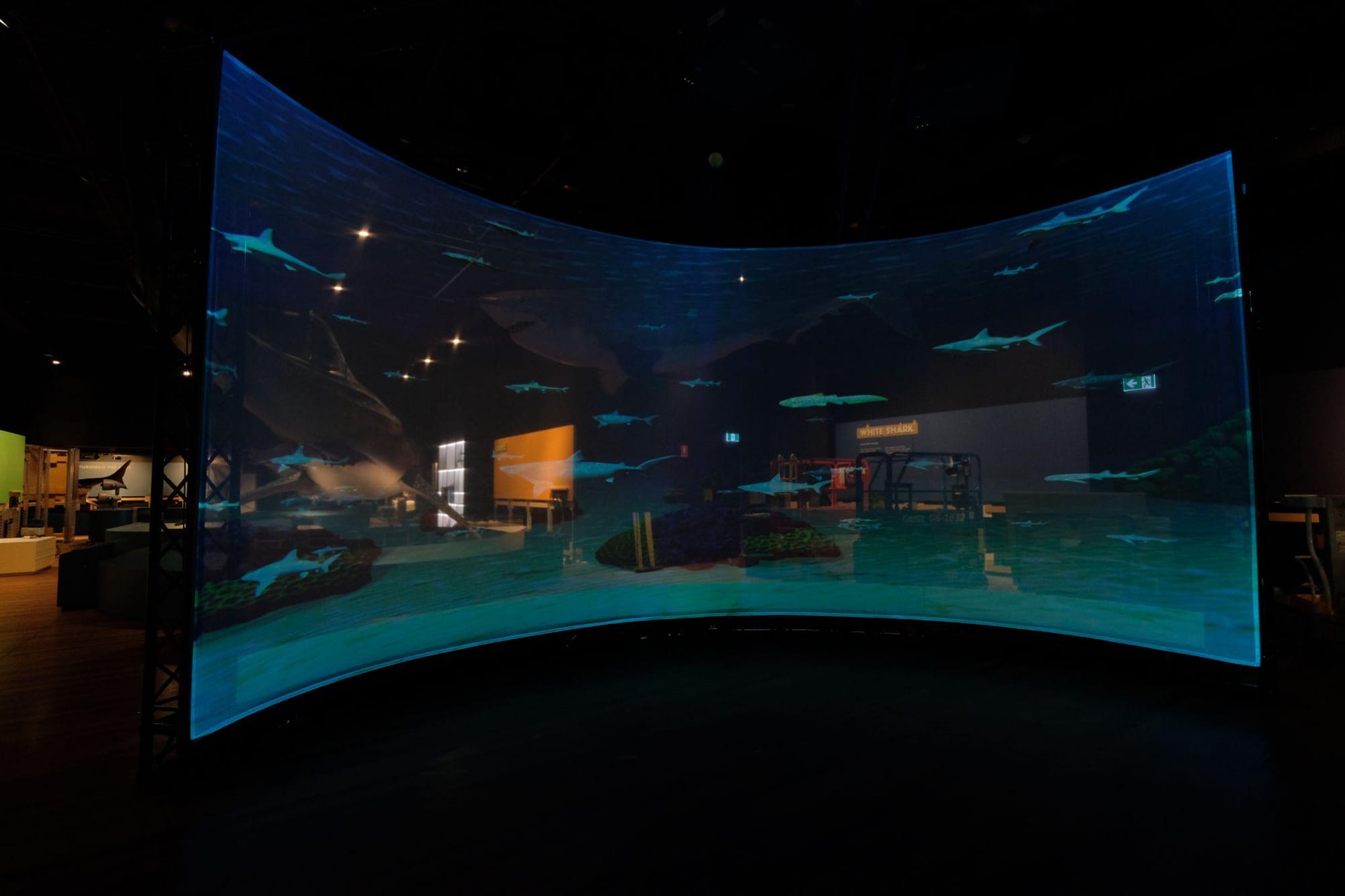
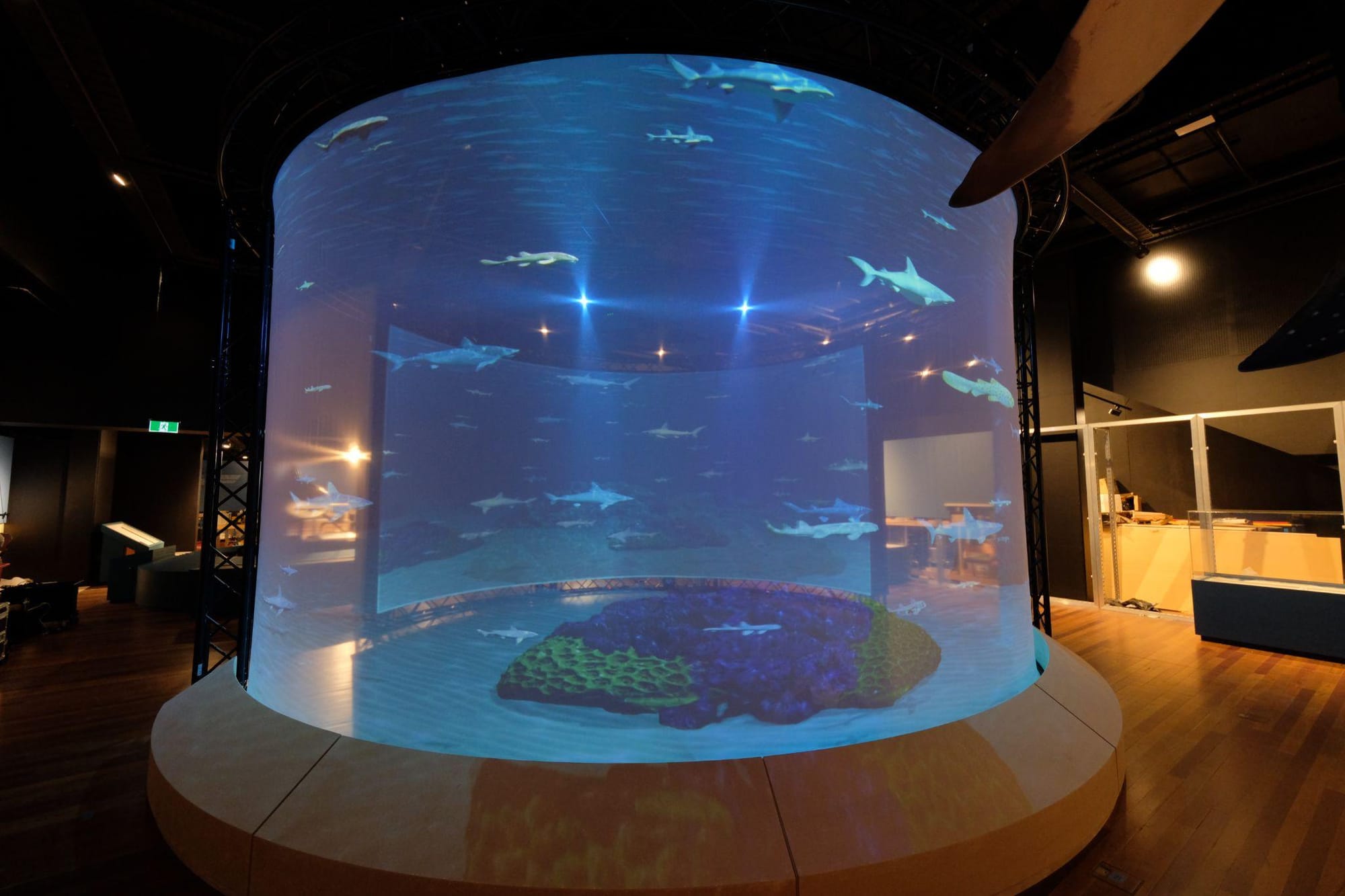
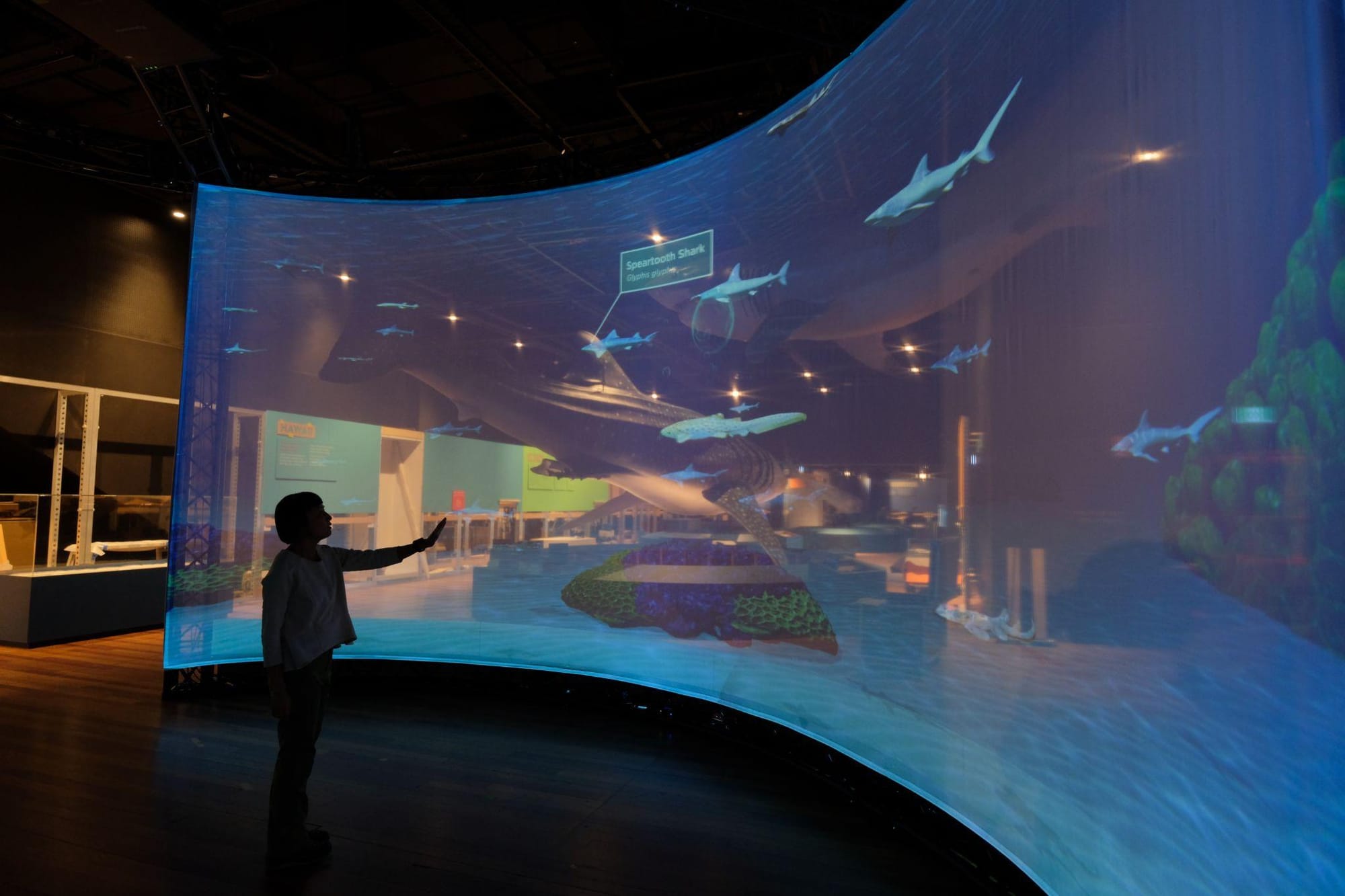
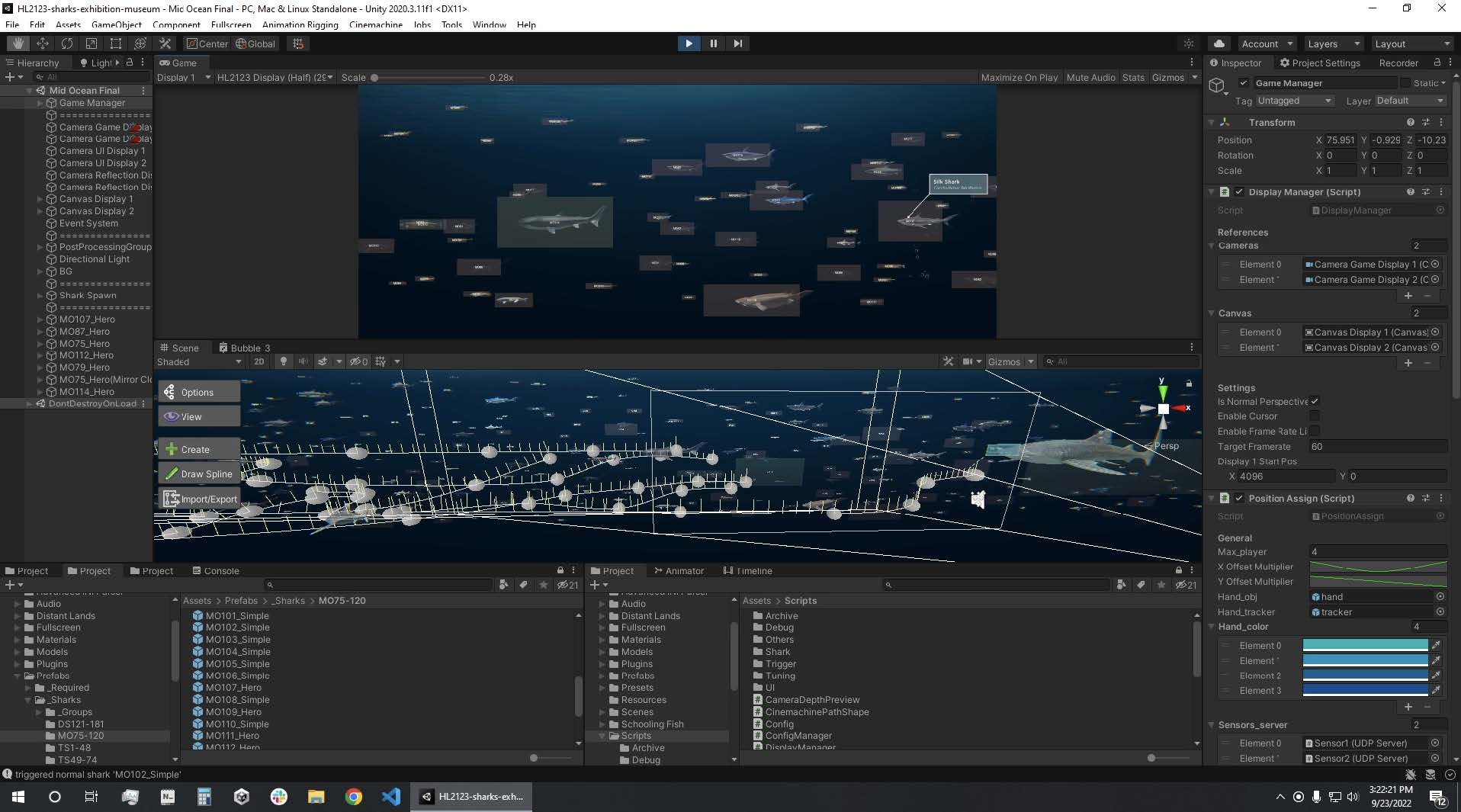
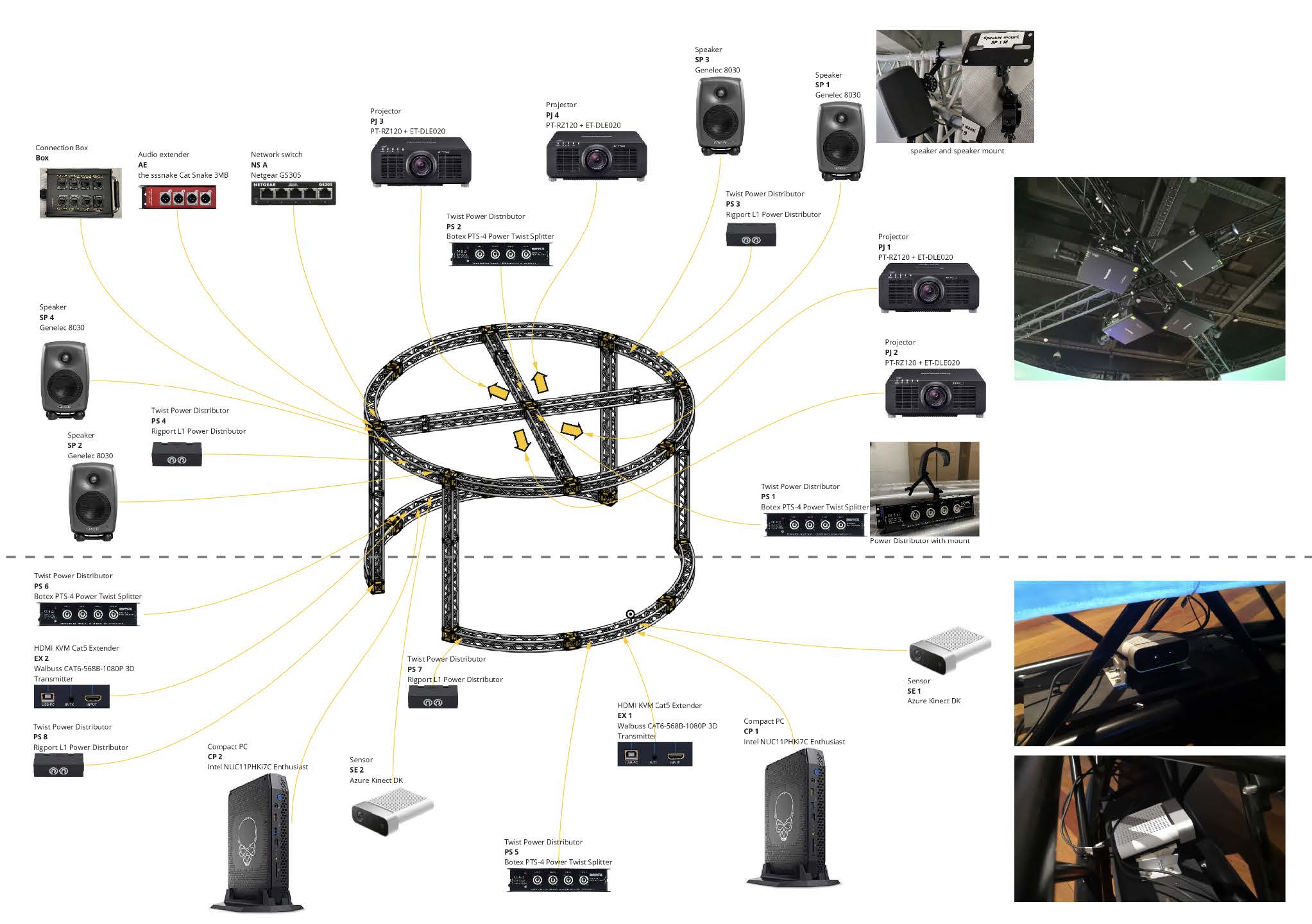
A 360-degree panoramic interactive installation at the Australian Museum, featuring 182 animated shark species across four ocean ecosystems, is displayed across two curved projection screens in a 6 m x 4 m space.
The experience was developed in Unity as a multi-scene application, with separate 3D environments representing different sea regions. Within these scenes, featured sharks were assigned predefined movement paths and animations so the content could be presented in a controlled but dynamic way. Visitor interaction was handled through two Kinect sensors, each placed under one of the projection screens, tracking visitor body and hand movements across the full width of the installation. A separate sensor program processed the tracking data, extracted hand position, and applied smoothing before sending it to the main display program over the local network using UDP (User Datagram Protocol), a fast communication method used for transmitting almost real-time data between programs. In the display application, the processed hand position was represented as a virtual bubble, allowing visitors to interact with sharks on screen and trigger related content during the experience.
Happy Valley Exhibition — Tai Kwun
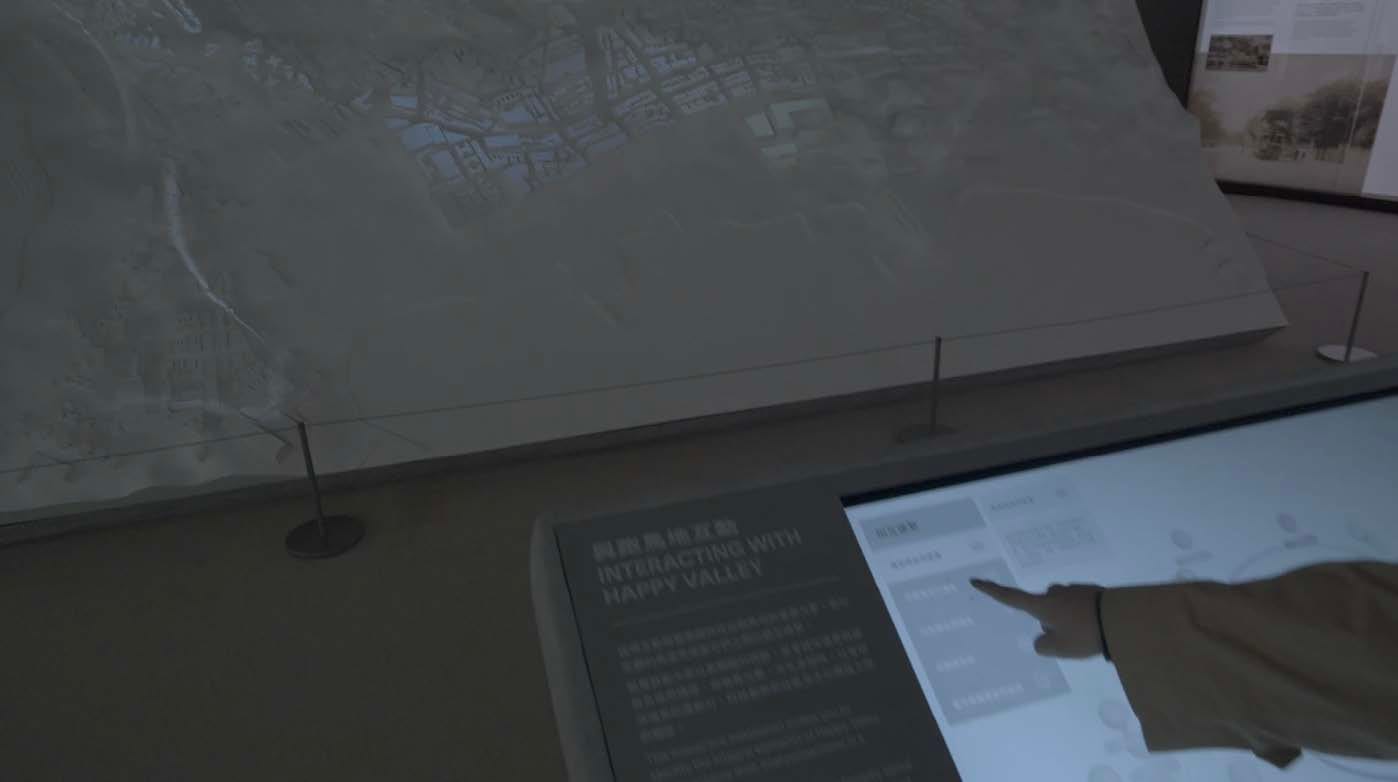
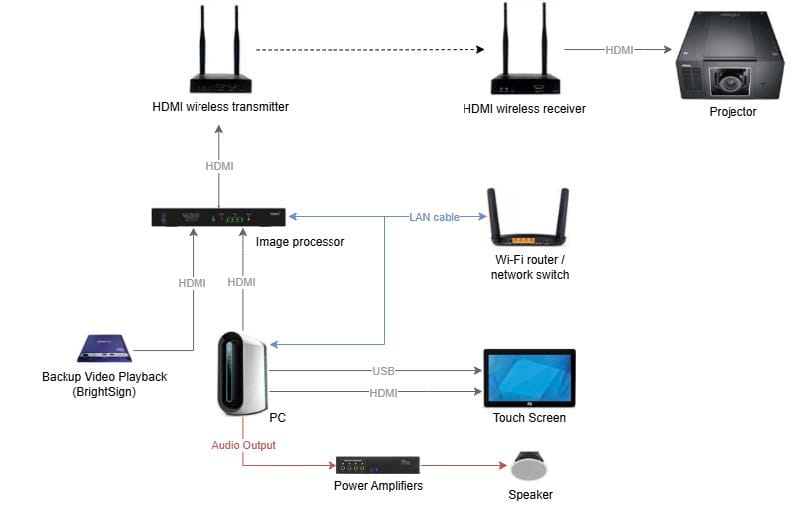
An interactive installation at Tai Kwun that combines projection mapping with a physical topographical model, allowing visitors to explore the historical transformation of Hong Kong's Happy Valley from the 1930s to the present day. The system was built as a single Unity application that handled both the touch screen interface and the projected output. A digital replica of the physical model was imported into Unity as a spatial reference, allowing projected content to be designed and positioned in relation to the real object from the outset. Basic projection alignment was handled within the projector itself, with finer warping and masking applied in Unity to match the visuals more closely to the physical surface. When visitors selected a point on the touch screen, the system updated the projection to show the corresponding location on the model, helping users connect the interface directly to the mapped landscape.
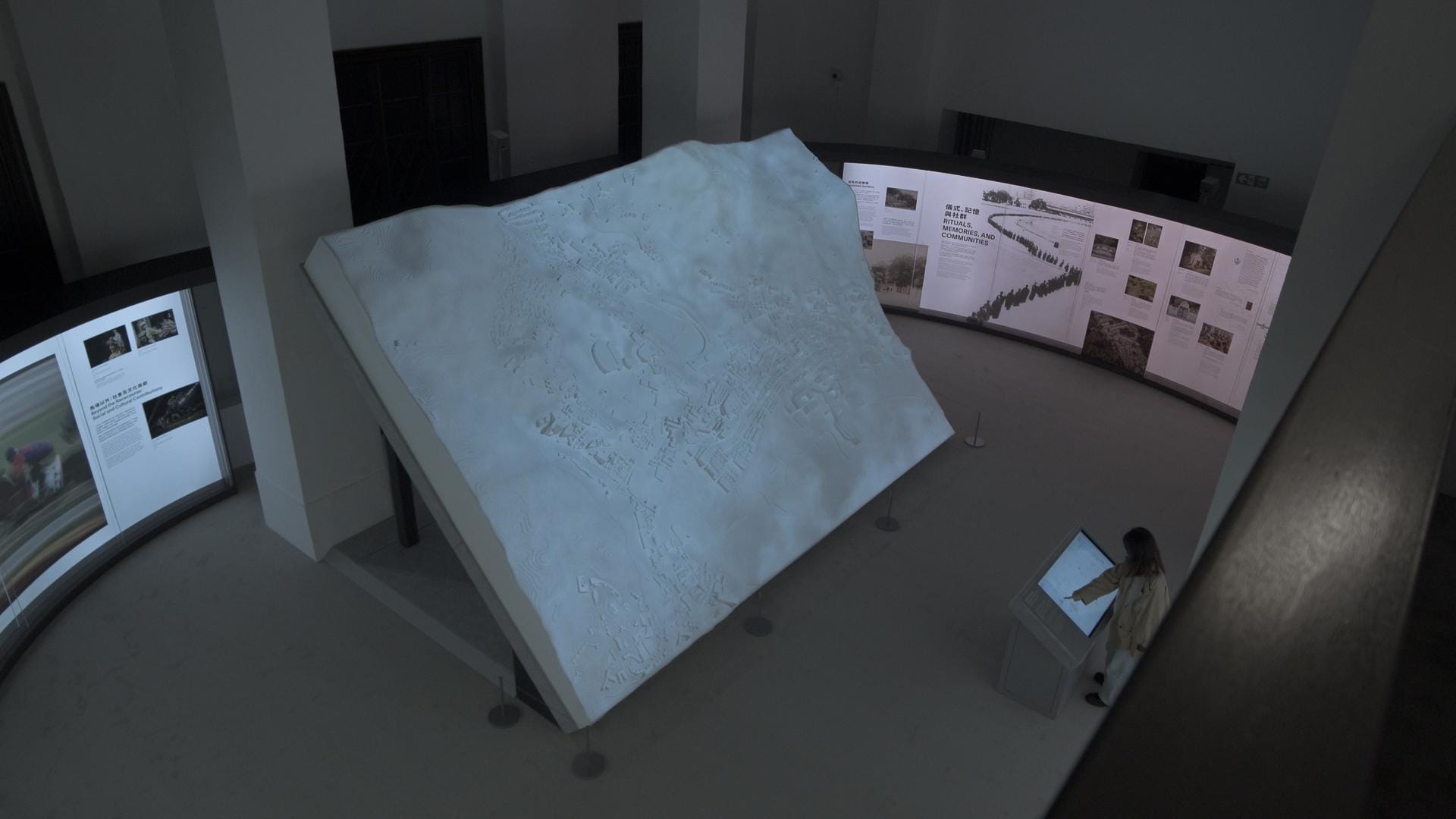
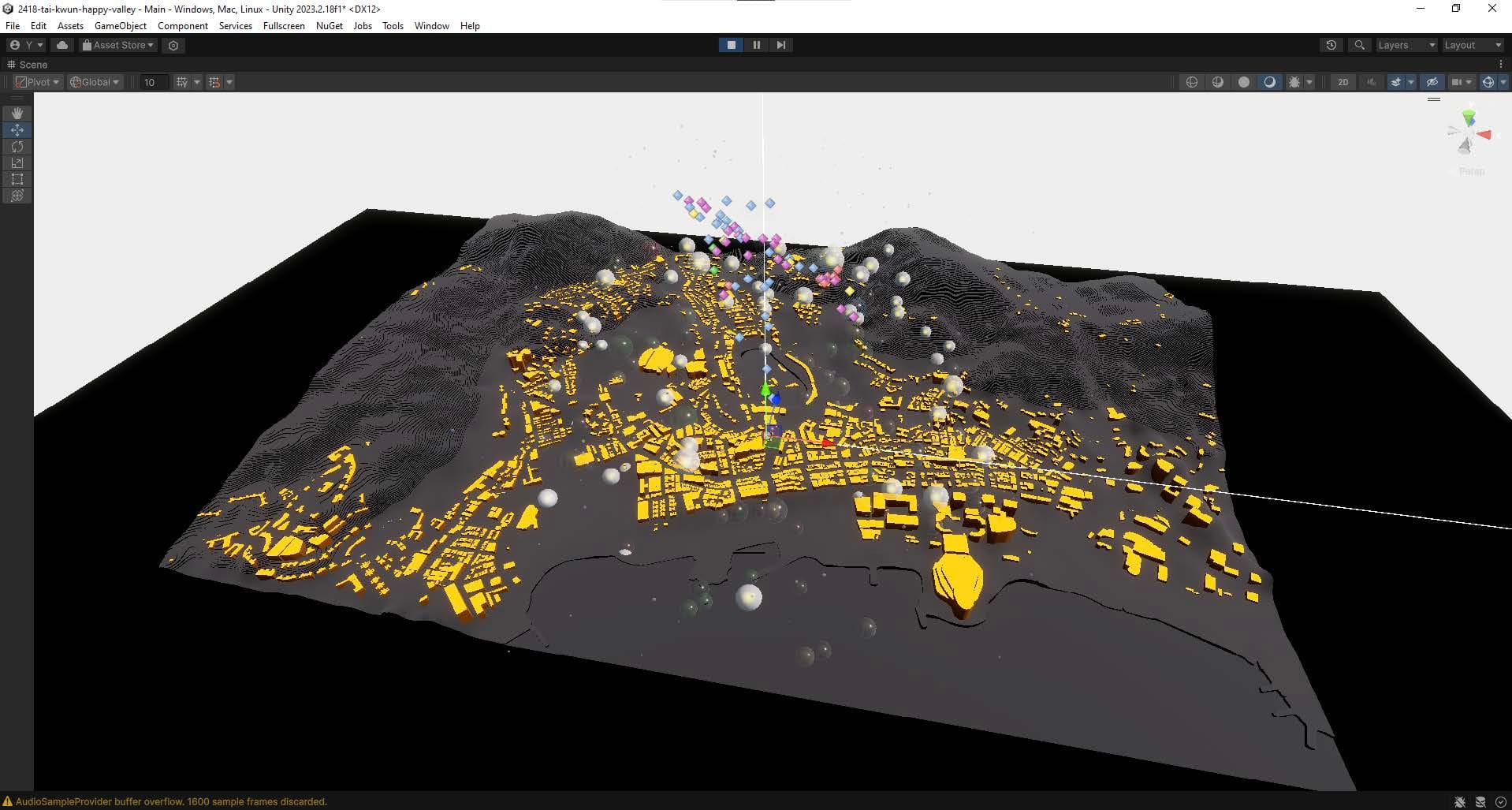
The physical topographical model and its digital replica are imported into Unity for spatial reference
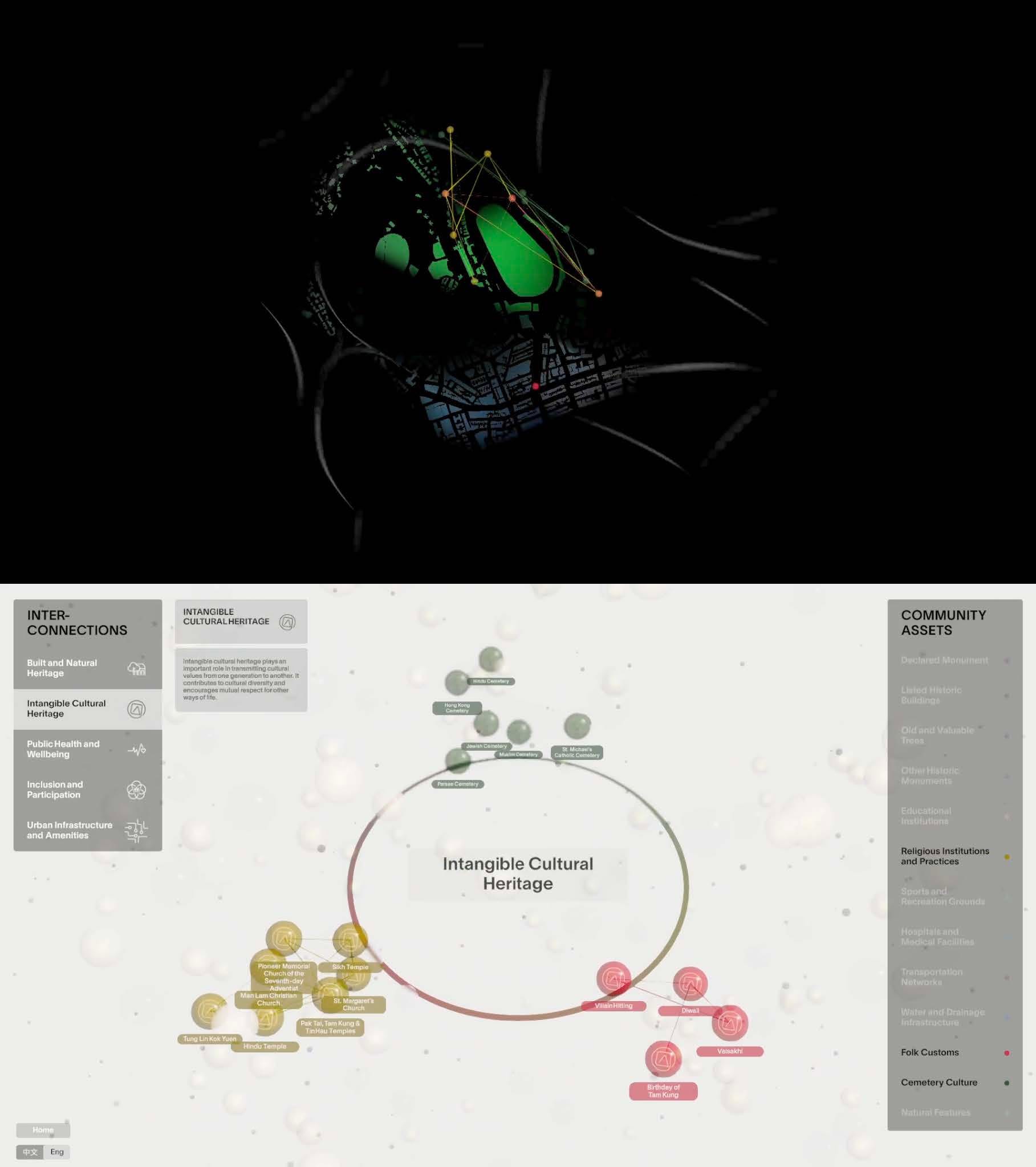
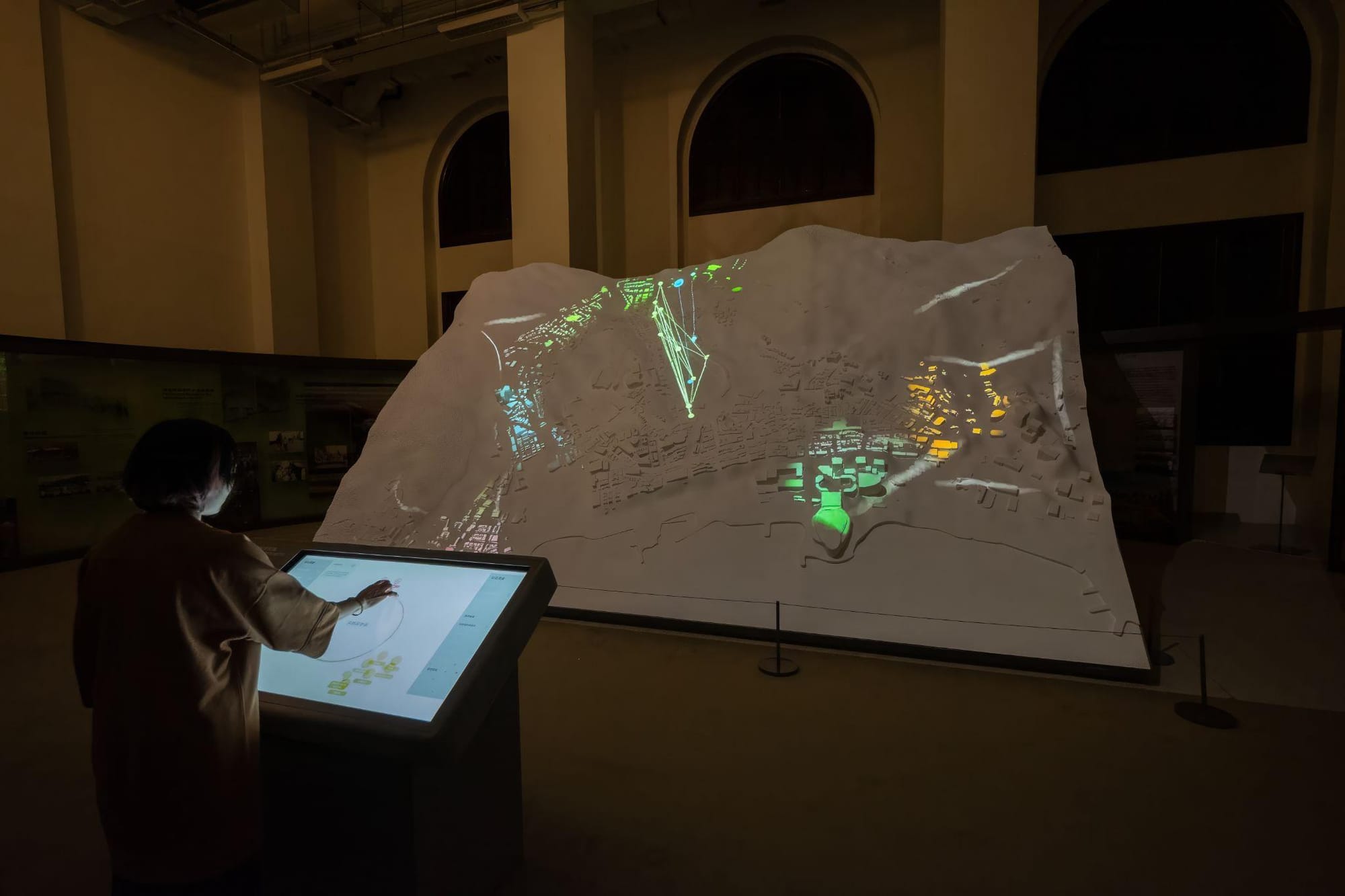
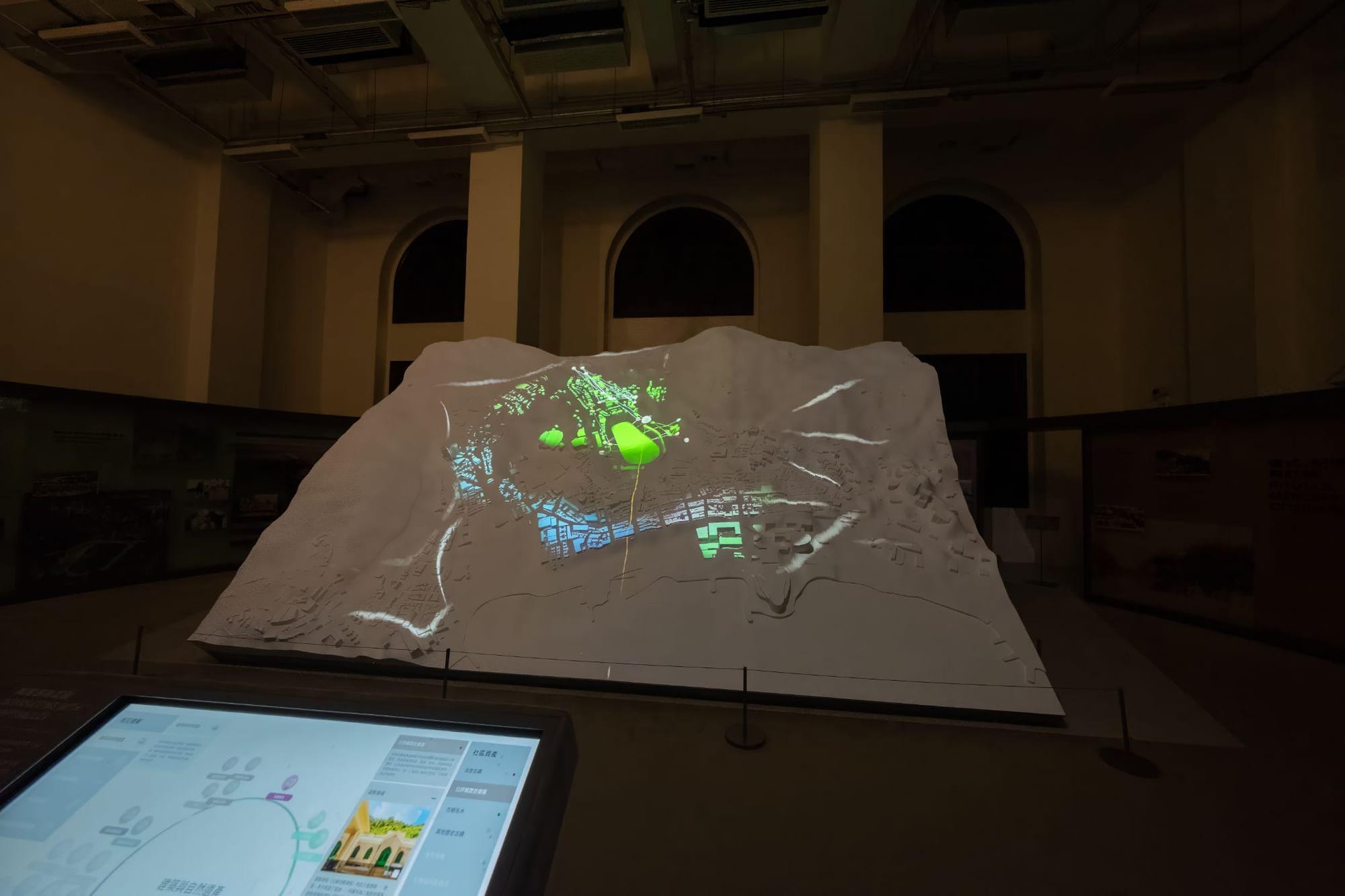
The two display outputs from the program: top to the projector and the bottom to the touch screen.
Real-Time Audio and Live Coding in Interactive Work
In many contemporary interactive installations, sound is generated or controlled in real time rather than played back from fixed files. Environments such as Max/MSP, SuperCollider and ChucK allow artists to build synthesizers, process live audio and respond to incoming data from sensors or cameras. Tracking information (for example hand position from MediaPipe or a depth camera) can be sent to these audio systems using OSC or UDP, so that movement directly changes pitch, volume, spatial position or texture of the sound.
Live coding takes this further by treating the act of writing code itself as a performance. Tools such as Strudel (for algorithmic sound patterns) and Hydra (for generative visuals) run directly in a web browser. Performers modify code live while the audience sees both the resulting sound and visuals and, often, the code itself. These browser-based approaches lower the technical barrier and make real-time audiovisual performance more accessible. Desktop systems such as SuperCollider and ChucK offer greater precision and are frequently used when tight timing or complex synthesis is required.
Communication between systems is usually handled by lightweight protocols. OSC (Open Sound Control) is widely used to send high-resolution values such as coordinates or sensor readings between visual software, tracking applications and audio engines. MIDI remains useful for connecting physical controllers, while UDP provides fast local network transfer of real-time data.
Glossary
[Glossary]
NUI (Natural User Interface)
- An interface that allows users to interact through natural behaviours such as touch, gesture, or voice, without the need for traditional input devices
Projection Mapping
- A technique that projects imagery onto physical surfaces, often with geometric correction and edge blending to fit non-flat or multi-screen environments
UDP (User Datagram Protocol)
- A lightweight network communication protocol commonly used for real-time data transmission between devices on a local network
OSC (Open Sound Control)
- A protocol for sending high-resolution control data (such as sensor values or coordinates) between software applications, frequently used to link visuals and audio.
Depth Camera
- A camera that captures spatial depth information in addition to colour, enabling gesture and body tracking; the Microsoft Kinect is one example
Live Coding
- The practice of writing or modifying code in real time during a performance to generate sound, visuals or both.
Spatial Audio
- Sound that can be positioned and moved in three-dimensional space, often controlled by tracking data or interactive input.