Glossary
Content TODO
Introduction
Photoshop
[ImageColumn]
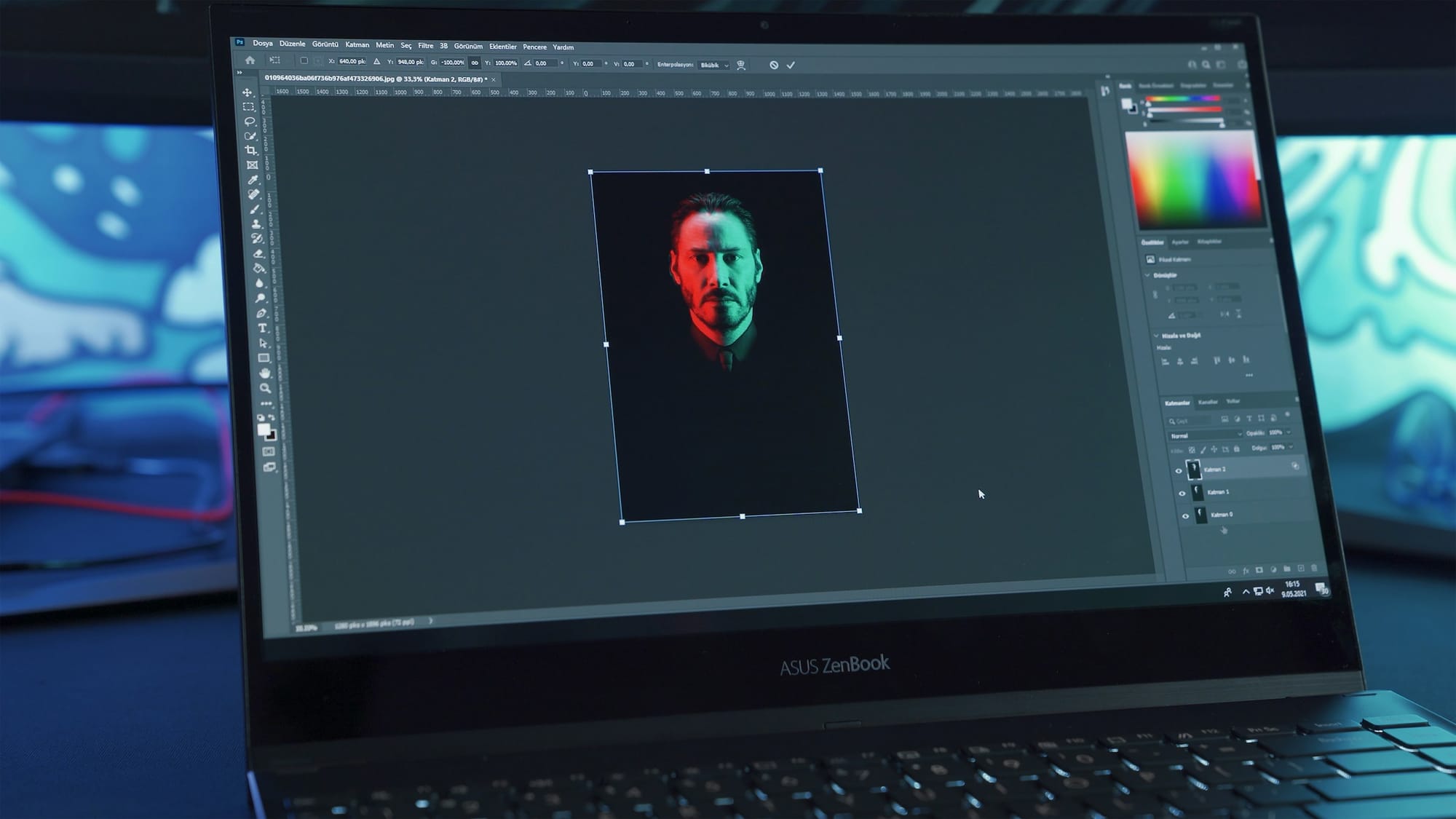
Since the introduction of Photoshop in the early 1990’s, digital editing and design tools have come to replace the traditional use of pen and paper. As a piece of software, Photoshop was created to give professionals and hobbyists in a range of fields the ability to edit photos and images through the digitally encoded ‘raster’ files. This file format takes any type of two-dimensional visual image, whether it be hand drawn graphics or an analogue photograph, and turns it into a grid of small coloured squares known as pixels, with the higher the number of pixels in the raster, the higher the resolution of the encoded image.
The number of pixels per inch is known as ‘dots per inch’ or dpi, with the standard dpi of a printable image being 300dpi. To make things even more complex, each pixel has a ‘bit depth’ referring to the amount of information the digital image carries, which is related to the number of colours and tones it contains. Standard .jpg files are 8-bit and contain 256 levels of colour and tone, while a .png file can contain between 8 and 24-bits of information, with the number of colour levels increasing to a possible 16.7 million! Based on this encoding process, Photoshop allows users to manually cut, paste and erase sections of an image in the software.
When editing digitized photos, Photoshop also allows users to adjust the hue and saturation, brightness and contrast as well as change individual colours in an image. The fashion and advertising industry has adopted the software for detailed editing of photos to remove wrinkles or blemishes from the skin of photographic subjects, or do more radical interventions and change their bodies entirely using stamp and erase tools. In addition to these features are an array of filters which allow the user to apply certain stylistic changes to an image, for example blur, black and white, with a single click of the mouse. Another key feature of Photoshop is the ability to work with layers, so that multiple versions of the same or different images can be composited into a single image, to create multi-layer effects with photos and graphics.
The file format of Photoshop is the .PSD file, while allows for open-ended editing of the same file or project, while the software also allows the user to export images in standard raster graphic formats like .jpg and .png. Since Photoshop is a subscription based proprietary software owned by the Adobe corporation, a number of open-source and free versions have emerged which offer similar functions, such as the online photo editor Canva and Affinity Photo which allows for a one-of purchase of its product.
Illustrator
[ImageColumn]
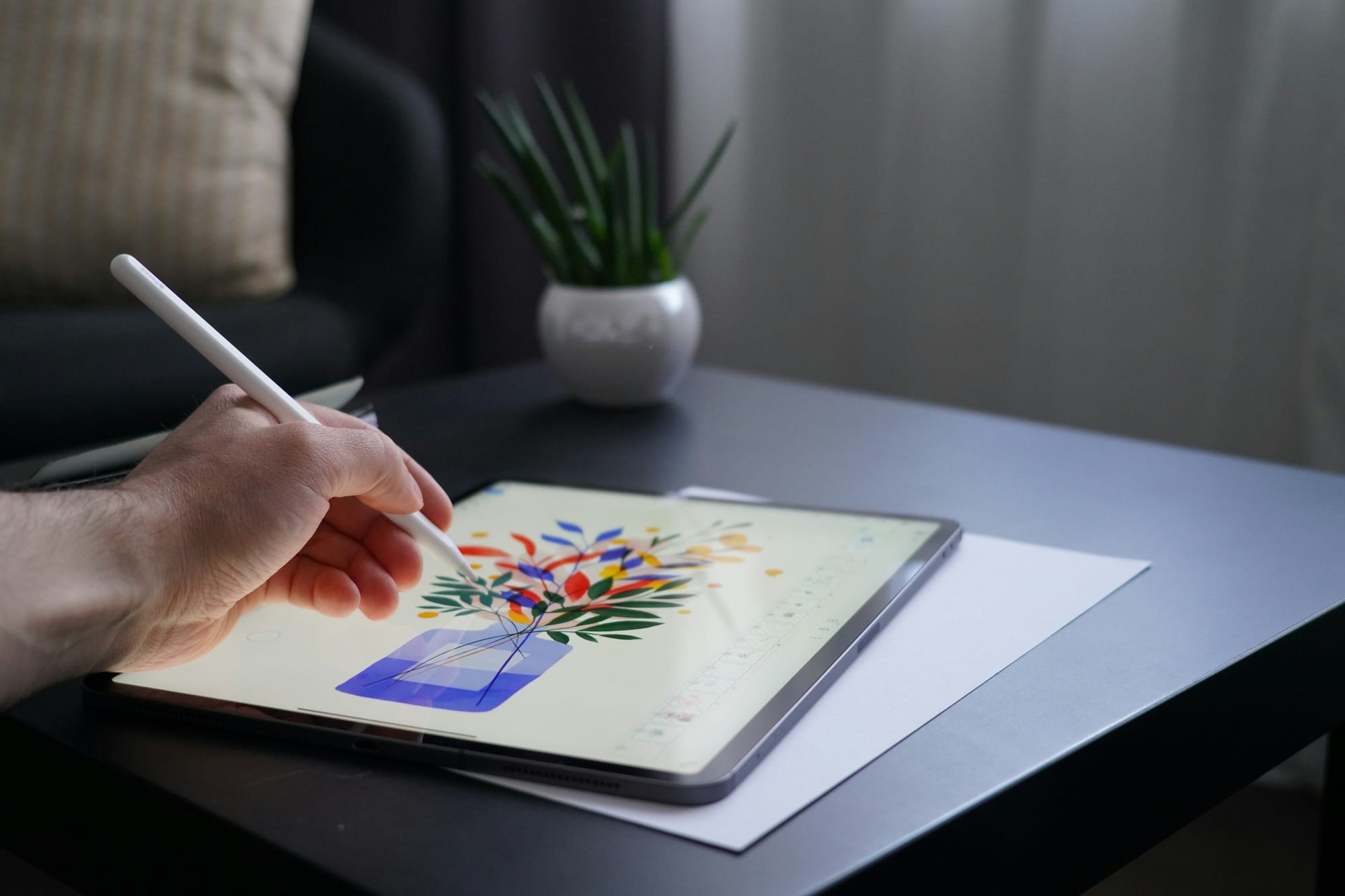
Contrary to raster files, vector graphics encode visual information through plotted points in two-dimensional space, so that the graphical information is stored as a set of text coordinates rather than as visual data itself, which results in much smaller file sizes. The primary software for working with vector graphics is Illustrator, which was created specifically for converting traditional pen and paper based works.
flows used in graphic design into computerized formats. This allows for infinite editability and scalability of graphics and text, and the software is best used for creating and editing clean lines and solid colours of bold graphics rather than photographs like in Photoshop. Some of the key features of Illustrator include the ability to trace images using the pen tool, and thus convert them into vector data whose dimensions can be increased without resolution loss, and in general resolution is vector images is not an important consideration compared to raster files. With the autotrace functions built into Illustrator, it is also possible to take photos and automatically convert them into vector files, which is especially useful for creating logos, clip art or lettering symbols. Like Photoshop, it shares the ability to work with layers while also allowing a limited number of filters and effects to be applied to the vector images users create. Open-source and free vector graphics tools include Figma and Inkscape.
InDesign
[ImageColumn]
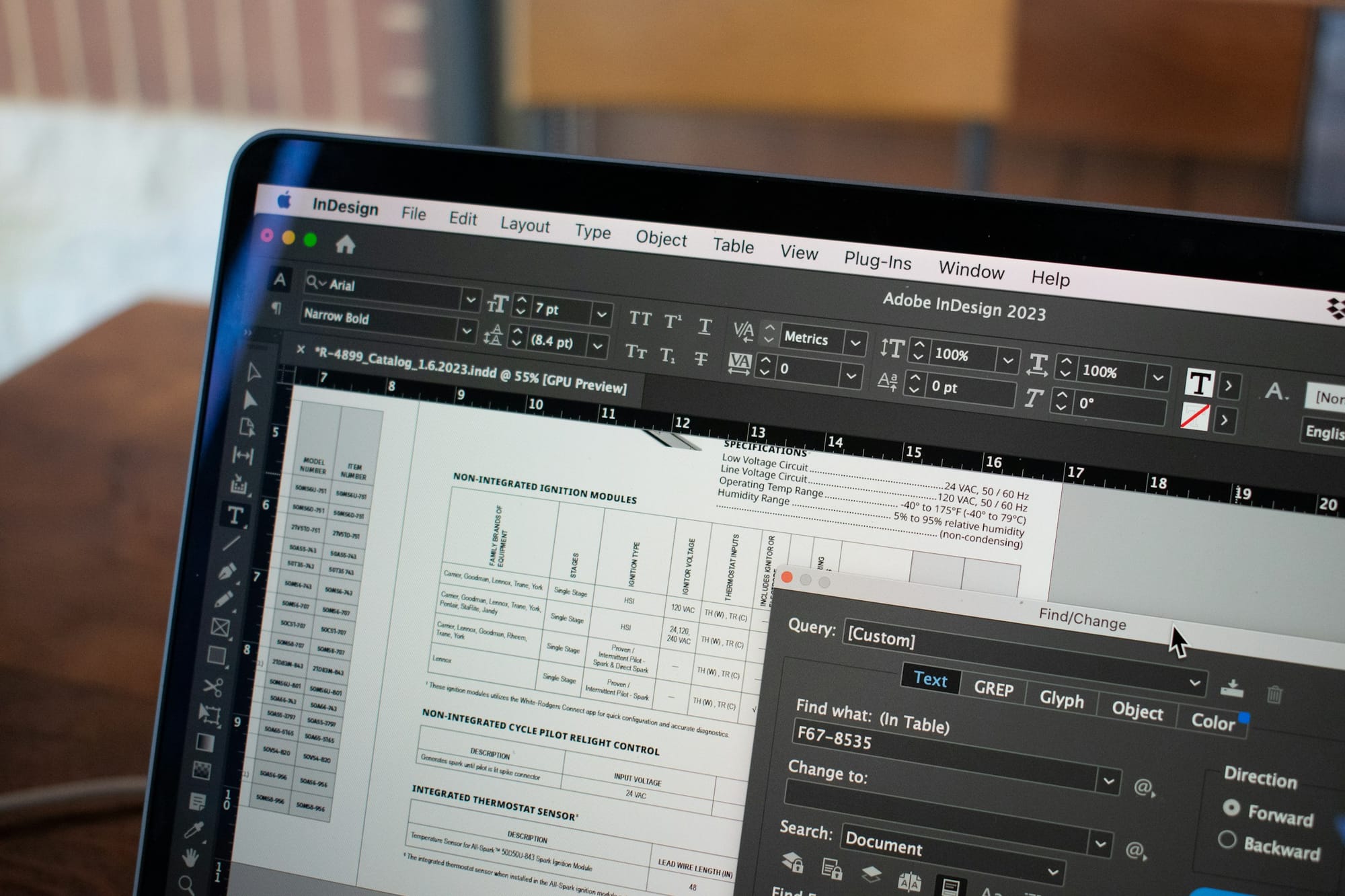
InDesign, also released by the Adobe corporation, has been developed for the graphic design of magazines, books and posters. Unlike Illustrator, the focus of InDesign is on layout for publishing, rather than the generation of custom vector graphics. The software is specifically designed for laying out text, so that large blocks of text can be imported into the software, placed into text boxes and then automatically formatted to fit with the page layout. In addition, users can create guide marks and use virtual rulers to arrange margins, columns and rows on the page for the spatial layout and design of books. The software can also be used to carefully justify text, add and remove hyphenation and evenly space text across the page. Once layouts have been completed, they can be exported as PDF or .indd files with accurate registration and bleed marks and sent directly to printers or online printing services for printing.
Tools
[Table]
- Software
- Key features
- Access
- Ease-of-use
Adobe Photoshop
- Digital image editor for photos and 2D graphics
- [Key features]
- Cropping photos
- Adjusting resolution and file dimensions and size of photos
- Colour correction of photos
- Editing photos (removing dust particles, masking, cutting and pasting)
- Creates and uses .jpg, .png , .tiff, .raw photo and image files
- Paid with subscription through Adobe Creative Suite
- Intermediate to Professional
Adobe InDesign
- Digital desktop design and publishing software
- [Key features]
- Laying out text and graphics for presentations, posters, books
- Specifically designed for formatting of text for publication (justification, spacing)
- Digital graphic design tool
- Paid with subscription through Adobe Creative Suite
- Intermediate to Professional
Adobe Illustrator
- Vector graphics editing and design software
- [Key features]
- Used for editing vector graphics, which use geometric shapes using points, lines, curves and polygons.
- Used for creating simple 2D, geometry based vector graphics and text which has lower resolution and file size compared to raster based graphics used in photoshop.
- Creating images for graphic design.
- Making designs for laser cutting
- Creates and uses .ai, .svg, .bmp files
- Paid with subscription through Adobe Creative Suite
- Intermediate to Professional
Canva
- Web based digital image editor for photos and 2D graphics
- [Key features]
- Cropping photos
- Adjusting resolution and file dimensions and size of photos
- Colour correction of photos
- Editing photos (removing dust particles, masking, cutting and pasting)
- Creates and uses .jpg, .png , .tiff, .raw photo and image files
- Free
- Beginner to intermediate
Affinity
- Digital image editor for photos and 2D graphics
- [Key features]
- Cropping photos
- Adjusting resolution and file dimensions and size of photos
- Colour correction of photos
- Editing photos (removing dust particles, masking, cutting and pasting)
- Creates and uses .jpg, .png , .tiff, .raw photo and image files
- Free
- Beginner to intermediate
GIMP
- Open source alternative to Photoshop
- [Key features]
- Cropping photos
- Adjusting resolution and file dimensions and size of photos
- Colour correction of photos
- Editing photos (removing dust particles, masking, cutting and pasting)
- Creates and uses .jpg, .png , .tiff, .raw photo and image files
- Free open source
- Intermediate
Figma
- Web based collaborative vector graphics editing and design tool
- [Key features]
- Primarily used for user experience (UX) design ie. Prototyping website design
- Used for editing vector graphics, which use geometric shapes using points, lines, curves and polygons.
- Free starter plan. Paid with subscription for Pro features.
- Intermediate to professional
Inkscape
- Free, open-source web based vector graphics editing and design software
- [Key features]
- Used for editing vector graphics, which use geometric shapes using points, lines, curves and polygons.
- Used for creating simple 2D, geometry based vector graphics and text which has lower resolution and file size compared to raster based graphics used in photoshop.
- Creating images for graphic design.
- Making designs for laser cutting
- Creates and uses .ai, .svg, .bmp files
- Free open source
- Beginner to intermediate
Tutorials
[Tutorial]
Adobe Photoshop
Adobe InDesign
Adobe Illustrator
Canva
Affinity Photo
Figma
Inkscape
Case Study
New German Photography
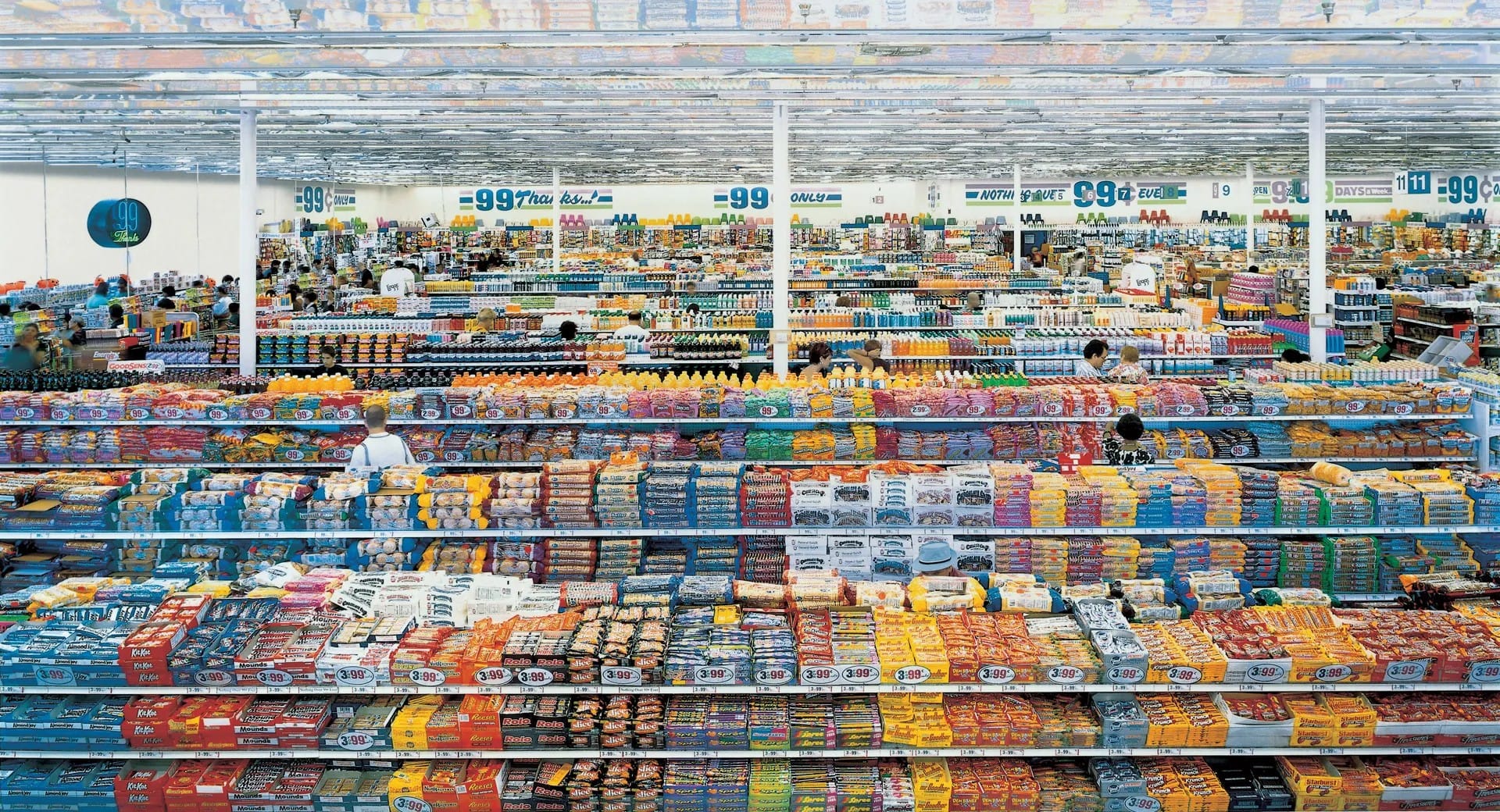
In the early 1990’s, a new generation of photographers emerged in Germany who combined the use of large format cameras and Type C-printing with computer-based photo editing software to create large scale, extremely high resolution ‘painterly’ photographs which revolutionized the role of photography in contemporary art. This highly influential generation of photographers include Thomas Struth, Laurenz Berges, Candid Höfer, Andreas Gursky and Thomas Ruff, mostly associated with the Düsseldorf School of Photography. The most prominent amongst these photographers who has made extensive use of photoshop in their work is Andreas Gursky, whose work can broadly be seen as the documentation of the networks of multinational globalization that emerged in the 1990s. Drawing from traditions of 18th and 19th century history and landscape painting as well as 20th century abstract expressionism, Gursky has photographed the varied landscapes of late-capitalism whether it be supermarkets, shipping container ports, stock exchanges or the interiors of luxury clothing shops. To capture the scale and multitudinous details of these environments, Gursky has made extensive use of Photoshop to copy and paste rows of supermarket shelves, or the consoles of traders to create deliberately exaggerated vertiginous depths within the photography, which would be impossible without the use the software. Though some of the photographs may seem dated to contemporary eyes, the works remain influential and a powerful document of these digital imaging techniques on the history of photography.
Campus Resources
[Table]
- Items
- Location
Adobe Creative CC
- [Items]
- Adobe Bridge
- Adobe Illustrator
- Adobe InCopy
- Adobe InDesign
- Adobe Photoshop
- Adobe Premiere Pro
- Adobe Image Ready
- Adobe Version Cue
- Design guide and training resources
- Adobe Stock Photos
- Software installed on four high-performance workstations.
MakerSpace, Lower Ground Floor, Learning Garden, Chinese University of Hong Kong Library.
https://libguides.lib.cuhk.edu.hk/makerspace/highperformancew
Glossary
[Glossary]
.AI
- Vector file format specifically for vector graphics produced by Adobe InDesign.
Brightness/Contrast
- Brightness is the total light/darkness of an image, contrast is how much difference between light and dark areas there is
Colour Correction
- Colour correction refers to the process of adjusting the relative hue, saturation, brightness, contrast and white balance in a digital image or video to match the perception of colours in the real world.
Compression
- Compression is the reduction in the number of pixels and DPI in an image to reduce the overall file size of a digital image or video. The balance tradeoff is usually between an acceptable decrease in image quality relative to decrease in file size via compression.
Design Thinking
- A practical, human-centred approach to solving problems. It focuses on understanding users’ needs, generating many possible ideas, building simple prototypes, and testing them. The process usually moves through five stages: Empathize, Define, Ideate, Prototype and Test.
Double Diamond
- A simple model of the design process that uses two stages of expanding ideas (divergent thinking) and two stages of narrowing them down (convergent thinking). The four phases are Discover, Define, Develop and Deliver.
DPI
- Refers to the number of ink ‘dots’ per inch produced by a printer and is relational to the resolution of the image. Standard printable resolution is 300dpi.
Hue/Saturation
- Hue refers to the colours of an image on the visible spectrum while saturation refers to the relative intensity of those colours.
.JPG
- A .jpg file, which refers to the ‘Joint Photographic Experts Group’ that maintains the standard of this image file format, is a lossy standard for the compression of digital images. It is one of the most standard digital image file formats for raster style images.
Mockup
- A more detailed visual representation of a design that shows colours, typography and imagery, but is not yet interactive.
- A .pdf is a ‘portable document file’ created by the Adobe company which for digital documents which can contain raster and vector images, texts and fonts.
Persona
- A short, fictional profile of a typical user, based on research, that helps designers keep real people’s needs in mind.
Pixels
- Pixels are the individual colour squares which are used to composite digital images. The number of pixels is relative to resolution and quality of the image.
Pixelation
- Pixelation refers to the blocky, jagged or blurry effect which can occur when an image is reduced in pixel size.
.PNG
- A .png file refers to ‘portable network graphic’ that is a lossless standard for the compression of digital images. Alongside .jpg, It is one of the most standard digital image file formats for raster style images.
Prototype
- An early working model of a design, ranging from rough sketches or paper models to clickable digital versions. Prototypes are used to test ideas quickly before the final product is built.
Raster Graphics
- Raster files are a digital image file format which uses pixels to composite the image and is usually compressed using .jpg and .png file formats.
Resolution
- Resolution refers to the compression of a digital image relative to its overall visual quality.
Responsive Design
- Designing layouts that automatically adapt to different screen sizes, such as phones, tablets and desktop computers.
Usability Testing
- A method of checking how easy a design is to use by watching real people try to complete tasks with it. The goal is to find points of confusion or difficulty so the design can be improved.
User Experience (UX) Design
- The practice of designing digital products so that they feel clear, useful and pleasant to use. UX designers focus on the overall journey and how people interact with a product.
User Flow
- A diagram that maps out the steps a person takes to complete a task within a digital product.
User Interface (UI) Design
- The visual design of the elements people see and touch on a screen, such as buttons, menus, colours, typography and icons. UI design aims to make the interface clear and visually consistent.
Wireframe
- A simple, low-detail layout that shows the basic structure of a page or screen. It focuses on content placement and navigation without final colours, images or styling.
Vector Graphics
- Vector graphics are digital images based on plotted coordinates rather than pixel, usually used for clean line-based work such as text, fonts, logos, and graphic design with smaller file sizes than vector graphics.
Color Space (CMYK, RGB)
- RGB refers to using red, green and blue light to create color, as in a computer monitor. CMYK refers to using cyan, magenta, yellow and “key” (black) ink to create color, as in a printer. As there are differences to how colors appear, software will let you work in CMYK for more accurate colors when printing.
.TIFF
- .TIFF or .TIF is a lossless image format commonly used in printing.
Introduction
Digital Video Editing
The history of film is tied to the transformations in technology and recording mediums used by filmmakers, which have moved from celluloid film to video to digital video in the course of 100 years. These transformations have been accompanied by the gradual democratization of the process, with Hollywood level production techniques becoming available to students and hobbyists on small budgets. An integral part of this has been the introduction of affordable digital single lens reflex cameras (DLSR’s) which allow for the use of cinema grade lenses with increasingly high-resolution sensors and file formats, which have gone from high definition (HD) to 4K to 6K and 8K to match the fidelity of film. Another key innovation has been the move from editing with physical film, to video editing decks to the emergence of dedicated video editing software platforms like Final Cut Pro, Adobe Premiere Pro and the colour grading suit Da Vinci Resolve. These software platforms allow the editor to have access all of their footage in any resolution and simultaneously edit video and sound, apply various SFX techniques such as chroma key, cropping, masking, cross-fades, perform colour correction operations like adjusting brightness, hue and saturation and white-balance. In addition to this, it is possible to use this software to do basic sound editing, mixing and mastering with the option to do multi-band sound equalization and compression on voice over narration and dialogue as well as apply various effects such as reverb, de-essing and noise gating. With user-friendly interfaces, these software platforms have given a new generation of film makers access to realize their creative ideas, while it has also allowed researchers to increasingly incorporate moving-image based outputs into their research.
360 Video Production
Since the introduction of the Oculus Rift VR headset in the mid-2010's, there has been a renaissance in immersive VR, AR and 360 video content since its initial introduction and demise in the 1990’s. One particularly popular form of immersive content is 360 video, filmed using custom 360 video cameras released by well-known camera brands like Ricoh and Leica, but also newer competitors like Samsung, Go Pro and Insta360. These cameras film in extremely high-resolution (4K, 6K and 8K and higher) equirectangular formats which stitch together two or more fish lens images into an image with 360 degree coverage. These 360 videos can be viewed either on the web in a browser in which the user is able to manually drag and scroll through different parts of an immersive image, or loaded onto a VR headset like the Meta Quest or HTC Vive. The same editing platforms can also be used to edit 360 degree film, such as Adobe Premiere Pro, which has integrated 360 video editing tools directly into the program, while maybe of the 360 degree camera brands also providing bespoke software to handle the specific file formats they use.
Virtual Exhibitions and 360 Photography
While 360 video is useful for moving stories, 360 panoramic photography has become a practical way to create interactive virtual galleries and online exhibitions. Studios such as MetaObjects have used this approach to document physical shows, preserve temporary installations after they close, and offer web-based experiences that remain available long after the original event. The same methods can also record outdoor sites, heritage locations, or spaces that many people find difficult to visit in person because of distance, access limits or physical barriers.
High-resolution panoramic photographs are taken at carefully chosen points throughout a space, usually with a dedicated 360 camera such as the Ricoh Theta or with a DSLR fitted with a fisheye lens mounted on a panoramic head. Each photograph captures a full spherical view from that position. These individual views are then linked together in software so that a visitor can move from one viewpoint to the next simply by clicking directional points, often called waypoints or hotspots, on the screen. The effect is similar to walking through the real space, jumping from one standing position to another. Some platforms also analyze the set of photographs to create a simple three-dimensional floor-plan or dollhouse view. This overview helps users understand the overall layout of the building or site before they begin exploring the individual panoramic rooms or outdoor areas.
Extra layers of information can be added directly onto the panoramas. Clicking on an artwork can open a higher-resolution detail photograph or a short information panel that would not fit clearly inside the wide panoramic image itself. Ambient sound, field recordings, short interviews or artist commentary can be triggered when the viewer reaches a particular location, adding an audio dimension to the visual space. Curatorial notes, archival text, captions and external web links can appear as overlays or pop-up windows. The finished result is a navigable online version of a physical exhibition that can be experienced on a computer, phone or VR headset. This gives wider and longer-lasting access to the original space and its contents, allowing people who could not attend in person to explore the exhibition at their own pace.
Tools
[Table]
- Software
- Key features
- Access
- Ease-of-use
iMovie
- Video editor for creating and exporting social media videos, short films and music videos
- [Key features]
- Cutting and resizing video clips
- Sequencing video clips
- Adding transitions (cross fades, animated transitions)
- Sound editing and synchronization with video
- Adding titles and subtitles to videos
- Adding music to videos
- Exporting in different file formats and resolutions (.mov, .MP4)
- Comes free with Apple Mac OSX operating system
- Beginner
Adobe Premiere Pro
- Advanced video editor for creating and exporting social media videos, short films, feature films and music videos
- [Key features]
- Cutting and resizing video clips
- Sequencing video clips
- Professional grade colour correction tools
- Effects (colour key for greenscreen, blur, mask, feathering, invert, black and white)
- Adding transitions (cross fades, animated transitions)
- Sound editing and synchronization with video
- Adding titles and subtitles to videos
- Adding music to videos
- Works with HD, 4K, 8K, 360° video
- Exporting professional in different file formats and resolutions (.MOV, .MP4, .MKV)
- Single time purchase
- Intermediate to advanced
Final Cut Pro
- Advanced video editor for creating and exporting social media videos, short films, feature films and music videos
- [Key features]
- Cutting and resizing video clips
- Sequencing video clips
- Professional grade colour correction tools
- Effects (colour key for greenscreen, blur, mask, feathering, invert, black and white)
- Adding transitions (cross fades, animated transitions)
- Sound editing and synchronization with video
- Adding titles and subtitles to videos
- Adding music to videos
- Works with HD, 4K, 8K, 360° video
Exporting professional in different file formats and resolutions (.mov, .MP4)
- Single time purchase
- Intermediate to advanced
Da Vinci Resolve
- Video software for colour grading, colour correction, visual effects, audio post-production and editing
- [Key features]
- Primarily designed for professional colour correction and grading
- Cutting and resizing video clips
- Sequencing video clips
- Professional grade colour correction tools
- Effects (colour key for greenscreen, blur, mask, feathering, invert, black and white)
- Adding transitions (cross fades, animated transitions)
- Sound editing and synchronization with video
- Adding titles and subtitles to videos
- Adding music to videos
- Works with HD, 4K, 8K, 360° video
- Exporting professional in different file formats and resolutions (.mov, .MP4)
- Free
- Professional
Jianying
- Free video editor released by ByteDance for the Chinese market
- [Key features]
- Cutting and resizing video clips
- Smartphone version of the software is also available for editing videos for social media
- Primarily Chinese language based
- Sequencing video clips
- Adding transitions (cross fades, animated transitions)
- Sound editing and synchronization with video
- Adding titles and subtitles to videos
- Adding music to videos
- Exporting in different file formats and resolutions (.mov, .MP4)
- Free
- Beginner
Shortcut
- Free, open-source video editor with intuitive interface
- [Key features]
- Cutting and resizing video clips
- Sequencing video clips
- Adding transitions (cross fades, animated transitions)
- Sound editing and synchronization with video
- Adding titles and subtitles to videos
- Adding music to videos
- Exporting in different file formats and resolutions (.mov, .MP4)
- Free
- Beginner
Insta360 Studio
- Video editor specifically for 360° video
- [Key features]
- 360 o video editing software designed for the Insta 360 camera but can be used with any 360 o degree footage
- Cutting and resizing video clips
- Sequencing video clips
- Adding transitions (cross fades, animated transitions)
- Sound editing and synchronization with video
- Adding titles and subtitles to videos
- Adding music to videos
- Exporting in different file formats and resolutions (.mov, .MP4)
- Free
- Intermediate to advanced
Mistika VR
- 360° camera stitching
- [Key features]
- Advanced software to stitch together the individual lens views of a 360 camera into a single 360 video
- Allows advanced controls of the stitching process to increase quality between lens views
- Supports flat and 3D stereo 360 video.
- Subscription
- Advanced
Tutorials
[Tutorial]
iMovie
Adobe Premiere Pro
Final Cut Pro
Da Vinci Resolve
Jianying
Shortcut
Insta360 Studio
Mistika VR
Case Study
Clouds over Sidra and the ‘Empathy Machine’
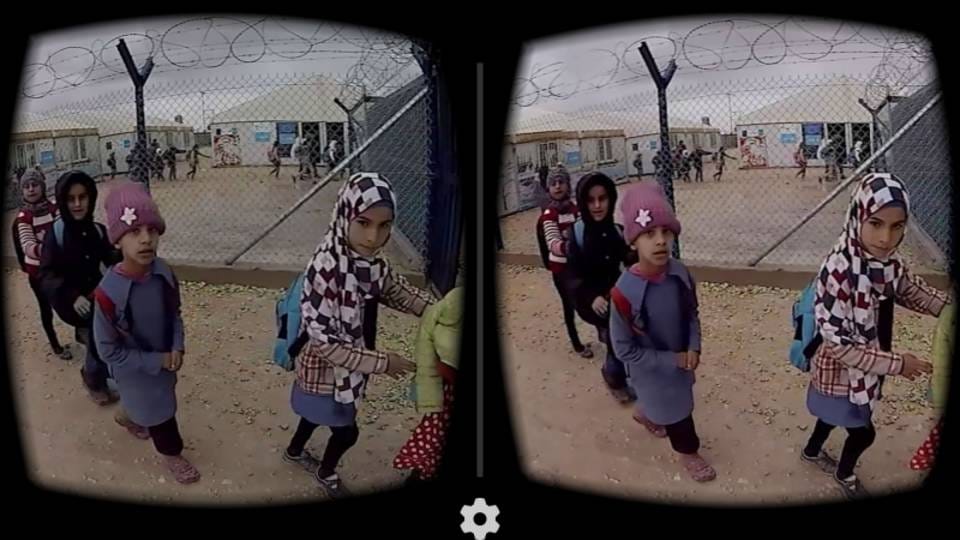
In 2015, the film directors Gabo Arora and Chris Milk presented their film ‘Clouds over Sidra’ at the World Economic Forum in Davos, Switzerland. The film follows a 12-year-old Syrian refugee named Sidra in the Za’atari refugee camp in Jordan. The innovative aspect of this film was the fact that it was shot using a Samsung Gear VR 360degree camera which not only captured the environment with full immersivity, but it positioned the audience of the film in the first-person perspective, so that for all intents and purposes, they were experiencing the world as Sidra. The use of 360 cameras completely re-writes the rules of film making, as the language and syntax of framing and editing must be completely adapted to the fact that there is no ‘frame’, but rather a completely immersive environment and editing as it were must follow the rhythms of life, rather than cinema, since the disruptions of the ‘cut’ is felt experientially. Chris Milk described VR and 360 filmmaking at this time as an ‘empathy machine’, given the immersive, first-person perspective the technology allows for the first time in history, the viewer is able to ‘experience’ and ‘empathize’ with the protagonist, rather than objectively observe from a third person perspective. This form of filmmaking is particularly important in the world of NGO’s, charities and international development in which organizations must convince wealthy donors such as governments and philanthropists to donate to their causes. To this end, images and short films have been used to publicize the various issues the institution seeking to raise money for. For Milk, 360 degree video is able to overcome the ‘empathy gap’ between the donors and the subjects and ultimately emotionally move them in ways that legacy media cannot.
Virtual Heritage Projects: Tai Kwun and Lamma Mia
When physical access to cultural venues was limited during the COVID-19 period, Hong Kong art spaces began using 360 photography to keep exhibitions and outdoor projects available online. MetaObjects produced two examples of this approach.
For the exhibition 'My Body Holds Its Shape' and 'Poetic Heritage' at Tai Kwun Centre for Heritage and Arts, MetaObjects created a virtual gallery tour. The indoor spaces were photographed from multiple points and linked together so that visitors could move through the gallery on a computer, phone or simple VR viewer. Information panels and higher-resolution images of the artworks were added on top of the panoramic views. In this way a temporary exhibition was preserved as a permanent online archive.
A second project, Lamma Mia, documented outdoor public art and community sites around Sok Kwu Wan on Lamma Island. Panoramic photographs were taken across fields, piers, temples and coastal paths, then connected into an interactive web tour. Additional layers such as short texts, detail images and ambient sound recordings were included so that remote visitors could explore both the artworks and the wider environment of the island. Together the two projects show how 360 panoramic photography can record indoor exhibitions and outdoor heritage sites, making them accessible beyond the original physical event.
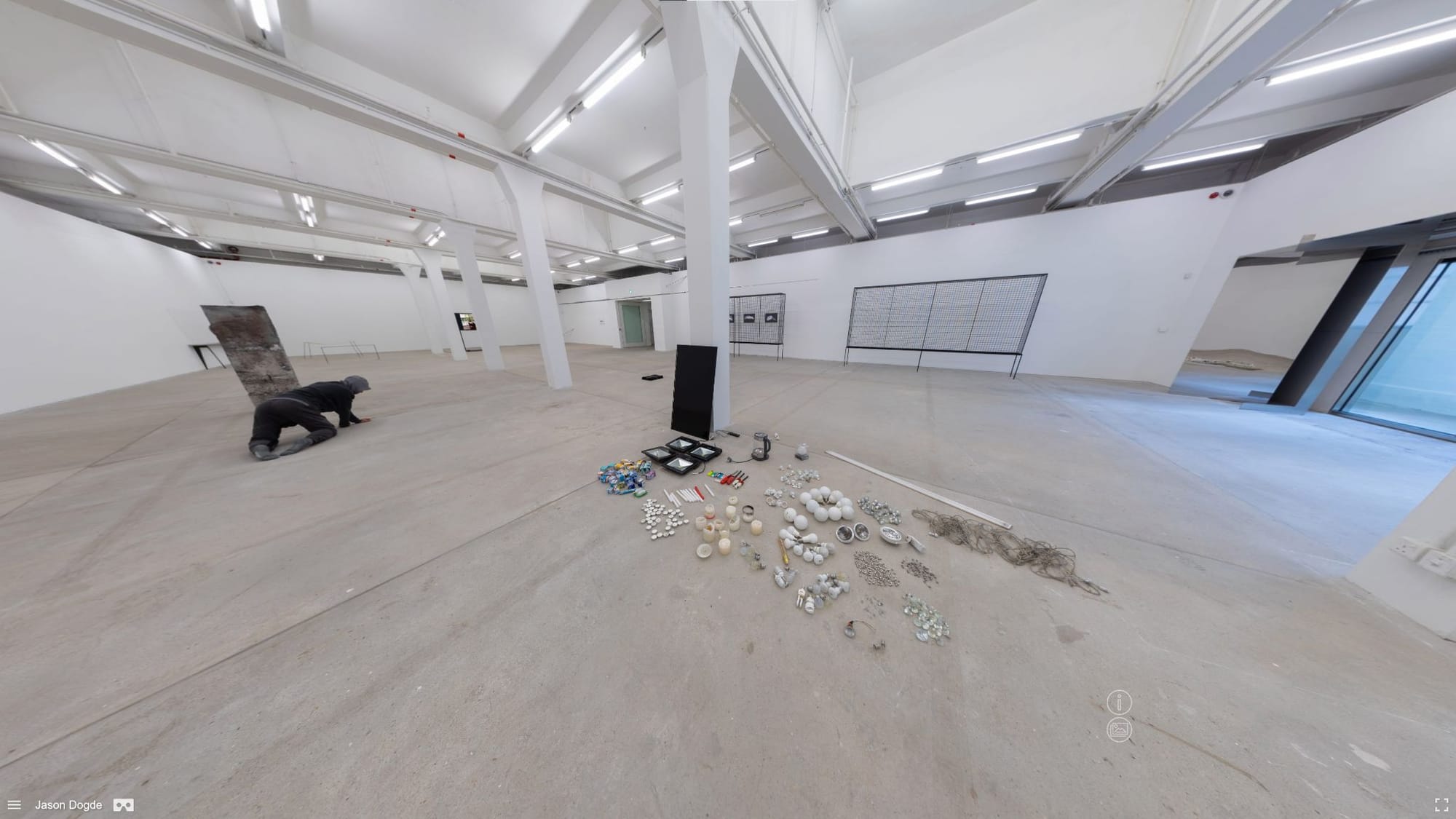
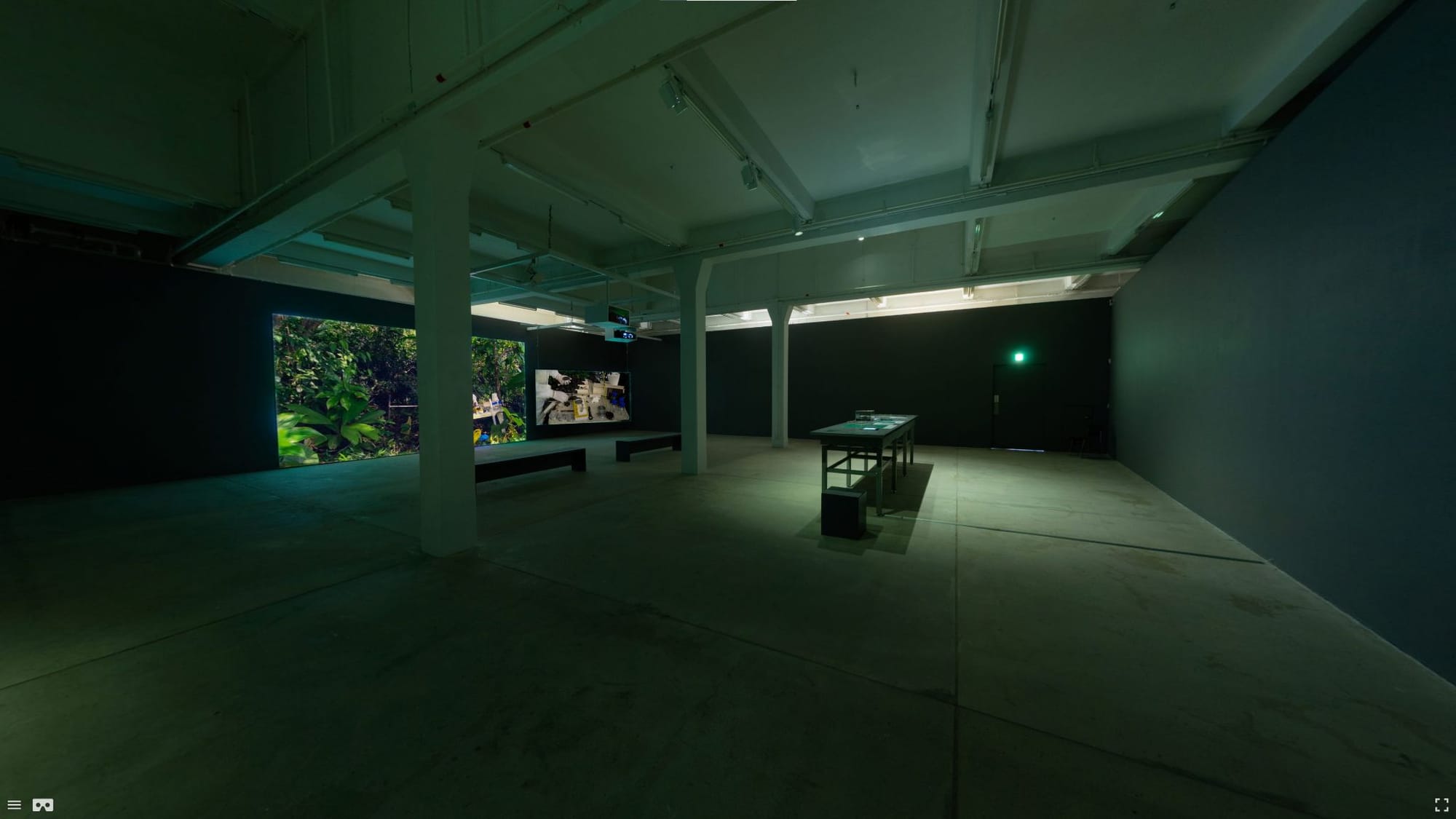
360 degree virtual exhibition screenshot from 'My Body Holds Its Shape' and 'Poetic Heritage'
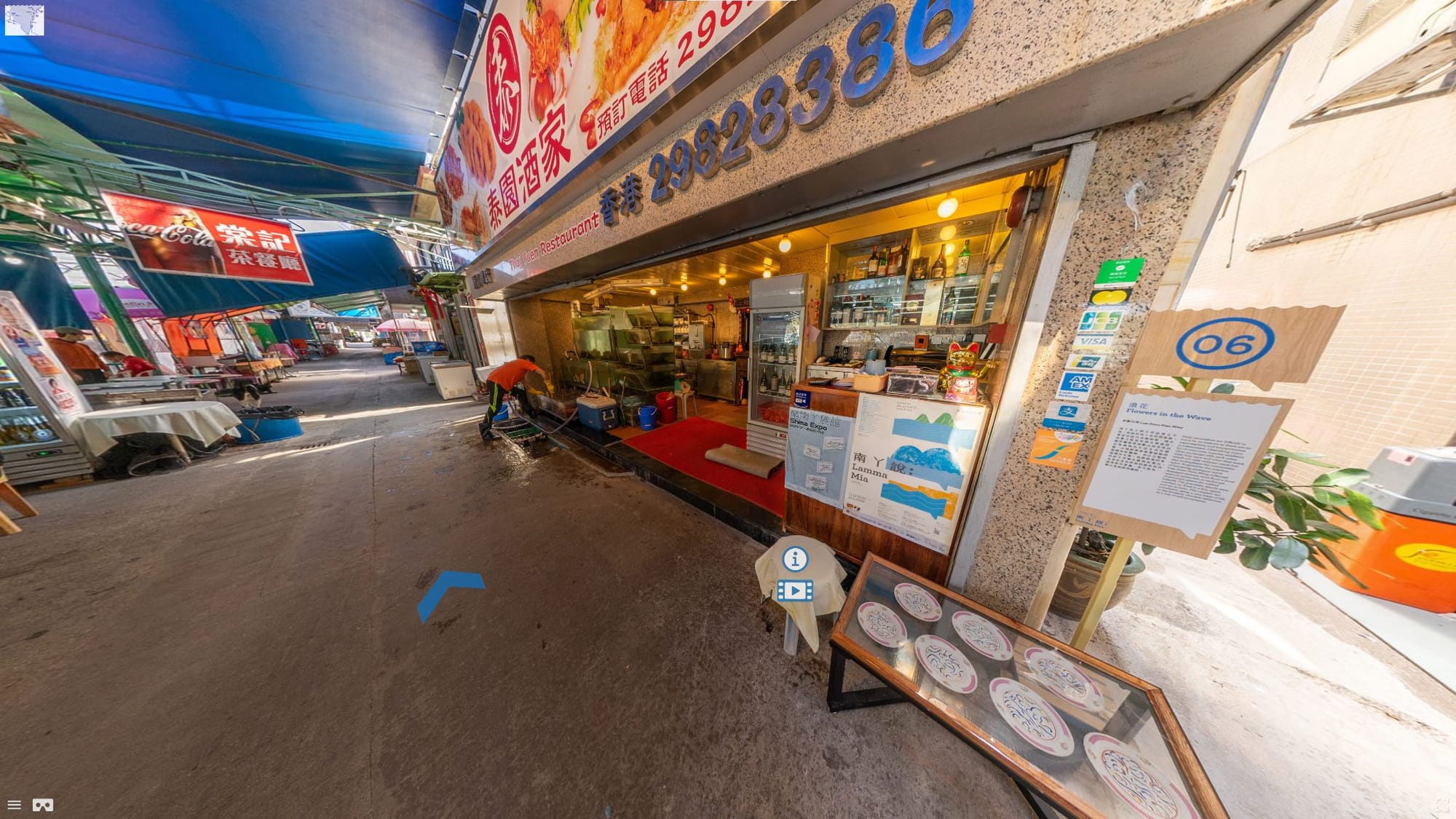
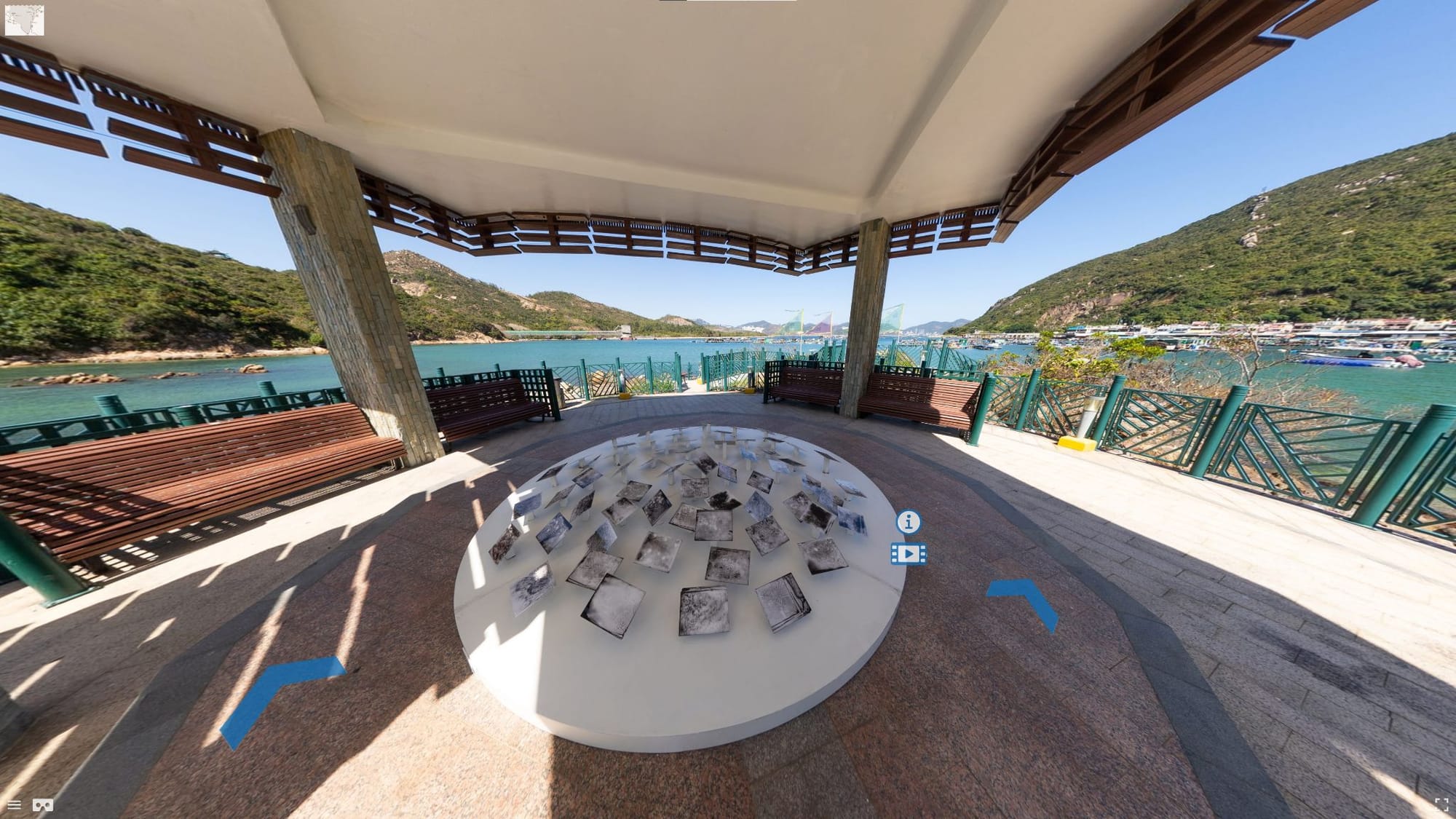
360 degree virtual exhibition screenshot from Lamma Mia
Campus Resources
[Table]
- Specifications
- Location
Adobe Premiere Pro
- Video and 360 video editing
- Software installed on four high-performance workstations. MakerSpace, Lower Ground Floor, Learning Garden, Chinese University of Hong Kong Library.
https://libguides.lib.cuhk.edu.hk/makerspace/highperformancew
Ricoh Theta Z
- 360 camera for capturing 360 images and videos.
- External Dimensions: 48 mm (W) x 132.5 mm (H) x 29.7 mm (D)
- Still Image Performance: 5376 x 2688 pixels
- Video Resolution Performance:
- 4K 3840×1920/29.97fps/56Mbps;
- 2K 1920×960/29.97fps/16Mbps;
- Maximum continuous recording time: 25 minutes
- Live Streaming Performance:
- 4K H264:3840×1920/29.97fps;
- 2K H264:1920×960/29.97fps
- MakerSpace, Lower Ground Floor, Learning Garden, Chinese University of Hong Kong Library.
https://libguides.lib.cuhk.edu.hk/makerspace/highperformancew
Glossary
[Glossary]
4K
- 4K resolution refers to a horizontal display resolution of approximately 4,000 pixels.
8K
- 8K resolution refers to a horizontal display resolution of approximately 8,000 pixels.
360° Video
- 360° Video is a spherical video format using dedicated 360° cameras usually played on virtual reality headsets.
Aspect Ratio
- The aspect ratio is used to describe the relationship between the width and height of the screen size. Common aspect ratios include 16:9 and 4:3
Bit Rate
- Is the amount of data being streamed per second of a video measured via kilobytes per second (kbps). Higher bit rates correspond with better video quality.
Colour Key/Chroma Key
- When shooting with a green screen or blue screen, it is necessary to use the colour key or chroma key tool in editing software to remove the green and blue background so that the main subject can be superimposed on another background.
Colour Grading/Colour Correction
- Colour correction involves adjusting brightness, hue and saturation and white-balance of a video image.
Compositing
- The merging of multiple layers of video to composite a final video.
Crop
- Resizing the borders of a video to decrease its size or to zoom in on something within the frame
Cut
- Separating different parts of a video clip for editing is known as a ‘cut’
Dissolve
- Slow fading out of the video to black or white to be used as a transition or ending to a video.
Export / Render
- The process of ‘exporting’ the video after the editing and postprocessing stage to create a final compressed video file that can be played back or uploaded.
Feathering
- Blurring the edges of a colour keyed or masked video image to blend it with the background, or to blend the edges of multiple 360 camera lens views to smooth
Frames-per-second (FPS)
- The number of individual images or frames in a video per second. The standard frame rate is 24 fps based on the frame rate of celluloid film. Higher frame rates such as 60fps will give smooth motion, or can be played back at a lower frame rate to give a slow motion effect
High Definition (HD)
- High definition is a resolution of 1920x1080 pixels with the aspect ratio of 16:9.
Masking
- Cutting out sections of a video to remove or occlude different sections.
Motion Graphics
- Text and image graphics are superimposed on video image involving motion and animation.
Transition/Cross-fade
- Merging between one video clip and a second video clip where the end and start of the two clips overlap for a brief period of time to create a smooth transition between the two clips.
Introduction
3D Modelling, Animation and Rendering Software
The concept of using an interactive, 3D dimensional display to manipulate geometric forms in virtual space was first introduced by computer scientist Ivan Sutherland in 1963. This created a revolution not only in personal computing but in engineering and architecture which synthesized the multiple roles of designer, draftsman and engineer into a single role, using computer aided design software like AutoCAD, introduced by AutoDesk in 1982. In the early 1990’s a number of 3D computer graphics programs specifically designed for computer games and cinema special effects were released including 3D Max and Maya. These software platforms not only allowed the user to create extremely detailed, high polygon, high resolution models but also provided the ability to animate these models, create interactive, 3D environments, control lighting, camera movement, object and environment physics and export high resolution animations or 3D projects which could be imported into game engines for development. In the 2000’s cheaper or free, open-source alternatives to these programs became increasingly popular such as Google SketchUp for architecture and interior design modelling and Blender, which incorporated many of the same tools and features as 3D Max and Maya, at zero cost. The basic principle of 3D animation is that it allows the user to manipulate and ‘sculpt’ three-dimensional shapes such as cubes, spheres, cones and cylinders by scaling, rotating, moving and extruding their corners (vertex), lines (edges) and faces (polygons). Through this basic process, it is possible to create complex, highly detailed three-dimensional models of virtually anything. To increase the realism of these models, the user can attach raster images (in the form of .jpg or .png files) to their surface, and then use the principle of keyframing to animate the models. Additional features using physics and particles to simulate various natural phenomenon such as clouds, rain or hair and behaviors such as falling, wind, gravity and the movement of clothing. Finally, these models and environments can be exported as images or animations in various high-resolution formats using a process called rendering, which incorporates various simulated principles of light and perception to create the illusion of photorealism.
3D Printing
The basis of 3D printing technology has existed since the 1960’s, though it was not until advances in the understanding of materials which affected cost that the technology moved from industrial applications to general availability at the consumer level. The fundamental principle of 3D printing follows the same approach as 2D inkjet printing, but instead of ink uses heated resin and plastic polymers printed from a 3D model in additive ‘slices’. In 2005, the first 3D printer which could ‘print’ itself was released as a crowdfunding project entitled RepRap which would lead to the technologies alignment with the nascent open-source, maker movement and the widespread commercial release and success of the MakerBot desktop 3D printer. Since that time, 3D printers have gotten cheaper and more sophisticated, printing in multiple materials such as metal, rubber, arcylic and ceramic while offering a full range of color printing options. Thus, the technology has been adopted in the fields of electronics, engineering, architecture as well as by artists.
3D Scanning / Photogrammetry
(A more recent method of creating 3D models and environments is to capture them from real objects and real location. This is done by 3D scanning, which involves either using special hardware such as LIDAR scanners to map out the position of points on an object, or by processing photos of multiple angles of an object/scene to calculate the 3D shape.
These can either be processed into a mesh (solid 3D shape) which is suitable for graphics work or for 3D printing, a point cloud for a more abstract representation of the scene (can be good for artistic/VR works), or gaussian splatting. Gaussian splatting is a recent technology which is excellent at capturing transparent or reflective materials, but cannot create a solid model for 3D printing.)
A more recent method of creating 3D models is to capture them directly from real objects and locations. This is done through 3D scanning. It can use special hardware such as LiDAR scanners, or by processing multiple photographs of an object or scene from different angles to calculate the 3D shape.
Phone-based photogrammetry allows users to create 3D models using only a smartphone. The reconstruction software works by identifying matching visual feature points across many images. To succeed, users must follow some basic rules. Every photograph needs to share at least 70% visual overlap with the previous and following shots. Without enough overlap, the software cannot align the images properly, which leads to holes, distorted geometry, or complete failure.
It is important to capture the object using three distinct orbital passes at different heights rather than shooting from a single position. The first pass is from a low angle, pointing slightly upward to record the base and undercuts. The second pass is at eye level for the main vertical surfaces. The third pass is from a high angle, pointing downward to capture the top surfaces.
Success also depends on good environmental conditions. Use flat, diffuse lighting such as overcast outdoor light or controlled studio setups to avoid strong shadows that change as the camera moves. Keep the object in consistent sharp focus with good depth of field. Avoid highly reflective surfaces like glass or polished metal, uniform featureless objects, and anything that is moving.
Mobile devices offer two main capture approaches. LiDAR mode, available on newer iPhones and iPads, uses depth-sensing hardware to quickly measure distances and works well for large objects and environments, though it may have lower detail on small features. Photo mode relies on high-resolution images processed through photogrammetry software. This approach provides better surface detail and texture when maximum quality is needed.
After processing, the scan can be exported in different formats depending on its use. The .obj format with .mtl material file is standard for work in Blender, Unity, or similar tools, as it includes both geometry and textures. The .ply format stores a point cloud with color information, which is useful for certain visual effects. For 3D printing, .stl or .3mf formats are used. These focus on geometry only and require the model to be watertight with no holes, which can be checked and repaired in software such as Meshmixer.
AI Resources in 3D Modeling and Scanning
Artificial Intelligence has changed 3D creation by making advanced tools available to more people. These systems now act as assistants that speed up many parts of the workflow.
AI can generate 3D models from simple text descriptions or rough sketches. This allows quick prototyping without starting from basic shapes. Tools also create realistic textures from single photographs, producing materials that react naturally to virtual lighting. In addition, AI helps clean up scanned models by automatically repairing holes, smoothing surfaces, and reducing file sizes for better performance in games, websites, or printing.
These capabilities reduce the time needed for technical tasks and let creators focus more on ideas and design.
AI Resources in 3D Modeling and Scanning
Artificial Intelligence has changed 3D creation by making advanced tools available to more people. These systems now act as assistants that speed up many parts of the workflow.
AI can generate 3D models from simple text descriptions or rough sketches. This allows quick prototyping without starting from basic shapes. Tools also create realistic textures from single photographs, producing materials that react naturally to virtual lighting. In addition, AI helps clean up scanned models by automatically repairing holes, smoothing surfaces, and reducing file sizes for better performance in games, websites, or printing.
These capabilities reduce the time needed for technical tasks and let creators focus more on ideas and design.
Tools
[Table]
- Software
- Key features
- Access
- Ease-of-use
Blender
- Open-source, 3D modeling and animation software
- [Key features]
- 3D modelling and rendering of still images and animations
- Rigging models for animation
- Texturing 3D models
- Procedural modelling for creating complex 3D objects
- 3D modelling of architecture
- 3D modelling of interiors
- Building models for 3D printing
- Editing and cleaning up 3D scans
- Free
- Intermediate to Advanced
Autodesk
- 3D Max 3D modeling and animation software
- [Key features]
- 3D modelling and rendering of still images and animations
- Rigging models for animation
- Texturing 3D models
- Procedural modelling for creating complex 3D objects
- 3D modelling of architecture
- 3D modelling of interiors
- Building models for 3D printing
- Editing and cleaning up 3D scans
- Paid with subscription
- Intermediate to advanced
Maya
- 3D modeling and animation software
- [Key features]
- 3D modelling and rendering of still images and animations
- Rigging models for animation
- Texturing 3D models
- Procedural modelling for creating complex 3D objects
- 3D modelling of architecture
- 3D modelling of interiors
- Building models for 3D printing
- Editing and cleaning up 3D scans
- Paid with subscription
- Intermediate to advanced
Sketchup
- 3D modeling software released by google for computer aided design (CAD)
- [Key features]
- 3D modelling of interior and exterior architecture
- Real world measurements
- Easy to use for beginners
- Low quality rendering
- Does not require high speed computer to run compared to other 3D modeling software
- Free version with limited features, paid version with pro features
- Beginner
Cinema 4D
- 3D modeling and animation software
- [Key features]
- 3D modelling and rendering of still images and animations
- Rigging models for animation
- Texturing 3D models
- Procedural modelling for creating complex 3D objects
- 3D modelling of architecture
- 3D modelling of interiors
- Building models for 3D printing
- Editing and cleaning up 3D scans
- Paid with subscription
- Intermediate to advanced
Meshmixer
- 3D modelling software developed primarily for 3D printing
- [Key features]
- Resize and slice models for 3D printing
- Making 3D models ‘watertight’ for 3D printing (fill missing polygons)
- 3D printing related edits such as making a model hollow
- Compressing models for 3D printing
- Free
- Beginner to intermediate
Z-Brush
- 3D modelling software designed for high detail, high resolution models
- [Key features]
- Used for creating ‘high resolution’ models for movies, games and animations
- High ‘polygon count’ giving the ability to ‘sculpt’ highly detailed models which are also lightweight when exported into other software for animation.
- Paid with subscription
- Advanced
Nomad
- 3D modelling software designed for high detail, high resolution models
- [Key features]
- Cheaper alternative to Z-Brush with similar features and free demo version.
- Paid
- Advanced
Rhino + Grasshopper
- 3D modelling software with advanced parametric design tools
- [Key features]
- Precise NURBS surface modelling
- Parametric modelling using node-based Grasshopper system
- Algorithmic and generative design workflows
- Widely used in architecture and product design
- Complex geometric control and fabrication-ready modelling
- Integration with CNC and digital fabrication tools
- Paid license (Grasshopper included with Rhino)
Student discounts
Free 90 day trial - Intermediate to Advanced
Houdini
- Node-based procedural and parametric 3D modelling and VFX software
- [Key features]
- Fully procedural and parametric modelling workflow
- Node-based system for non-destructive modelling
- Algorithmic and generative design capabilities
- Complex geometry creation through rules and parameters
- Industry-standard for simulation and VFX
- Modelling features available in free Apprentice version (non-commercial use)
- Free Apprentice version (modelling included), Paid Indie & Studio versions
- Advanced
Meshroom
- Photogrammetry 3D scanning software
- [Key features]
- Used to generate point clouds and full color meshes from photographs
- Free open source
- Intermediate
Realityscan
Photogrammetry 3D scanning software
- Used to generate point clouds and full color meshes from photographs
- Created by Epic software, optimized for use with Unreal engine
- Can be used for non-Unreal based projects
Free open source
Intermediate
Jawset Postshot
- Gaussian splatting 3D scanning software
- [Key features]
- Used to generate gaussian splat 3D scans
- Can work standalone, or integrate with other photogrammetry software like Realityscan for higher quality results
- Paid subscription
- Intermediate
Lichtfeld Studio
- Gaussian splatting 3D scanning software
- [Key features]
- Used to generate gaussian splat 3D scans
- Requires use of other photogrammetry software like Realityscan to preprocess images
- Free open source
- Advanced
Luma AI
- Online Gaussian splatting
- [Key features]
- Used to generate gaussian splat 3D scans from videos
- Free for generating gaussian splatts, more advanced tools via subscription
- Beginner to intermediate
Tutorials
[Tutorial]
Blender
Autodesk 3D Max
Maya
Sketchup
Cinema 4D
Meshmixer
Rhino
Case Study
Sustainable 3D Printed Architecture
A group of designers Nof Nathansohn Elisheva Gillis, Gitit Linker, Noa Zermati, Adi Segal, Danny Freedman, Rebecca Hila Partook, and Or Naim at the Negev School of Architecture, Sami Shamoon College of Engineering, Beer Sheeva, Israel have been experimenting with the use of organic materials for 3D printing. In their project ‘To Grow a Building’, they used a custom-built robotic arm to 3D print architectural forms such as walls and garden beds, designed using AutoCAD 3D modelling software. However rather than using synthetic materials such as heated resin or plastic, it incorporates a mix of locally sourced soil and clay mixed with plant seeds. Over time, the seeds and their root systems interweave with the structures, making them stronger and eventually germinate and bloom into plants and flowers. Eventually, if the architectural feature needs to be demolished, the organic material can be easily returned to the soil without any ecological impact on the environment. This innovative use of 3D modelling and 3D printing is an example of the future of these technologies in sustainable design and architecture.

Sustainable 3D printed architecture (Nathansohn et al., 2025)
Campus Resources
[Table]
- Items
- Location
Pixologic: ZBrush
- 3D Scanning clean up, 3D Printing, 3D Modeling, 3D Sculpting
- [CUHK MakerSpace Location]
Autodesk Meshmixer
- 3D Scanning clean up, 3D Printing, 3D Modeling, 3D Sculpting
- Software installed on four high-performance workstations. [CUHK MakerSpace Location]
Autodesk Maya
- 3D Scanning clean up, 3D Printing, 3D Modeling, 3D animation, 3D Rendering, Create AR/VR Experience, gaming modeling
- Software installed on four high-performance workstations. [CUHK MakerSpace Location]
Autodesk 3ds Max
- 3D Scanning clean up, 3D Printing, 3D Modeling, 3D animation, 3D Rendering, Create AR/VR Experience, gaming modeling
- [CUHK MakerSpace Location]
Autodesk Mudbox
- 3D Scanning clean up, 3D Printing, 3D Modeling, 3D Sculpting
- [CUHK MakerSpace Location]
Blender
- 3D Scanning clean up, 3D Printing, 3D Modeling, 3D animation, 3D Rendering, Create AR/VR Experience, gaming modeling
- [CUHK MakerSpace Location]
SimLab Soft: Simlab composer 9.1
- 3D Rendering, Create AR/VR Experience
- [CUHK MakerSpace Location]
Solidworks
- 3D Printing, 3D Modeling, 3D animation, 3D Rendering, Mechanical modeling
- [CUHK MakerSpace Location]
XRCC
- Create AR/VR Experience, gaming modeling
- [CUHK MakerSpace Location]
Stratasys J55 Prime is a 3D Printer
- Multi-color and multi-material configurations with water-soluble support materials.
- Print Technology: PolyJet (PJ)
- Build Volume: 140 x 200 x 187 mm
- Layer Resolution: 18 microns / 0.018 mm
- Software: GrabCAD Print
- File Formats: .STL, .OBJ (with .MTL for texture), .3mf, .vrml; output: .PRINT
- Service printer operated by Library staff. Submitting your 3D print request to the Learning Garden HelpDesk from 9:00 am to 5:00 pm Monday to Friday.
[CUHK MakerSpace Location]
Creality K1C
- [Specs]
- Technology: FDM (Fused Deposition Modelling)
- Build Volume: 220 x 220 x 250 mm
- Layer Resolution: 0.1 - 0.35mm
- Filament Diameter: 1.75 mm
- Printer start-up time: 5 minutes
- Software: Creality Print
- File Format: .STL, .OBJ, Output: .GCODE, .CXPRJ
- Filament: PLA (bio-degradable polymer)
- Service printer operated by Library staff. Submitting your 3D print request to the Learning Garden HelpDesk from 9:00 am to 5:00 pm Monday to Friday.
[CUHK MakerSpace Location]
Formlabs Form 3+
- [Specs]
- Print Technology: Stereolithography (SLA)
- Dimensions: 405 x 375 x 530 mm
- Build volume: 145 x 145 x 193 mm
- Layer Resolution: 25-300 microns / 0.025-0.03 mm
- Software: PreForm
- File Formats: Input: .STL, .OBJ, Output: .FORM
- Service printer operated by Library staff. Submitting your 3D print request to the Learning Garden HelpDesk from 9:00 am to 5:00 pm Monday to Friday.
[CUHK MakerSpace Location]
Ultimaker 3 and Ultimaker S5
- [Specs]
- Print Technology: Fused Filament Fabrication (FFF)
- Print head: Dual extrusion print head with an auto-nozzle lifting system and swappable print cores
- Dual Extrusion Build volume:
- Ultimaker 3: 197 x 215 x 200 mm
- Ultimaker S5: 330 x 240 x 300 mm
- Print speed: 30 to 300 m/s
- Filament diameter: 2.85 mm
- Software: Ultimaker Cura
- File Formats: .STL, .OBJ
- Service printer operated by Library staff. Submitting your 3D print request to the Learning Garden HelpDesk from 9:00 am to 5:00 pm Monday to Friday.
[CUHK MakerSpace Location]
HandyScan 700
- [Specs]
- Light Source: 7 Laser crosses Scanning area: 275 x 250 mm
- Max. Accuracy: 0.03 mm
- Max. Resolution: 0.05mm
- Acquisition Speed: 480,000 points/s
- Part Size Range: 0.1 - 4 m
- Output file format: STL, OBJ, DAE, FBX, MA, PLY, TXT, WRL, X3D, X3DZ, ZPR
- There is no charge to use 3D scanners provided by the MakerSpace. Learning Garden HelpDesk from 9:00 am to 5:00 pm Monday to Friday.
[CUHK MakerSpace Location]
Ipad Pro for 3D Scanning
- [Specs]
- Model: iPad Pro (M4, 11-inch)
- Scanning range: 0.3m to 5m +
- Camera: 12 million pixels wide camera
- Sensor: LiDAR Sensor
- TrueDepth Camera: 12 million pixels ultra wide camera
- Output file format: .OBJ (can be sent via email)
- There is no charge to use 3D scanners provided by the MakerSpace. Learning Garden HelpDesk from 9:00 am to 5:00 pm Monday to Friday.
[CUHK MakerSpace Location]
Go! Scan Spark
- [Specs]
- Light Source: White light (99 stripes)
- Scanning area: 390 x 390 mm
- Max. Accuracy: 0.05 mm
- Volumetric Accuracy: 0.05 mm + 0.15mm/m
- Resolution: 0.1 mm
- Acquisition Speed: 1,500,000 points/s
- Texture colours: 24 bits
- Part Size Range: 0.1 - 4 m
- Output file format: STL, OBJ, DAE, FBX, MA, PLY, TXT, WRL, X3D, X3DZ, ZPR
- There is no charge to use 3D scanners provided by the MakerSpace. Learning Garden HelpDesk from 9:00 am to 5:00 pm Monday to Friday.
[CUHK MakerSpace Location]
Glossary
[Glossary]
Mesh
- A 3D object composed of polygons created via 3D scanning or 3D modelling.
Polygon
- The individual geometric planes which are the individual building blocks of a 3D mesh or model.
Procedural
- The use of different generative rules in 3D modeling software to create a 3D model.
.slt
- SLT file format refers to a 3D printing format which utilizes stereolithographic printing techniques.
.obj
- A 3D model file format which contains texture data.
.fbx
- A 3D file format which can also include animation data.
Watertight
- When a 3D model is prepared for 3D printing, it needs to be ‘watertight’ and free of holes and overlapping faces in the 3D mesh.
Slice
- Splitting a 3D model into multiple parts in order to accommodate the scale of the 3D printed object.
Rigging
- The process of attaching the animation data to a 3D avatar
Texturing
- Adding image raster files to the surface of a 3D model to create the effect of patterns and texture.
Particle Physics
- Generative animation used to simulate different fluids and lighting effects
Render
- The process of exporting a 3D animation as a video file.
Overhang
- When parts of a 3D model being prepared for 3D printing, any section which extends outward at an angle cannot be printed is known as ‘overhang’ and must be removed.
Filament
- The material which is used by a 3D printer to create the model, usually plastic or resin.
G-code
- The file format generated by slicing software that tells the 3D printer exactly how to move, where to print, and how much material to use.
Support Structures
- Temporary printed material added under overhangs to prevent collapsing during printing. Supports are removed after printing.
Layer Height
- The thickness of each printed layer. Smaller layer heights give smoother results but take longer to print.
Infill
- The internal structure inside a 3D print. Infill can be solid or patterned (e.g., grid or honeycomb) and affects strength and weight.
Tolerance
- The small amount of space left between parts so they fit together properly after printing.
Calibration
- Adjusting printer settings (bed leveling, temperature, extrusion rate) to ensure accurate and successful prints.
Extruder
- The part of the 3D printer that pushes filament through the heated nozzle.
Build Plate (Print Bed)
- The flat surface where the 3D model is printed.
Introduction
Game Engines
Game engines are purpose-built computer software programs used for the development of computer games, and until the mid-1990's game engines were usually built by computer game companies as proprietary software. In 1995, Epic Games released the Unreal engine used to develop the first-person shooter game Unreal, which it eventually began licensing to other games companies. In 2005, the Danish games company Unity Technologies released the Unity Game engine as free software designed to ‘democratize’ the game industry and streamline the production process of video games, which had hitherto been distributed across a range of different software and programming languages, into one integrated platform. The release of Unity created a boom in ‘indie’ games, or games created by small independent studios while it has also been adopted as an industry standard by larger games companies. In 2014, Unreal released its software for free for the first-time, and together with Unity they have become the dominant game engines used by the industry. In 2023, Unity Engine accounted for 51.3% of games available on the Steam online video game marketplace, while Unreal Engine accounted for 13.5% (Milenovic, 2023). These game engines allow researchers, hobbyists, students and professional game developers to build interactive, digital environments for every type of 2D and 3D games, from action platformers to open worlds to first person shooters as well as create virtual environments for scientific experiments. Core features include the ability to import 3D models of landscapes, architecture, characters and avatars which can be used to construct and navigate the virtual environment. World lighting can be adjusted and the textures of 3D objects, known as shaders, can be customized with varying degrees of realism. Once the virtual world has been built, the developer can add real-world physics such as gravity and cloth and hair simulations. After this, the ‘game-logic’ can be programmed, which creates the rules of the game which the eventual players use to play. Once the game is finished, it can be deployed on a variety of platforms and hardware, from mobile phones to PCs , gaming consoles and virtual and augmented reality headsets. In recent years, free and open-source alternatives to Unity and Unreal Engine have been released such as Godot and GameMaker.
Virtual Reality
Virtual reality (VR) refers to immersive, interactive 3D virtual environments with integrated head and hand tracking and fields-of-view which replicate human vision, deployed on head mounted displays (HMDs) through a variety of hardware devices such as the Meta Quest, HTC Vive, Apple Vision Pro, Sony Playstation VR and the Varjo. The technology was first developed in the 1960's by the father of human-computer interaction Ivan Sutherland, who envisaged the technology as a way for users to physically interact with three-dimensional visualizations of computational logic, environments which he described as a ‘mathematical wonderland’ (Sutherland, 1965). The technology was made commercially available in the earlier 1990's by the computer scientist Jaron Lanier and experienced a mainstream boom in that decade before disappearing until the 2010's when the engineer and entrepreneur Palmer Lucky developed the Oculus Rift headset, which made light-weight, relatively low-cost, high fidelity VR available to the general public. Since this time, VR has taken off in the gaming industry with exercise games (exergames) such as Superhot and BeatSaber gaining mainstream success. At the same time, the technology has increasing been incorporated into experimental research, particularly in the mind sciences such as psychology and neuroscience where the phenomenon of ‘presence’ in VR (the ability of the technology to generate psychological and physiological responses in the body) and the possibility of creating completely controlled environments for clinical experiments has proved to be extremely useful.
Metaverse
The metaverse can be defined as immersive, virtual social spaces which persist beyond the user's real-time engagement that extend the ‘real’ world, rather than offering an escape from it. While the term ‘metaverse’ gained widespread popularity in the early 2020’s with Meta CEO Mark Zuckerberg’s increasing investment in VR, the concept of immersive, multi-user virtual worlds for social interaction and economic exchange predates the nomenclature by several decades. It is in fact the convergence of multiple technologies, including massive multiplayer roleplaying games (MMORPGs) early virtual social platforms like Second Life and now defunct virtual social spaces like Mozilla Hubs and Microsoft's Altspace, and more recent technologies like blockchain and NFTs. Key features of the metaverse include the ability for users to create customized avatars and environments to represent themselves and their worlds to enhance personal expression, the ability to organize virtual gatherings which allow for socializing through casual meetups to large events and the ability to remotely collaborate on projects in real time in an immersive virtual space. The most popular metaverse platforms include Sandbox VR, a blockchain supported metaverse platform which also allows for the purchase of virtual property, the social platform Spatial which emphasizes customization, communities and gaming and the Decentraland which is designed as a metaverse platform for holding large-scale virtual events such as music concerts and performances.
Web3D and Browser-Based Virtual Environments
Alongside dedicated metaverse platforms, browser-based 3D (often called Web3D) has become an important and accessible way to create and share virtual spaces. These environments run directly in ordinary web browsers on computers and phones, without requiring users to download specialised software or apps. Institutions and artists have used Web3D to build virtual exhibitions, cultural archives and interactive showrooms that remain available after physical events end. Frameworks such as A-Frame make it relatively straightforward to construct these scenes using simple HTML and JavaScript.
3D Capture and Scanning for Virtual Environments
Creating content for game engines, VR, AR and web-based spaces no longer depends only on manual modelling. Mobile devices equipped with LiDAR sensors, together with apps such as Polycam, Scaniverse and Abound, allow rooms, objects and outdoor sites to be captured relatively quickly and turned into 3D models. AI-assisted tools can also convert single photographs or short videos into usable 3D assets. These captured models can then be imported into Unity, Unreal, browser-based platforms or metaverse environments, providing a practical bridge between physical spaces and interactive virtual ones.
Together, game engines, Web3D, mobile 3D capture and metaverse platforms give creators a flexible set of tools for building everything from single-user experiences to persistent multi-user virtual worlds.
Tools
[Table]
- Software
- Key features
- Access
- Ease-of-use
Unity 3D
- 3D game engine for creating interactive virtual environments
- [Key features]
- Used for building interactive 3D and 2D games for mobile, PC and VR and AR
- Animate controllable avatars and objects in scene
- Create particle and physics effects
- Design interactive, virtual environments with game logic
- High definition rendering
- Can design interfaces and levels in for game environments
- Uses C# programming language for interaction design
- Design spatial sound environments
- Can be used for developing VR games for all Meta Quest, HTC Vive, Varjo and Apple Vision Pro VR headsets
- Free for students, academic staff and hobbyists.
Unfortunately the mainstream Unity version is no longer available directly in China, Hong Kong and Macau, it has been replaced by Chinese specific version Tuanjie. The original Unity version can still be downloaded via VPN. - Intermediate to advanced
Unreal Engine
- 3D game engine for creating interactive virtual environments
- [Key features]
- Used for building interactive 3D and 2D games for mobile and PC
- Animate controllable avatars and objects in scene
- Create particle and physics effects
- Design interactive, virtual environments with game logic
- High definition, photo realistic rendering
- Can design interfaces and levels in for game environments
- Node based programming (no coding knowledge required)
- Design spatial sound environments
- Free for students, academic staff and hobbyists.
- Intermediate to advanced
Godot
- Open-source 3D game engine for creating interactive virtual environments
- [Key features]
- Used for building interactive 3D and 2D games for mobile and PC
- Open-source
- Animate controllable avatars and objects in scene
- Create particle and physics effects
- Design interactive, virtual environments with game logic
- High definition rendering
- Can design interfaces and levels in for game environments
- Uses GDscript and C# programming language for interaction design
- Design spatial sound environments
- Free open source
- Intermediate to advanced
A-Frame
- Browser-based Web3D / WebXR framework
- Build 3D and VR scenes with HTML and JavaScript, no specialised app required
- Free and open source
- Beginner
Snap AR (Lens Studio)
- (Lens Studio)Mobile and wearable AR platform
- Real-time body, hand, face and surface tracking
- Free
- Beginner to intermediate
MAKAR / ARmakr
- Mobile AR authoring tool
- Drag-and-drop creation of AR experiences
- Free / freemium
- Beginner
Overly
- Marker-based AR publishing
- Overlay video, 3D models and interactive content onto printed media
- Free / freemium
- Beginner
3D Scanning Tools
[Table]
- Software
- Key features
- Access
- Ease-of-use
Metaverses
[Table]
- Description
- Key features
- Access
- Ease-of-use
Spatial
- Metaverse platform for customized community world building.
- [Key features]
- Customizable metaverse spaces allowing import of 3D models, photos, videos, and sounds.
- Can be used as an online classroom for virtual teaching.
- Built-in voice and text chat.
- Multiuser platform.
- Create multiplayer games.
- Ability to embed and exchange NFTs.
- Free version with 50MB upload limit; Pro version with 500MB limit.
- Beginner
VR Chat
- Metaverse platform for community world building
- [Key features]
- Large user base
- Designed primarily for VR but also has a desktop mode
- Can be customized using the Unity game engine
- Built-in voice and text chat
- Multiuser platform
- Can be used to create multi-player games
- Ability to embed and exchange NFT’s
- Free
- Beginner
Decentraland
- Metaverse platform for social interaction, world building and exchanging and trading NFTs
- [Key features]
- Customizable metaverse spaces which allow you to design 3D avatars and environments within the platform
- Built-in voice and text chat
- Multiuser platform
- Can be used to create multi-player games
- Ability to embed and exchange NFT’s
- Free
- Beginner
Sandbox
- Metaverse platform for social interaction, world building and exchanging and trading NFTs
- [Key features]
- Customizable metaverse spaces which allow you to design 3D avatars and environments within the platform
- Allows users to buy virtual land supported on the blockchain using cryptocurrency
- Built-in voice and text chat
- Multiuser platform
- Can be used to create multi-player games
- Free
- Beginner
3D Scanning
[Table]
- Description
- Key features
- Access
- Ease-of-use
Polycam
- Mobile app for 3D scanning
- LiDAR and photo-based capture, room-scale meshes, export for use in other software
- Free / paid tiers
- Beginner to intermediate
Abound
- Spatial capture and web hosting platform
- Capture and publish 3D spaces for web viewing
- Free / paid options
- Beginner to intermediate
Scaniverse / Canvas
- Mobile LiDAR and photogrammetry apps
- Rapid environmental and object scanning on supported phones and tablets
- Free / freemium
- Beginner
Luma AI / Meshy / Tripo3D
- AI-assisted 3D generation
- Convert images or short videos into 3D assets
- Free / paid tiers
- Beginner to intermediate
Case Study
David Glowacki’s Virtual Reality-based Meditation Research
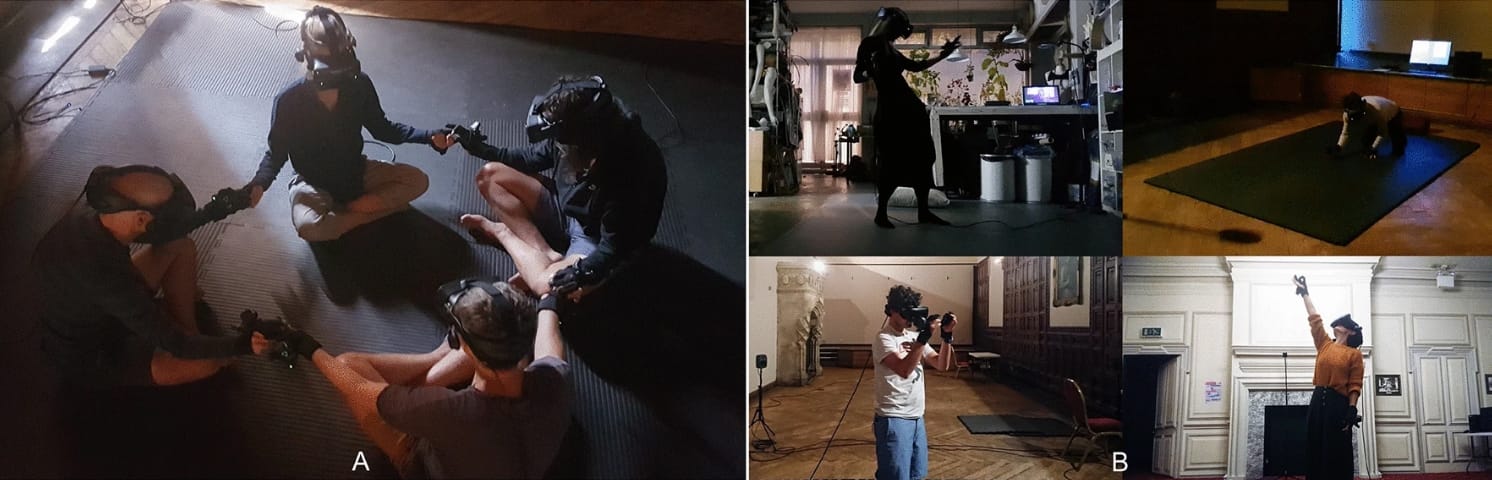
In 2022, molecular biologist David Glowacki and his team at the Intangible Realities Lab at the Citius Intelligent Technologies Research Centre in Santiago de Compostela, Spain published a paper in Nature scientific reports detailing the results of a VR-based meditation system they had developed which allowed users to experience a visualization based guided meditation in a multi-user, virtual environment. During the experience, each user located in different parts of the world wears a Meta Quest VR headset and enters into a darkened void-like space. The participants avatar in the space is a luminous colored ball of light with two additional balls of light representing their hands. The meditation guide is also represented in this way, who proceeds to lead the groups through a series of choreographed meditation routines in which they manipulate virtual, molecular objects and experience a series of transformations based on Glowacki’s own experience of a near-death-experience (NDE). The culmination of the meditation is when all the participants merge their ‘bodies’ together into a single multi-colored cloud of light, after which their avatars slowly dissolve into blackness. Glowacki and his colleagues conducted an experiment with 58 participants to test the efficacy of the system as a therapeutic device, using self-report scales such as the community in self-scale, ego-dissolution inventory, communitas scale and the MEQ30 mystical experience questionnaire and found that the scores achieved on all four scales were statistically indistinguishable from the psychological effects of psychedelic drugs. This study represents the beginning of new possibilities for the use of VR and the metaverse in scientific research.
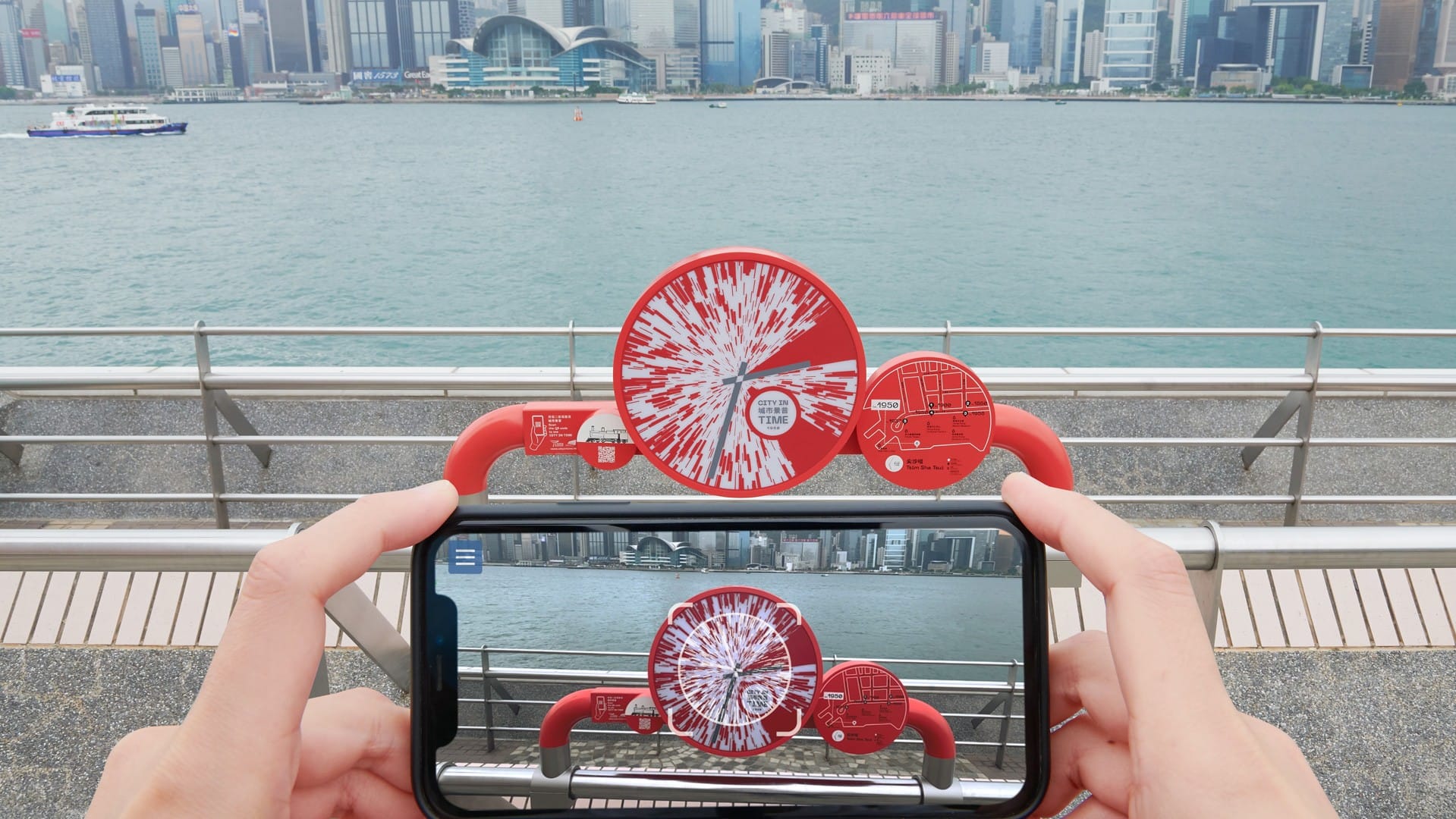
City in Time
CITY IN TIME is an augmented reality (AR), immersive, urban heritage experience that vividly brings back to life the landscapes of old Hong Kong. Using the technologies of photogrammetry and augmented reality, this project transforms a smartphone or tablet screen into a magic window that reveals images of Hong Kong’s past that are exactly positioned in those places where history happened. CITY IN TIME was originated and developed by Jeffrey Shaw at the Center of Applied Computing and Interactive Media (ACIM) at the School of Creative Media, City University of Hong Kong for the Tourism Commission. It was launched in March 2021 at 28 sites that are rich in cultural heritage located in Tsim Sha Tsui, Central, Yau Ma Tei and Jordan, Sham Shui Po, and The Peak.In 2025 a second phase was added, expanding the project to Lei Yue Mun, Tai Hang and Kowloon City, bringing the total number of locations to 44.
Visitors access through AR markers, 360-degree, 3D panoramas of historical Hong Kong that match the point of view where the visitor is standing. These panoramas, drawn from various time periods, are either rendered through old photographs or through panoramic illustrations which were specially commissioned for the project from contemporary artists who worked from historical photographs. The augmented reality imagery is further enlivened by subtle animations which create a sense of immediacy and thereness in the historical renderings.
The project serves both casual tourists who may encounter the AR markers at any time and organized local tours that use it as historical and visual support. At selected sites, “Movie Hotspots” incorporate cinematic elements, allowing visitors to revisit classic Hong Kong movie clips on location and experience the city’s film heritage in situ. Viewers also have the opportunity to share the experience of CITY IN TIME on social media.
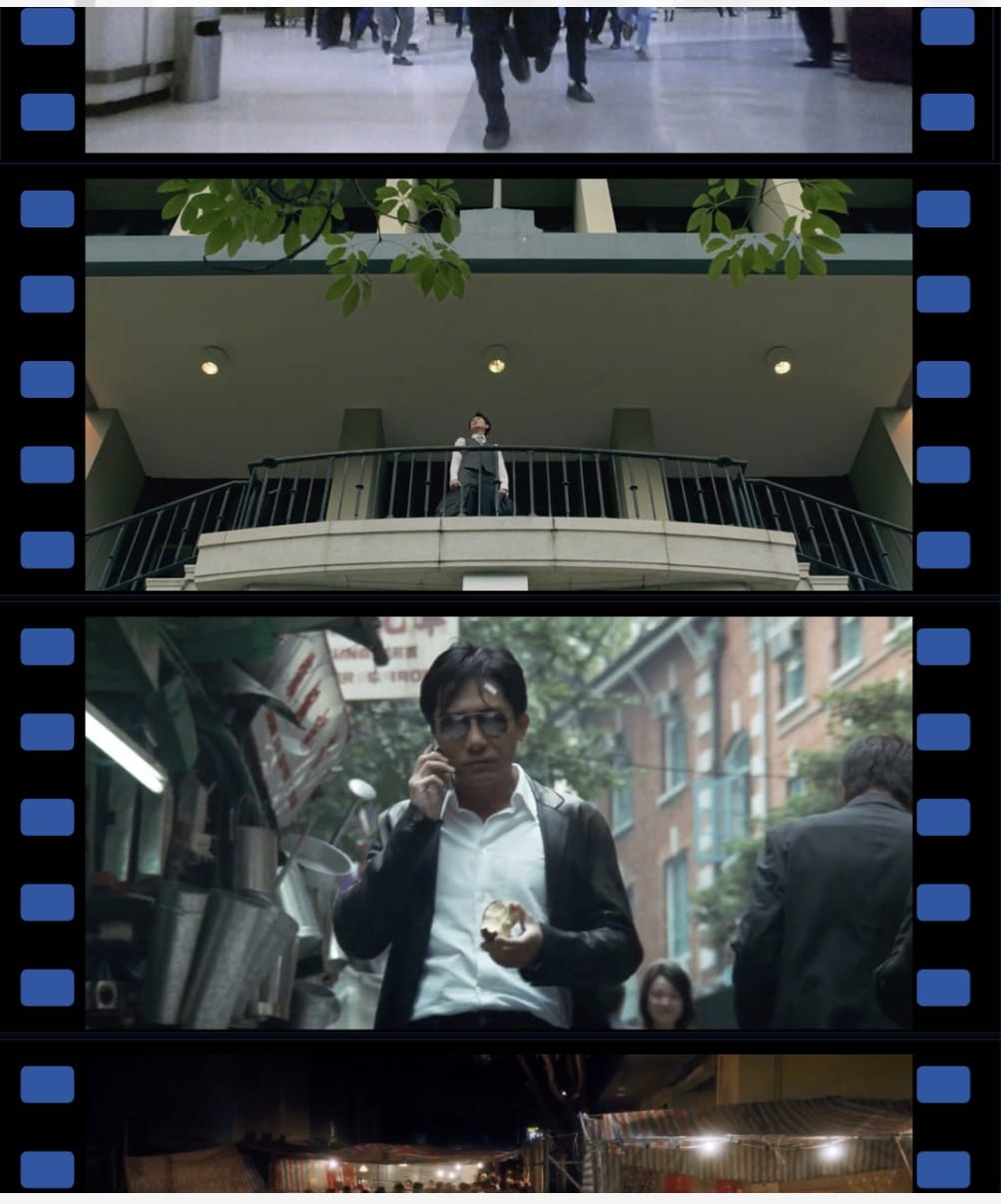
Movie hotspots clips screenshots
Fashion Asia 2020 Virtual Exhibition — MetaObjects
During the COVID-19 period, when physical events were restricted, MetaObjects collaborated with the Hong Kong Design Centre to create a browser-based virtual exhibition for Fashion Asia 2020’s “10 Asian Designers To Watch” showcase. This was one of the Design Centre’s first extensive digital programmes. Ten fashion designers were featured, including Caroline Hu, STAFFONLY, Chen Peng, Blindness, Cornerstone, J Koo, Children Of The Discordance, DEMO, ASAI and Robert Wun.
Instead of static images, MetaObjects designed a unique interactive 3D showroom for each designer, reflecting their individual aesthetic through spatial design, lighting and music. Visitors could navigate the virtual spaces directly in a web browser on a computer or phone, without downloading any additional app. Clicking on an outfit opened a 360-degree viewer that allowed users to rotate the garment and zoom in on high-resolution details. Additional media such as brand videos, look books, runway footage and fashion photography were also included. The exhibition was mobile-friendly and available in English, Traditional Chinese and Simplified Chinese.
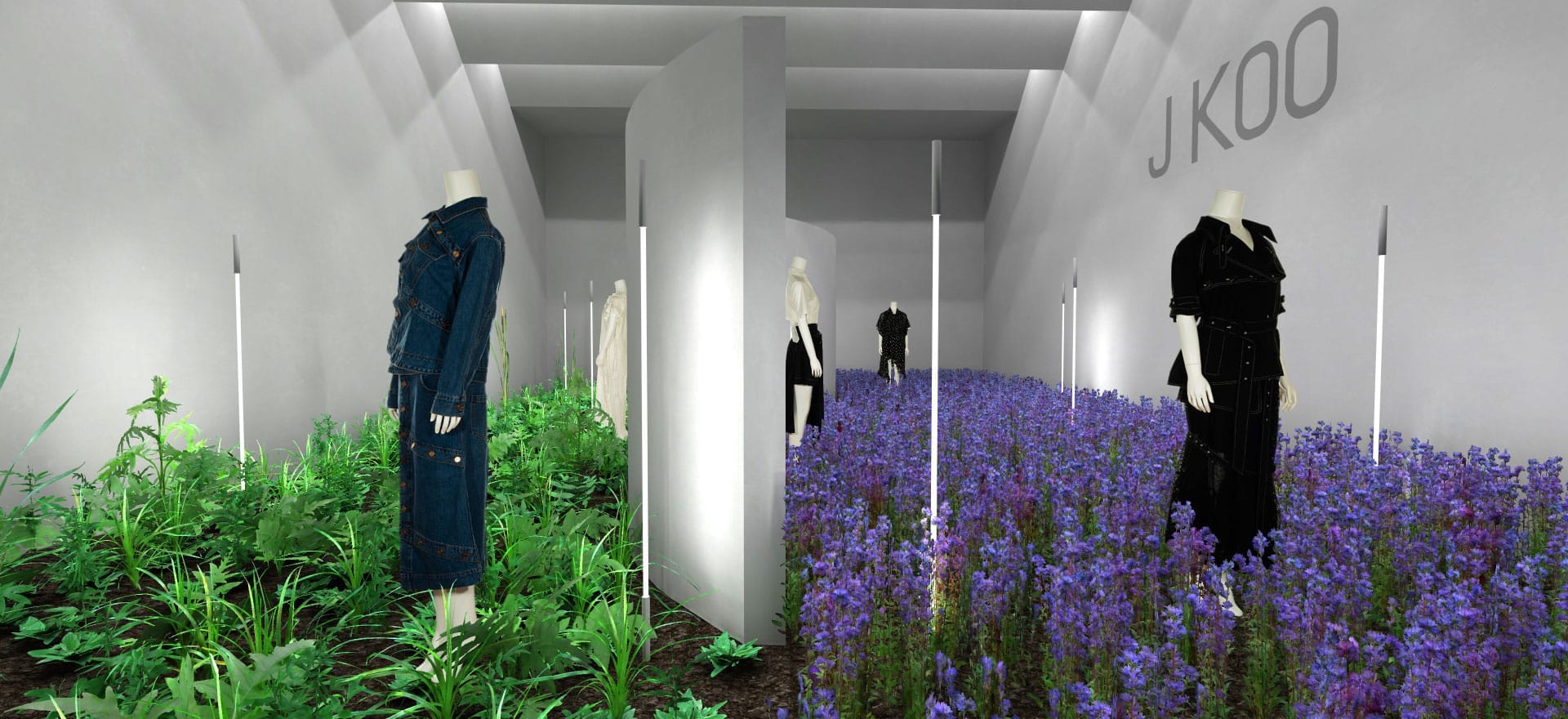
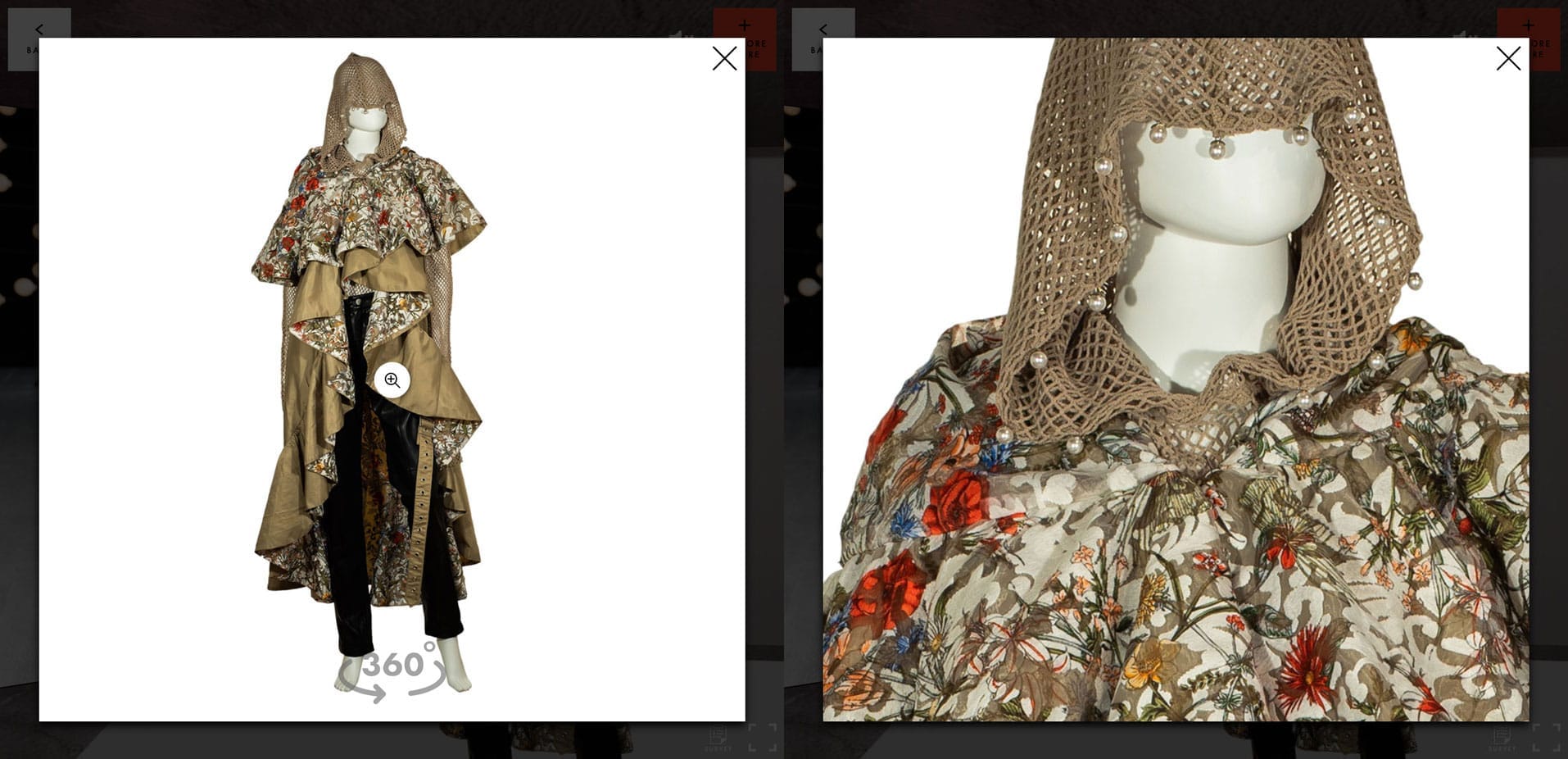
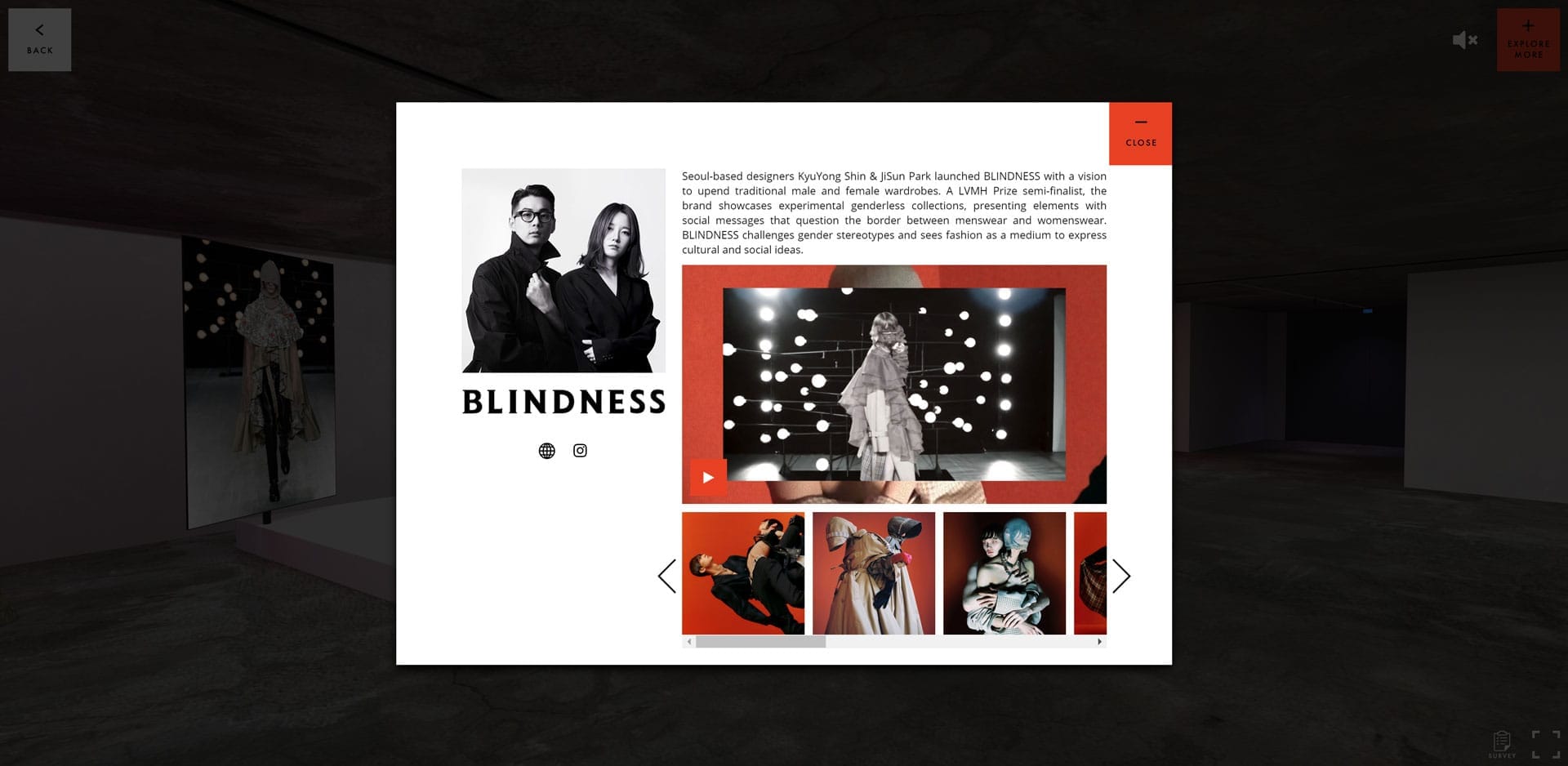
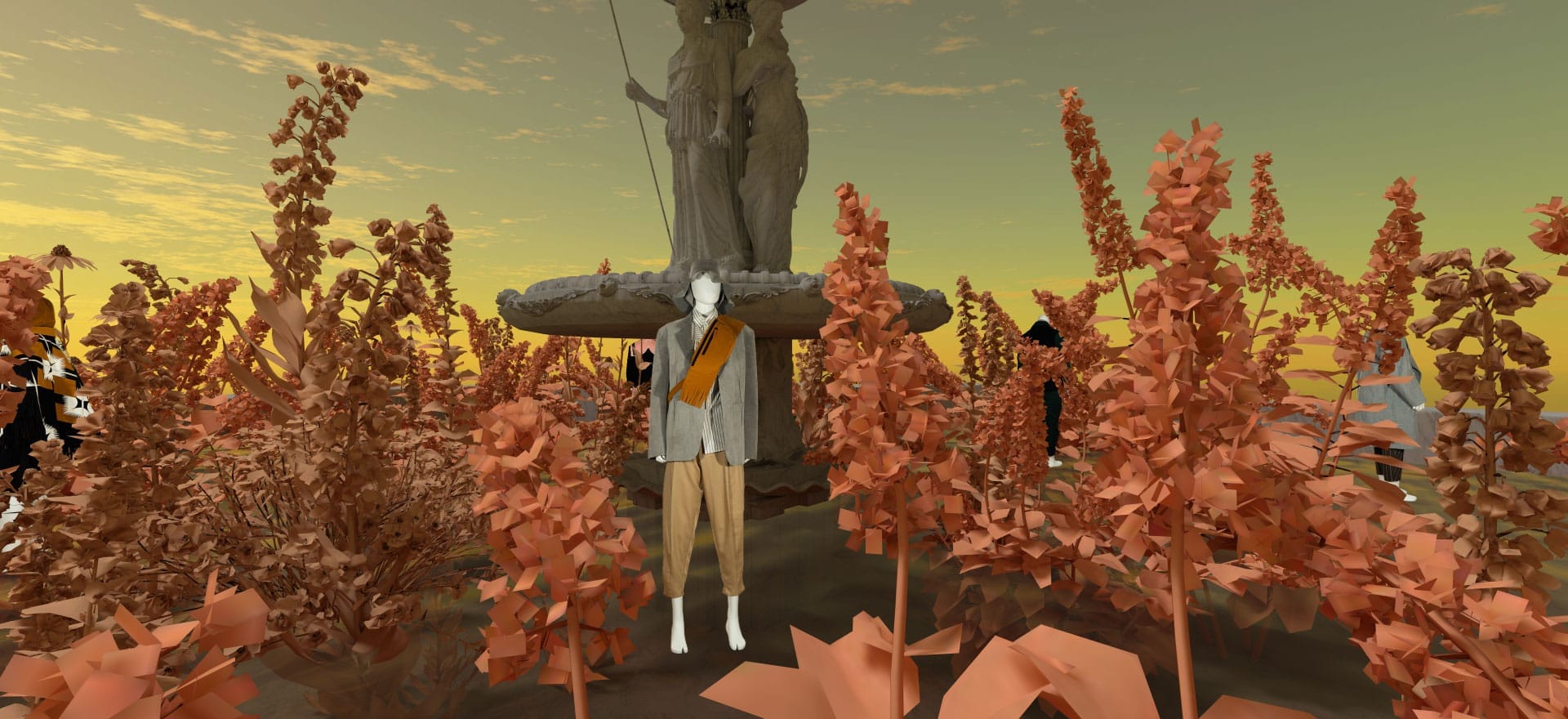
Yarli Allison — PRISON? GARDEN! at Tai Kwun
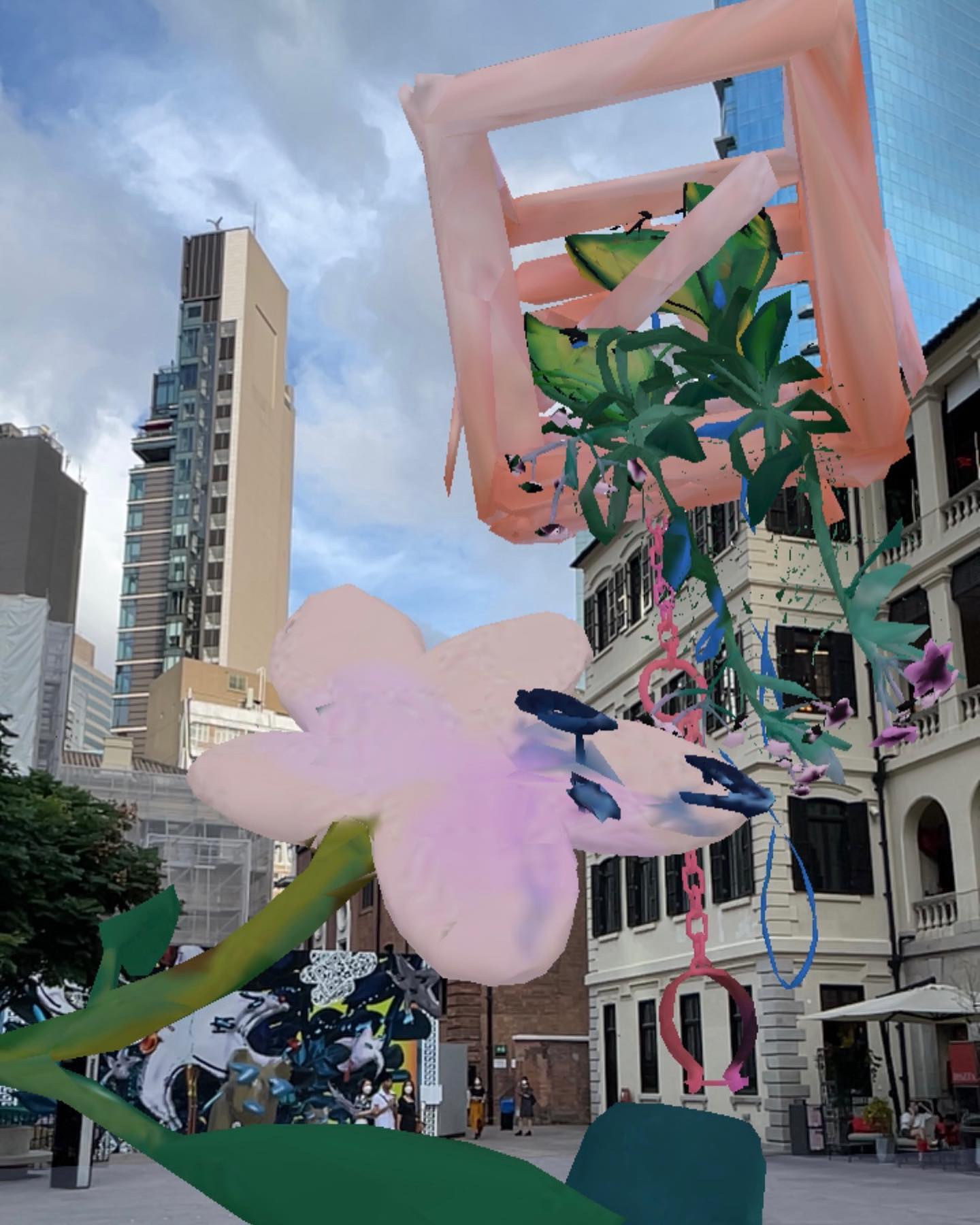
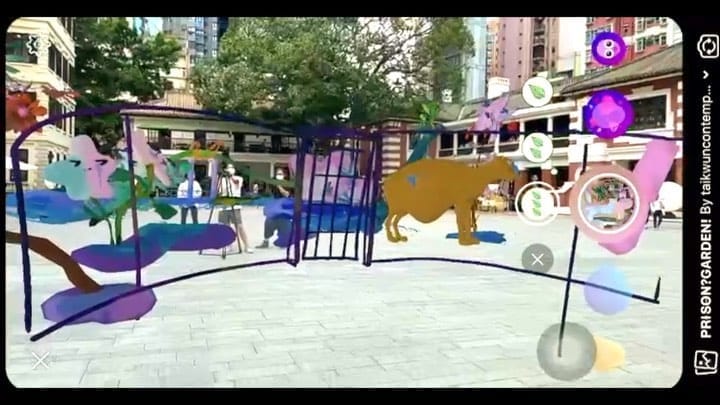
Artist Yarli Allison created the installationPRISON? GARDEN!as part of the 55 Squared programme at Tai Kwun Centre for Heritage and Arts (18 May–31 August 2021). MetaObjects worked with the artist to produce an accompanying AR Instagram filter. Visitors scanned a QR code in the outdoor installation in the Parade Ground and opened the filter on Instagram or Facebook to experience a 3D digital scene overlaid on the physical site.
The work brings together floral characters and architectural elements of Tai Kwun, both physically and digitally. Themes of solidarity and uprootedness run through the piece, filled with complex emotions of anticipation, excitement, grief and anxiety. Through the AR filter, visitors walk through flapping prison gates and under arched prison windows, approaching uprooted plants that appear cheerful yet shed blood and tears. As the artist describes it, stepping into the “pool of tears” invites a sense of compassion — from the Latin root meaning “to-suffer-with.” The installation was curated by Louiza Ho and Jill Angel Chun.
Campus Resources
[Table]
- Items
- Location
Meta Quest 2 Virtual Reality Headset
- Qualcomm Snapdragon XR2, 832 x 1920 pixels per eye, 60Hz, 72Hz, 90 Hz
- Check out and return at the Learning Garden Help Desk during 9:00 am to 5:00 pm Monday to Friday. [CUHK MakerSpace Location]
Meta Quest 3 Virtual Reality Headset
- Qualcomm Snapdragon XR2 Gen 2, 8 GB, 2064 x 2208 pixels per eye,
- Check out and return at the Learning Garden HelpDesk during 9:00 am to 5:00 pm Monday to Friday. [CUHK MakerSpace Location]
HTC Vive Focus 3
- Dual 2.88" LCD panels, 2448 x 2448 pixels per eye (4896 x 2448 pixels combined), 128 GB / 8 GB with support up to 2TB microSD, VIVE Inside-out Tracking,Up to 10x10m play space recommended
- Check out and return at the Learning Garden HelpDesk during 9:00 am to 5:00 pm Monday to Friday. [CUHK MakerSpace Location]
HTC Vive Pro
- Dual AMOLED 3.5" diagonal, 1440 x 1600 pixels per eye (2880 x 1600 pixels combined), SteamVR Tracking 2.0
- Check out and return at the Learning Garden HelpDesk during 9:00 am to 5:00 pm Monday to Friday. [CUHK MakerSpace Location]
Mobile 3D scanning kit
- iPad Pro / iPhone Pro with LiDAR, Polycam licences
- Available for onsite workshops and scanning at MakerSpace. [CUHK MakerSpace Location]
Glossary
[Glossary]
Virtual Reality
- Virtual reality is a 3D, immersive visualization system presented on a head mounted display with head and hand tracking and a field of view simulating human vision.
Augmented Reality
- Augmented reality is the superimposition of virtual objects into the user's environment using a smartphone or head mounted display.
Metaverse
- The metaverse can be defined as immersive, virtual social spaces which persist beyond the user's real-time engagement that extend the ‘real’ world, rather than offering an escape from it.
Game engine
- A game engine is a software platform specifically designed for creating video games, but can be used for artistic works and 3D animation. Utilizes computer 3D hardware for performance.
Non-fungible token (NFT)
- An NFT is a cryptographic asset associated with an artwork, image or video whose uniqueness is guaranteed on a blockchain server.
Blockchain
- A system in which a record of transactions, especially those made in a cryptocurrency, is maintained across computers that are linked in a peer-to-peer network.
Cryptocurrency
- Cryptocurrency is a digital currency using cryptography to secure transactions such as bitcoin or eth.
Proof-of-work (POW)
- Proof of work is a consensus mechanism used in many cryptocurrencies to validate transactions and create new blocks on the blockchain, through the computational solving of mathematical problems which are recorded on a distributed blockchain.
Minting
- The process of registering an NFT on a blockchain server is known as ‘minting’.
Graphics processing
- The ability of a computer to run high resolution video is known as graphics processing, powered by dedicated video cards such as those produced by the company NVIDIA.
Presence
- The feeling of being present in a virtual space in which your physical body is not located, generated via VR and AR environments.
Extended Reality (XR)
- Extended reality is the broader term used to refer to immersive technologies like VR and AR.
Mixed Reality
- Mixed reality refers specifically to AR technologies which combine real and virtual worlds, such as Meta’s Quest 3 and Apple’s Vision Pro headsets.
Introduction
Research on artificial intelligence has progressed relatively slowly, beginning in the mid-20thcentury with the pioneering work of English mathematician Alan Turing, and his ‘Turing Test’ for artificial intelligence (Turing, 1950). While various models were advanced and developed over the subsequent 50 years, including the symbolist, connectionist and inference based approaches, it was not until the introduction of advanced video graphics cards in the late 1990’s that provided exponential increases of computational power and the emergence of ‘big data’ as a result of high-speed internet, smart phones and social media that the bottlenecks in AI research were overcome. In quick succession since the mid 2010’s, there have emerged a series of breakthroughs in AI which have brought us closer to artificial general intelligence (AGI). These breakthroughs include the emergence of ‘deep learning’ using convolutional neural networks whose AI architecture replicates the neuronal structure of the human brain. The development of generative adversarial networks (GANs) would lead to the emergence of ‘deepfake’ images and photo realistic video which could simulate the appearance of individuals, celebrities and even create entirely new humans. In the late 2010’s, the discovery of ‘transformer’ networks would give rise to the current generation of large language models (LLMs) and generative AI which are the basis for AI assistants like ChatGPT which are capable of human like conversation, generating written text, coding and high-level reasoning to solve mathematical and scientific problems.Since the mid-2020s these systems have continued to advance. Newer models support longer context windows, multimodal input (text, images and audio together) and more structured step-by-step reasoning. Open-source and lower-cost models have also become more widely available, making advanced language and reasoning tools accessible to a broader range of users and researchers.
ChatGPT and OpenAI
In 2018, OpenAI, the company set up by prominent Silicon Valley figures like Sam Altman, Elon Musk and Peter Thiel to conduct open-source research on AI, released their generative pre-trained transformer (GPT) model which used a decoder only LLM to generate language. Each subsequent version of GPT increased its training data set to become more precise. GPT-1 was released in 2018 and had 117million parameters and was trained on the BookCorpus dataset which contains 7000 self-published books. The company followed up in 2019 with GPT-2 containing 1.5billion parameters and trained on text from the online message board Reddit. In 2020, the company released GPT-3 which featured 175 billion parameters and was capable of writing articles, code and translating languages. It could also recognize new concepts or objects without prior training because of the immensity of its training set, a feature known as zero-shot learning. The model was trained on datasets taken from CommonCrawl based on 8 years of webcrawl data, WebText2 containing all data from all pages linked from Reddit, the Books 1 & 2 internet book archive datasets and the open-source, user generated online encyclopedia Wikipedia. In 2024, they released chatGPT-4 which is multi-modal, taking images, audio and video as well as text. It also has natural language capabilities, being able to converse with human-like emotion. By 2025–2026, reasoning-focused models and strong open-source alternatives became common. These systems often show intermediate reasoning steps and handle complex multi-step problems more reliably than earlier versions. Access methods and exact model names continue to change frequently.
Generative AI
Diffusion models are another form of generative AI which are used as the basis for well known models such as Stable Diffusion, Dalle-E and Midjourney. Diffusion takes images from a training data set, and gradually adds a type of noise to the image until the image becomes static, and then uses reverse diffusion and deep learning to denoise the image until it generates an image similar to the base image in the data set. The first step involves taking the users text prompt and relating it to datasets of images with text-based captions and descriptions which are used to convert the prompt into numbers. The second step is the decoder phase, in which a diffusion model is used to generate an image based on the keywords that link to the labeled original dataset. Diffusion models have also been used in text-to-speech applications to generate and simulate human voices. DALL-E was released by OpenAI in 2021, which could generate high resolution images from text prompts. Another popular diffusion model is Midjourney, released in 2022 which was accessible to users via their Discord server bot and generated images via their cloud servers. In 2022, Stable Diffusion was also released, an open-source latent diffusion model which allowed users to download the foundation model and run it locally on their own computers. The first generation of these generative AI platforms were mostly limited to still images and very short clips, but with the release of OpenAI’s SORA and Stable Diffusions collaboration with RunwayML, longer duration generative video has become available to users which has led to an explosion of companies offering these services. As a result of Stable Diffusion’s open-sourcing of their model, online communities on sites like Hugging Face and Civitai have also emerged for users to fine tune customized generative AI image and video models via Low Rank Adaptors (LoRAs) by training their own data sets, and add further fine-tuning capabilities to the base model via the ControlNet neural network structure.Image generation has improved in consistency, text rendering inside images, and the ability to maintain character or style across multiple outputs. Video generation has also advanced from very short clips to longer, more coherent sequences that can maintain visual continuity and camera movement. Open-source communities continue to develop fine-tuning methods (such as LoRAs and ControlNet) that allow users to customise base models with their own data.
DeepSeek
A major criticism of the current model of generative AI and LLMs pioneered by companies like OpenAI are the enormous energy resources and compute power needed to train their foundation models. Another critical dimension of this approach is that they are based on closed application programming interfaces (APIs) whose code is proprietary which means that academics cannot use them in their research since their architecture remains a nominal ‘black box’. In January of 2025, a relatively small Chinese startup named DeepSeek released a large language model capable of reasoning at a level comparable with OpenAI’s leading models, which they claimed cost 6 million US dollars to train, compared with the 100 million price tag of GPT4. In addition, the model was released free and open source so that any startup, large company or researcher could use and build customized LLM reasoning models. Subsequently, major system weakness have been revealed in Deep Seeks architecture which make it vulnerable to security leaks and hackers, however, the game changing nature of Deep Seek is still being felt in the industry.
Tools
[Table]
- Software
- Key features
- Access
Chat GPT 5
- Generative AI chatbot
- [Key features]
- AI assistant which can mimic human conversation
- Ability to write and debug computer programs
- Ability to generate text in any format eg. Essays, stories, poems etc.
- Closed API
- Paid with subscription
OpenAI 01
- Generative AI chatbot
- [Key features]
- Designed for complex reasoning tasks
- Can solve mathematical problems
- Can solve science problems through ‘chains of thought’
- Capable of writing complex code and computer programs
- Closed API
- Paid with subscription
Google Gemini
- Generative AI chatbot
- [Key features]
- AI assistant which can mimic human conversation
- Ability to write and debug computer programs
- Ability to generate text in any format eg. Essays, stories, poems etc.
- Reasoning capabilities
- Machine vision capabilities ie. Ability to understand images and video
- Advanced coding capabilities
- Closed API
- Free
Deepseek
- Generative AI chatbot
- [Key features]
- Designed for complex reasoning tasks
- Can solve mathematical problems
- Shows ‘chain of thought’, or logical steps the system took to generate answer.
- Capable of writing complex code and computer programs
- Open source
- Free
Copilot
- Generative AI chatbot
- [Key features]
- AI assistant which can mimic human conversation
- Ability to write and debug computer programs
- Ability to generate text in any format eg. Essays, stories, poems etc.
- Reasoning capabilities
- Machine vision capabilities ie. Ability to understand images and video
- Advanced coding capabilities
- Closed API
- Free with Microsoft 365
Claude
- Generative AI chatbot
- [Key features]
- AI assistant developed for automating simple and complex computer tasks
- Ability to write and debug computer programs
- Reasoning capabilities
- Advanced coding capabilities
- Closed API
- Chatbot available for free, more complex operation available through Pro subscrition
Llama
- Generative AI chatbot
- [Key features]
- AI assistant developed for automating simple and complex computer tasks
- Ability to write and debug computer programs
- Reasoning capabilities
- Advanced coding capabilities
- Open source
- Open* source and free
Poe
- Platform for accessing generative AI chatbots like ChatGPT
- [Key features]
- Gives access to AI assistants like ChatGPT which is currently unavailable in the Hong Kong SAR and China
- Ability to write and debug computer programs
- Ability to generate text in any format eg. Essays, stories, poems etc.
- Reasoning capabilities
- Machine vision capabilities ie. Ability to understand images and video
- Advanced coding capabilities
- Free
Midjourney
- Text prompt* based AI image Generator
- [Key features]
- Ability to generate images from text prompts
- Able to use ‘style transfer’ to apply the style of one image to another
- Can be used to colourize black and white images
- Can generate new images based on a single source image provided
- Paid with subscription
Stable Diffusion
- Text prompt* based AI image Generator
- [Key features]
- Ability to generate images from text prompts
- Able to use ‘style transfer’ to apply the style of one image to another
- Can be used to colourize black and white images
- Can generate new images based on a single source image provided
- Paid with subscription
Sora
- Text prompt* based AI video Generator
- [Key features]
- Ability to generate video from text prompts
- Can be used to create video from still images
- Can be used to extend the length of video clips
- Paid with subscription
Pika
- Text prompt* based AI video Generator
- [Key features]
- Ability to generate video from text prompts
- Can use ‘style transfer’ to apply the style of one image or video to a new AI generated video
- Can be used to create video from still images
- Can be used to extend the length of video clips
- Can generate storyboards from text prompts
- Paid with subscription
Runway ML
- Web based AI platform
- [Key features]
- Gives users the ability to train AI models without coding
- Create custom image datasets without coding knowledge
- Train GAN or style transfer models
- Colourize images and videos
- Create videos from a single image
- Free. Cost of training time is calculated per minute.
Google DeepMind* Veo2
- Text prompt* based AI video Generator
- [Key features]
- Ability to generate video from text prompts
- Can use ‘style transfer’ to apply the style of one image or video to a new AI generated video
- Can be used to create video from still images
- Can be used to extend the length of video clips
- Can generate storyboards from text prompts
HunyuanVideo
- Text prompt* based AI video Generator
- [Key features]
- Ability to generate video from text prompts
- Can use ‘style transfer’ to apply the style of one image or video to a new AI generated video
- Can be used to create video from still images
- Can be used to extend the length of video clips
- Can generate storyboards from text prompts
Hailuoai AI
- Text prompt* based AI video Generator
- [Key features]
- Ability to generate video from text prompts
- Can use ‘style transfer’ to apply the style of one image or video to a new AI generated video
- Can be used to create video from still images
- Can be used to extend the length of video clips
- Can generate storyboards from text prompts
Kling AI
- Text prompt* based AI video Generator
- [Key features]
- Ability to generate video from text prompts
- Can use ‘style transfer’ to apply the style of one image or video to a new AI generated video
- Can be used to create video from still images
- Can be used to extend the length of video clips
- Can generate storyboards from text prompts
Comfy UI
- Node based generative AI platform
- [Key features]
- Allows users to create generate AI images and videos using node based programming
- Free and open source
- Free
Descript
- AI text to speech synthesis
- [Key features]
- Ability to create an AI natural language emulator based on samples of other voices
- Text to speech synthesis using customized AI voices
- Edit audio files of speech using AI
- Paid with subscription
Case Study
Deep Mind and the Protein Folding Problem
An ongoing scientific project which has engaged researchers for the past 50 years is the ‘protein folding problem’, which has sought to predict the three-dimensional structure of a protein based on its amino acid sequence. Through the work of molecular biologists over the decades, the structures of 100,000 proteins have been discovered, but there are still billions more proteins to be studied. To determine the structure of a single protein, it will take a PhD student or researcher years of painstaking work using current methods, and thus to fully unlock the knowledge contained in the understanding of proteins at the current rate, it may take humans thousands of years. In 2020, the AI company Deep Mind led by Nobel Prize winning scientist Demis Hassabis released AlphaFold2, a deep learning algorithm designed to computationally predict the structure of proteins, and when it was deployed at the Critical Assessment of Structure Prediction event in 2020, a biennale competition in which teams compete to predict the structure of proteins, AlphaFold2 achieved an unprecedented level of accuracy. Within a few months of this event, the number of known protein structures went from 200,000 to 200million, with the problem effectively solved. This example is just the tip of the iceberg, representing the beginning of exponential increases in scientific discovery which will come about as the result of AI.
Campus Resources
[Table]
- Items
- Location
ChatGPT chatbot
- The ChatGPT chatbot employs the gpt-3.5-turbo model which supports 4096 max input tokens by default. The gpt-3.5-turbo-16k model (with 16K context) and GPT-4 model (with 8K context) are also available. DALL·E function can create AI-generated image
- https://help.edtech.cuhk.edu.hk/docs/pilot-chatgpt-service-for-teaching-and-learning
ITSC Virtual Assistant
- A trained chatbot powered by ChatGPT and OpenAI.
- https://www.itsc.cuhk.edu.hk/
Glossary
[Glossary]
Artificial General Intelligence (AGI)
- Artificial general intelligence is the creation of a level of computation intelligence which is on a species level difference to current standards of human intelligence.
Dataset
- The contents of the data used for training can be text, images, video or audio.
Deep Learning
- Any approach to AI which involves neural networks.
Foundation Model
- A deep learning AI model based on massive quantities of unlabeled data.
Generative AI
- Generative AI is any machine learning system which can generate original text, images, voice, music and video using LLM’s and transformer networks.
Generative Adversarial Network (GAN)
- A type of AI algorithm used to generate new images and video based on a training data set of prior images and video using deep learning approaches.
Large Language Model
- A large language model is an AI algorithm used to predict and produce natural language based on enormous amounts of text based training data. Large language models are the basis of AI chatbots like chatPGT.
Natural Language Processing
- Natural language processing is the ability for an AI model to understand and produce human like speech and conversation.
Neural Network
- A deep learning approach to AI that is based on the architecture of the neural networks of the human brain using interconnected layers of nodes which resemble the structure of neurons in the brain.
Machine Vision
- The ability for an AI model to recognize objects in the real world.
Supervised Learning
- An approach to AI deep learning that uses already labeled data to generate predictions and recognize patterns.
Training
- The process of using an AI alogorithm to label and classify data to produce a foundation model.
Transformer Network
- A transformer network is a an artificial intelligence architecture based on deriving meaning from attention and context within large language models.
Unsupervised Learning
- An approach AI deep learning that can generate predictions and recognize patterns based on unlabeled data.
Introduction
Interactive applications are software programs that respond to user input in real time, creating dynamic, engaging experiences. Unlike traditional passive media, interactive applications place the user at the center of the experience—their actions, gestures, or touch directly shape what they see and hear. From museum installations and public exhibits to retail activations and educational tools, interactive applications have become a powerful medium for communicating ideas and engaging audiences in memorable ways.
Depending on the project, interactive applications may be built on game engines—software platforms originally developed for video games that have since been adopted across industries for their ability to render real-time graphics, handle physics simulations, and respond to input from a wide range of devices. Unity and Unreal Engine are two widely used examples, both freely available and supporting deployment across screens, projectors, touch devices, and immersive displays. Other tools such as TouchDesigner offer node-based visual programming tailored to real-time media and sensor-driven installations.
Input methods vary greatly depending on the context and audience. Some projects use conventional touch screens, while others employ Natural User Interfaces (NUI)—interfaces that allow users to interact through natural human behaviors such as gesture, body movement, or voice, removing the need for traditional input devices.Depth cameras, ordinary webcams combined with computer-vision software, microcontrollers and single-board computers are all commonly used to capture and process these inputs.The choice of technology is always driven by the goals of the experience and the environment it is designed for.
Live coding has become an important approach within this field. In live coding, performers write or modify code in real time during a performance, generating both sound and visuals on the spot. Browser-based tools make this accessible without complex software installations, while desktop environments offer deeper control over synthesis and timing. Communication protocols such as OSC, MIDI and UDP allow visual systems, sensors and audio engines to exchange data continuously, creating tightly linked audiovisual experiences.
Tools
[Table]
- Software
- Key features
- Access
- Ease-of-use
Unity 3D
- 3D game engine for creating interactive virtual environments
- 2D/3D rendering, physics, animation, multi-display output, C# scripting, cross-platform deployment
- Free for students, academic staff and hobbyists.
- Intermediate to advanced
Unreal Engine
- 3D game engine for creating interactive virtual environments
- Photorealistic rendering, node-based visual scripting (no coding required), physics simulation
- Free for students, academic staff and hobbyists.
- Intermediate to advanced
TouchDesigner
- Node-based visual programming environment for real-time interactive media
- Real-time generative visuals, multi-display output, sensor integration, MIDI/OSC/UDP support, video processing
- Free (non-commercial)
- Intermediate to advanced
Max/MSP & Pure Data
- Visual programming for audio, MIDI, and interactive sound synthesis
- Modular DSP, spatial audio routing (Ambisonics, Spat5), real-time sensor processing
- Paid (Max) / Free Open Source (PD)
- Intermediate
WebXR / A-Frame
- Web-based 3D and immersive interaction frameworks
- Browser-native 3D, WebGPU accelerated, no app installation required
- Free Open Source
- Beginner to Intermediate
SuperCollider
- Algorithmic sound synthesis environment
- Text-based live coding, high-performance audio engine, precise timing
- Free / open source
- Intermediate to advanced
ChucK
- Strongly-timed audio programming language
- Precise timing, concurrent sound processes, real-time parameter control
- Free / open source
- Intermediate
Strudel
- Web-based algorithmic pattern live coding
- Browser-native live coding for sound patterns, simple visual feedback
- Free / open source
- Beginner to intermediate
Hydra
- Web-based live coding visual synthesizer
- Modular video synthesis in the browser, reactive to audio
- Free / open source
- Beginner to intermediate
Hardware & Sensors
[Table]
- Hardware
- Key features
- Access
- Ease-of-use
Microsoft Kinect
- Motion-sensing depth camera for NUI interactions
- Full-body and hand skeletal tracking, depth sensing, gesture recognition, USB connectivity
- Discontinued (Legacy); Available via third-party retailers
- Intermediate to advanced
Orbbec Femto Bolt
- Motion-sensing depth camera for NUI interactions and spatial tracking applications
- Depth sensing, body tracking support, gesture-based interaction, RGB video capture, USB connectivity, and suitability for real-time interactive systems
- Available for purchase
- Intermediate to advanced
Webcam + MediaPipe / OpenCV
- Standard RGB camera for low-cost vision-based interaction
- Can be used with computer vision frameworks such as MediaPipe for body tracking, hand tracking, object detection, and many other real-time analysis tasks
- Low cost
- Beginner to intermediate
Arduino
- Open-source microcontroller platform for connecting physical sensors and outputs
- Supports a wide range of sensors and actuators, large community and library support, easy integration with creative coding tools
- Free software; hardware at low cost
- Beginner to intermediate
Raspberry Pi
- Low-cost single-board computer for running lightweight interactive applications, sensor-based systems, and physical computing prototypes
- Supports cameras, USB peripherals, GPIO-based sensor and output connections, and compact deployment for kiosks or embedded installations
- Low cost
- Beginner to intermedia
Tutorials
[Tutorial]
Unity
Unreal
- https://youtu.be/k-zMkzmduqI?si=Nfgzsv-BhVp63MIH
https://dev.epicgames.com/community/unreal-engine/learning
TouchDesigner
- https://www.youtube.com/playlist?list=PLpuCjVEMQha9rjhDET3uuE0T3UeIcROJu
https://derivative.ca/tutorials
Strudel
SuperCollider
Case Study
Interactive Shark Exhibit — Australian Museum
A 360-degree panoramic interactive installation at the Australian Museum, featuring 182 animated shark species across four ocean ecosystems, is displayed across two curved projection screens in a 6 m x 4 m space.
The experience was developed in Unity as a multi-scene application, with separate 3D environments representing different sea regions. Within these scenes, featured sharks were assigned predefined movement paths and animations so the content could be presented in a controlled but dynamic way. Visitor interaction was handled through two Kinect sensors, each placed under one of the projection screens, tracking visitor body and hand movements across the full width of the installation. A separate sensor program processed the tracking data, extracted hand position, and applied smoothing before sending it to the main display program over the local network using UDP (User Datagram Protocol), a fast communication method used for transmitting almost real-time data between programs. In the display application, the processed hand position was represented as a virtual bubble, allowing visitors to interact with sharks on screen and trigger related content during the experience.
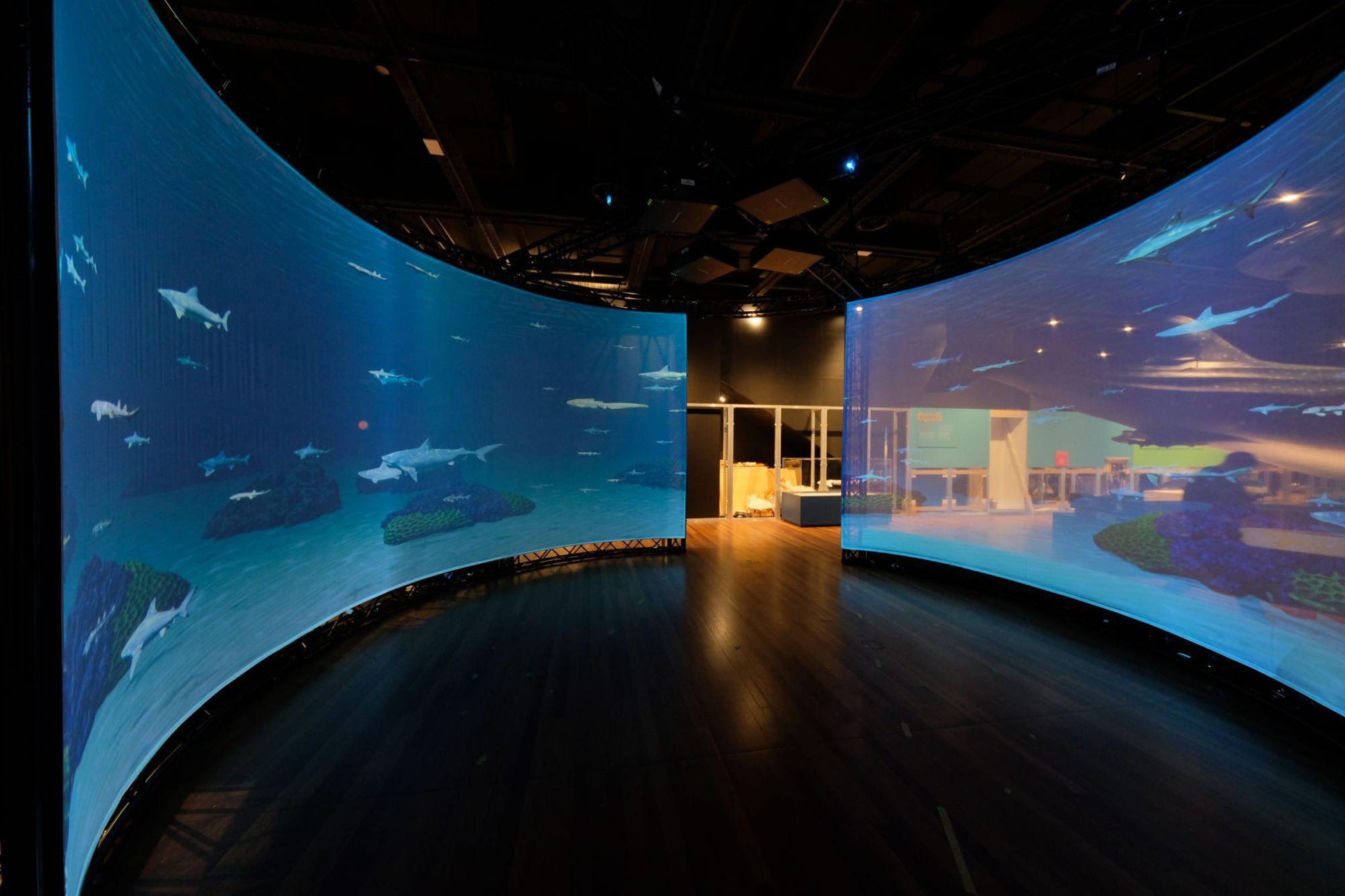
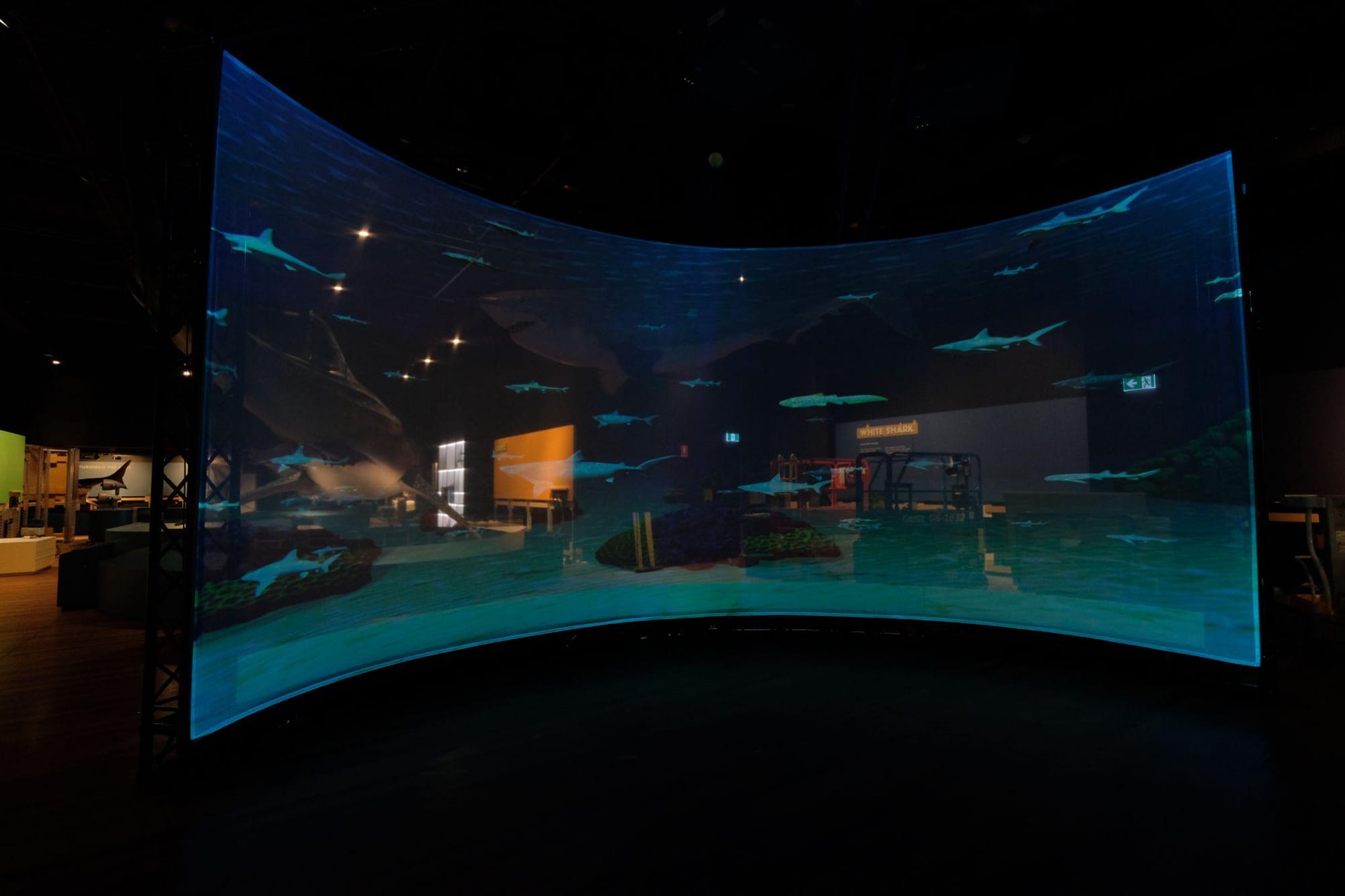
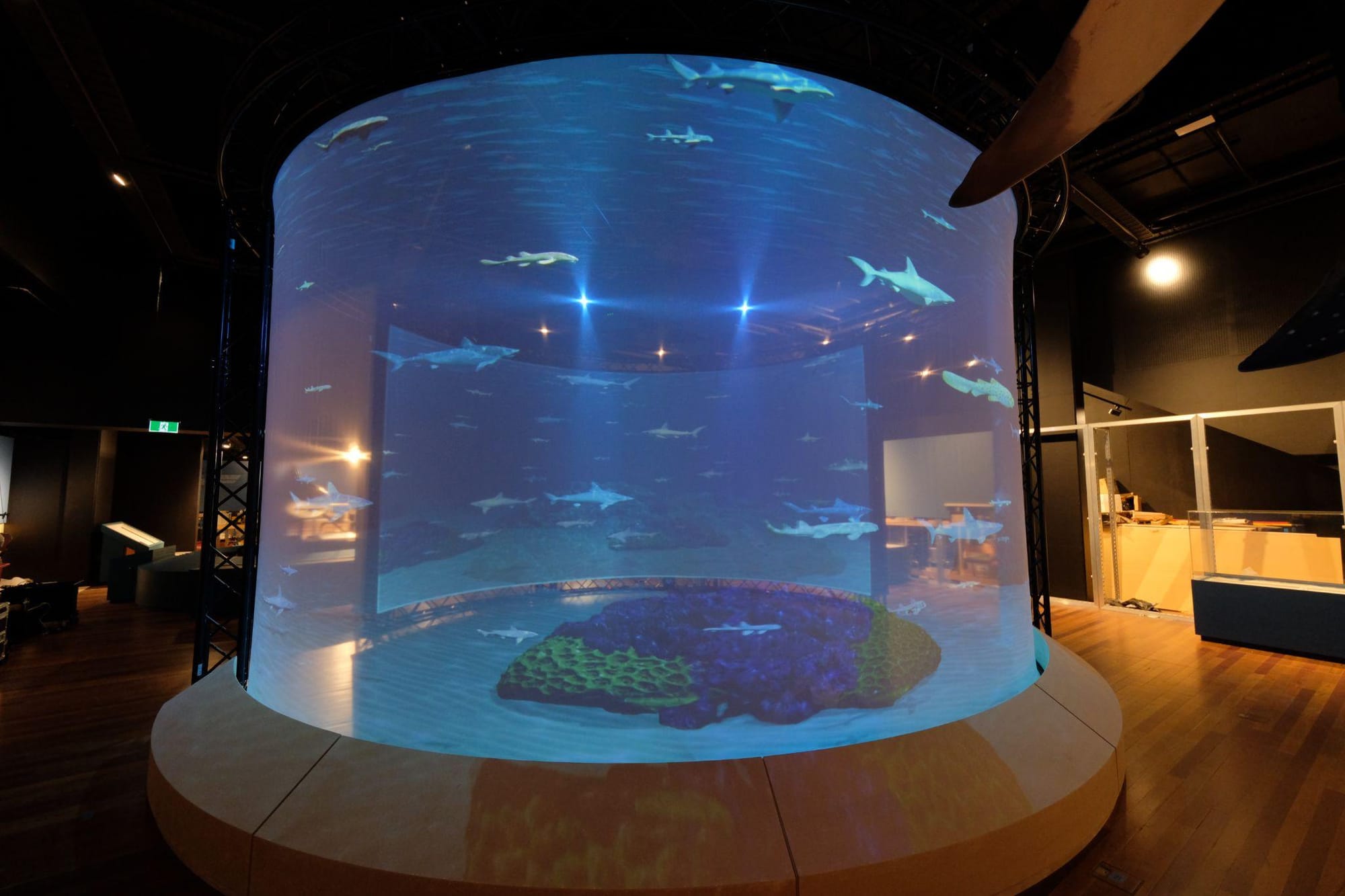
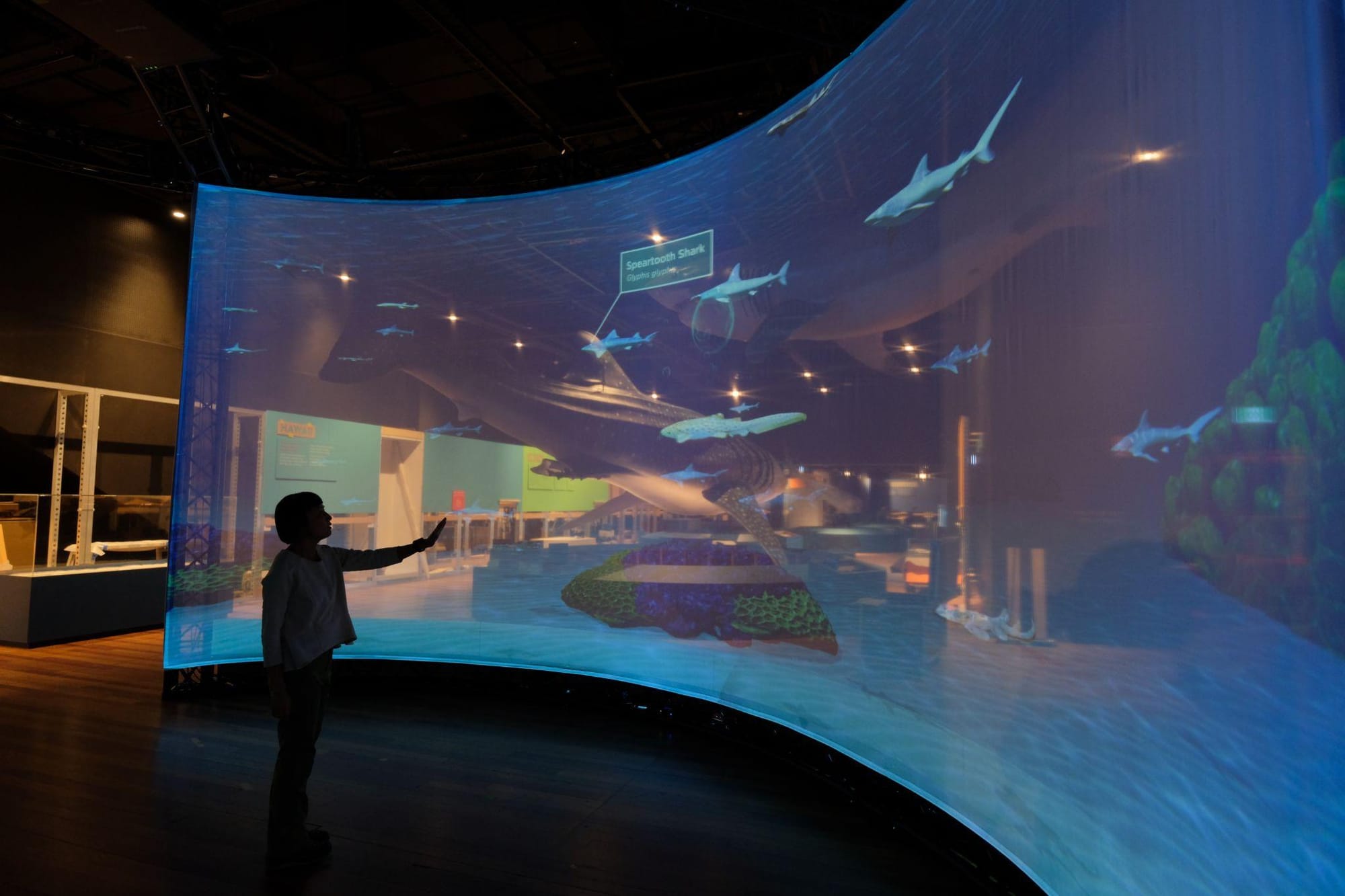
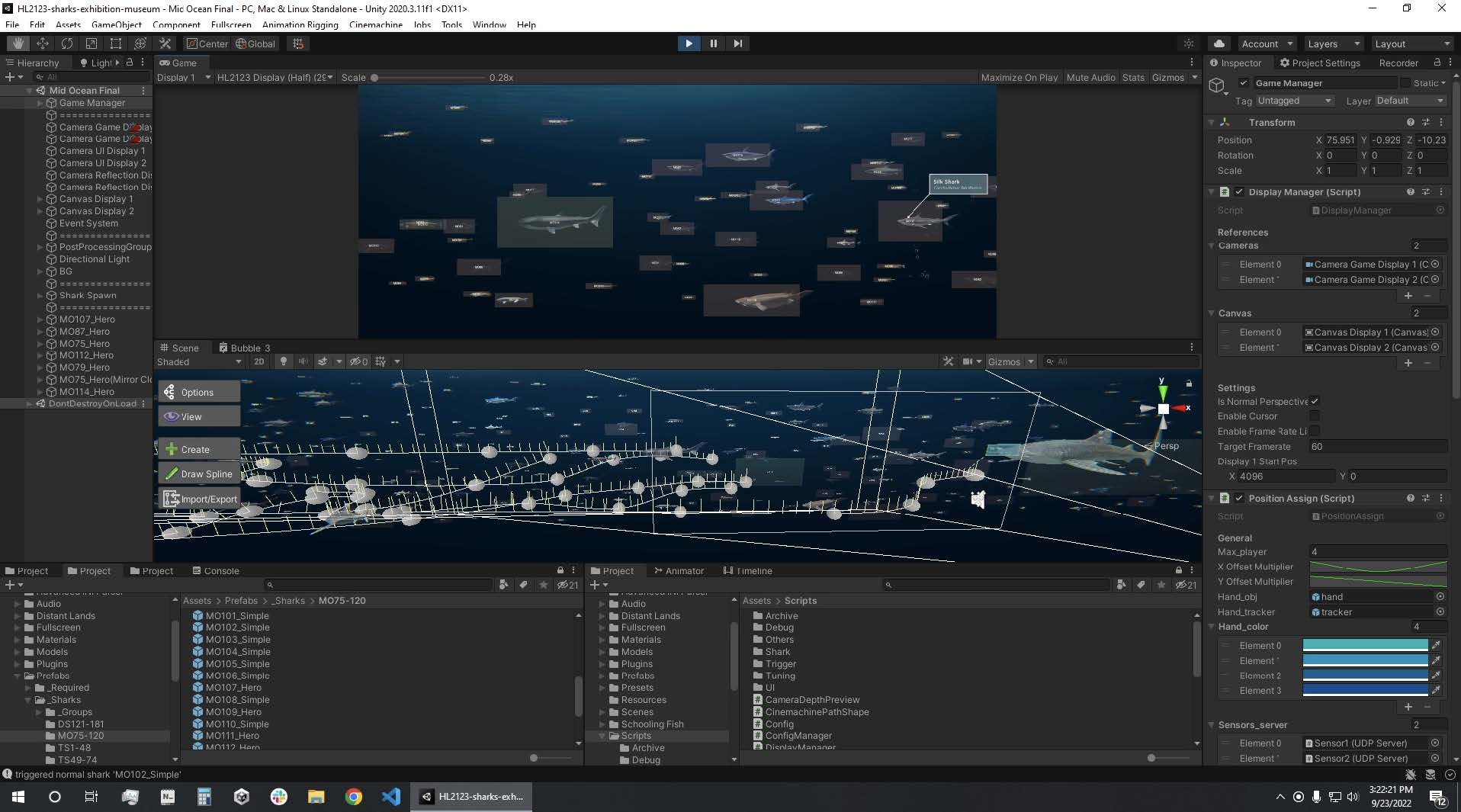
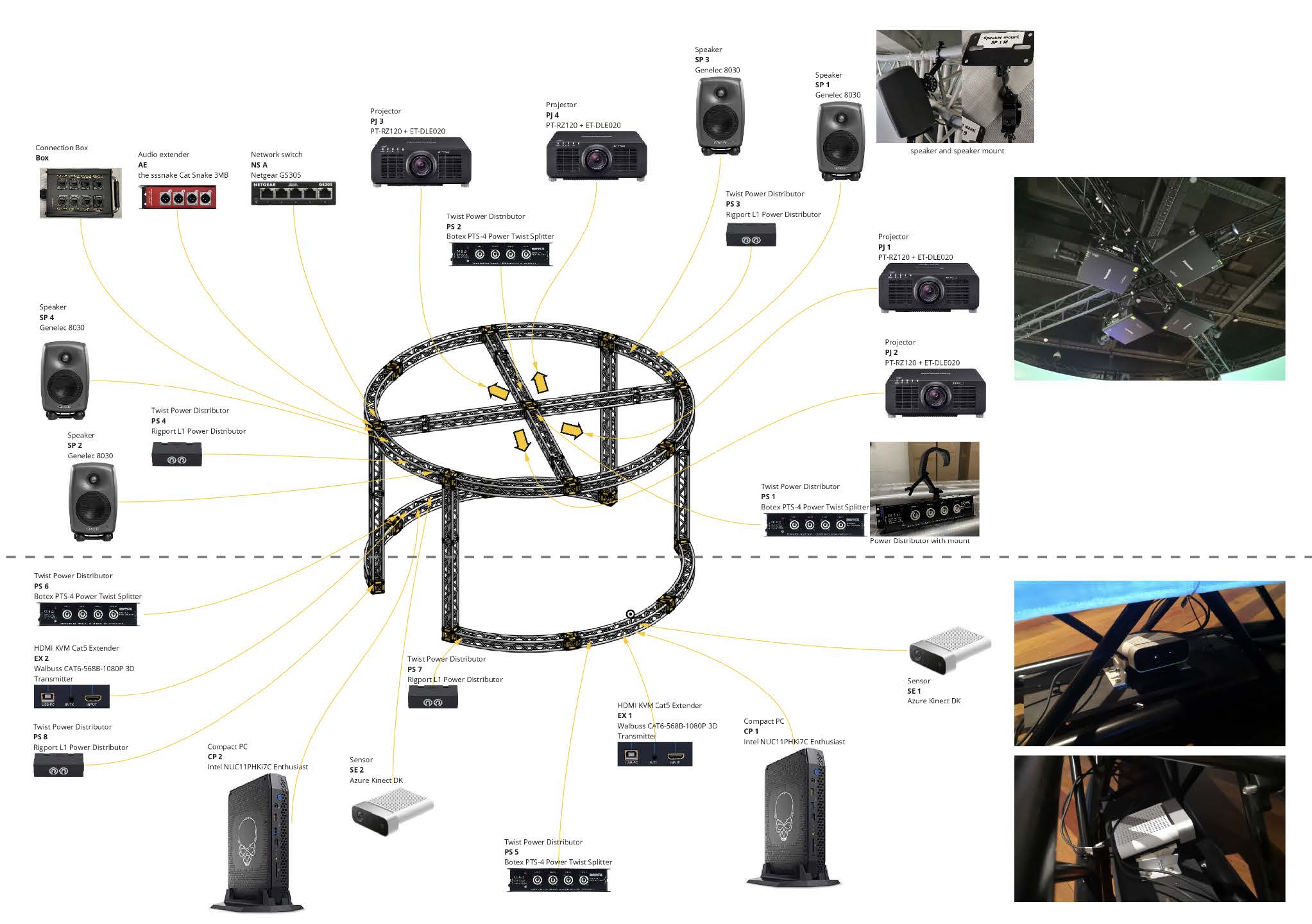
Happy Valley Exhibition — Tai Kwun
An interactive installation at Tai Kwun that combines projection mapping with a physical topographical model, allowing visitors to explore the historical transformation of Hong Kong's Happy Valley from the 1930s to the present day. The system was built as a single Unity application that handled both the touch screen interface and the projected output. A digital replica of the physical model was imported into Unity as a spatial reference, allowing projected content to be designed and positioned in relation to the real object from the outset. Basic projection alignment was handled within the projector itself, with finer warping and masking applied in Unity to match the visuals more closely to the physical surface. When visitors selected a point on the touch screen, the system updated the projection to show the corresponding location on the model, helping users connect the interface directly to the mapped landscape.
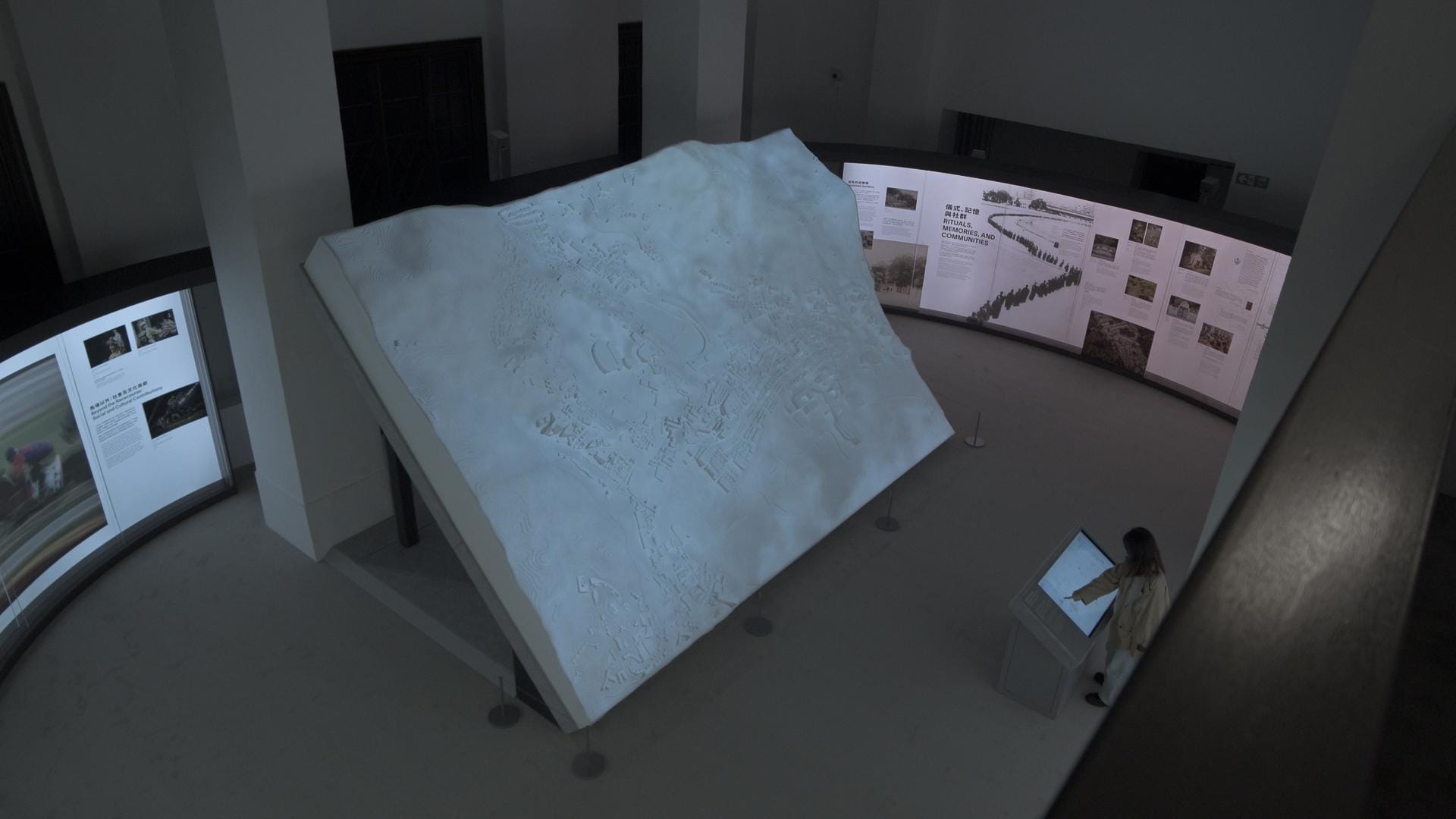
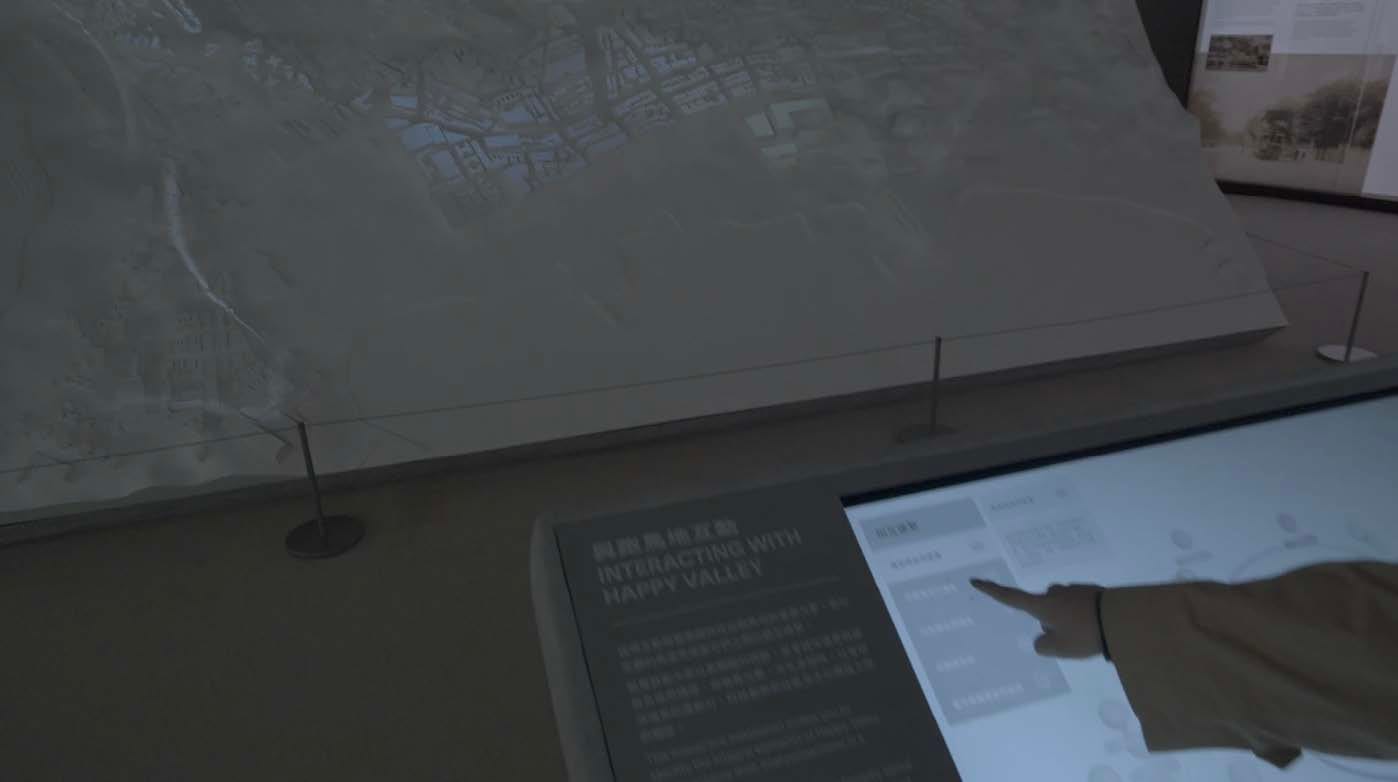
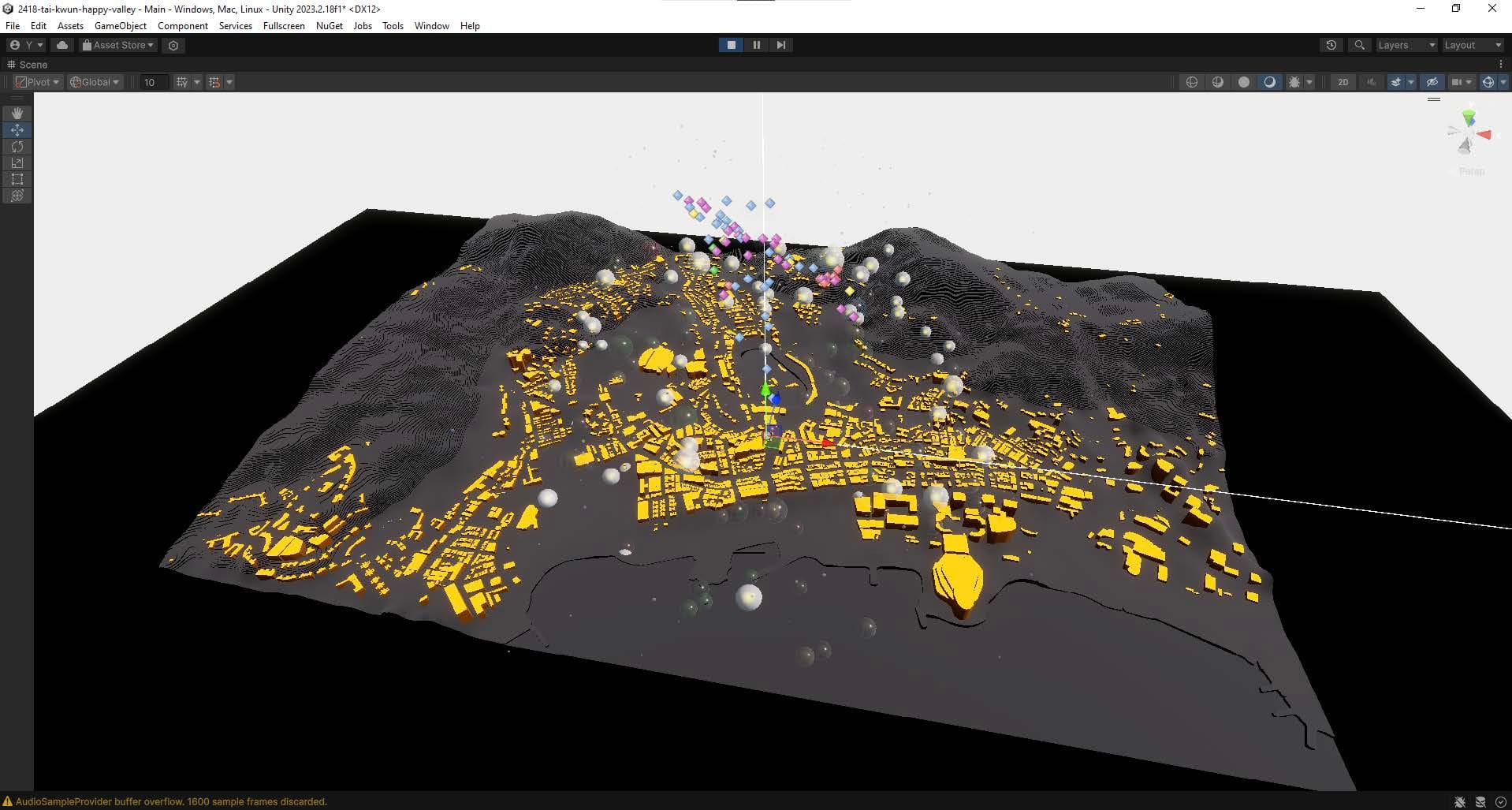
The physical topographical model and its digital replica are imported into Unity for spatial reference
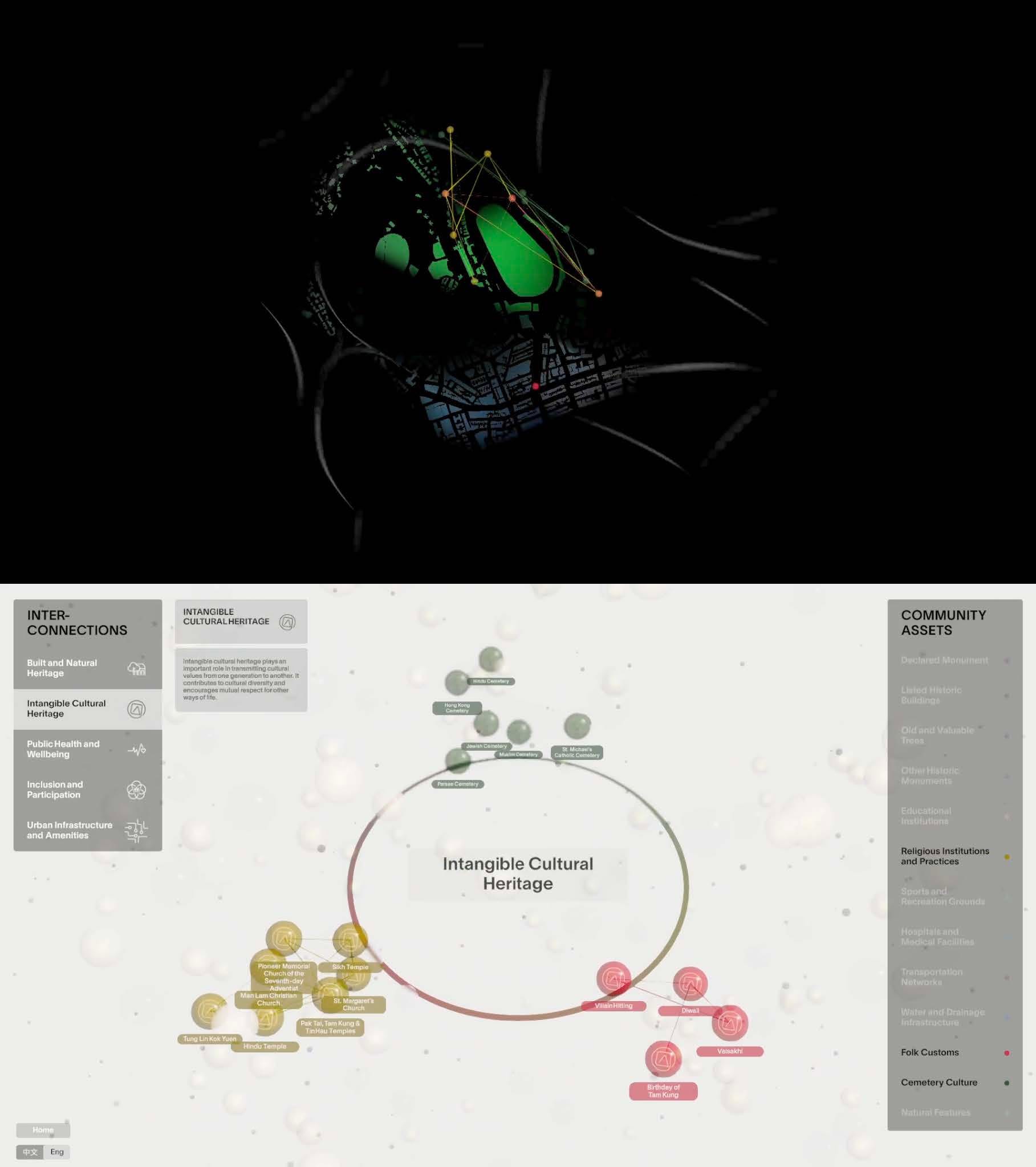
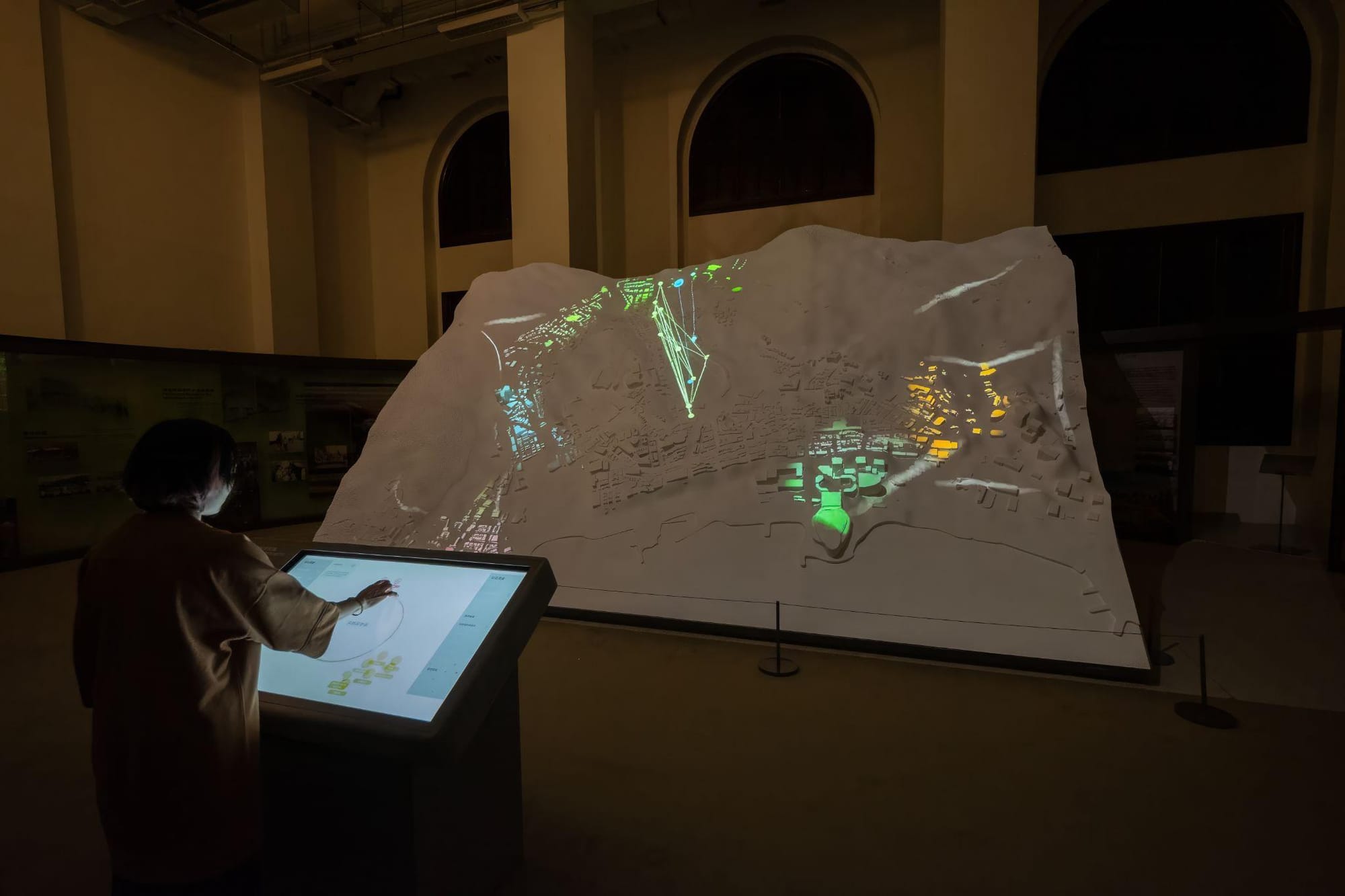
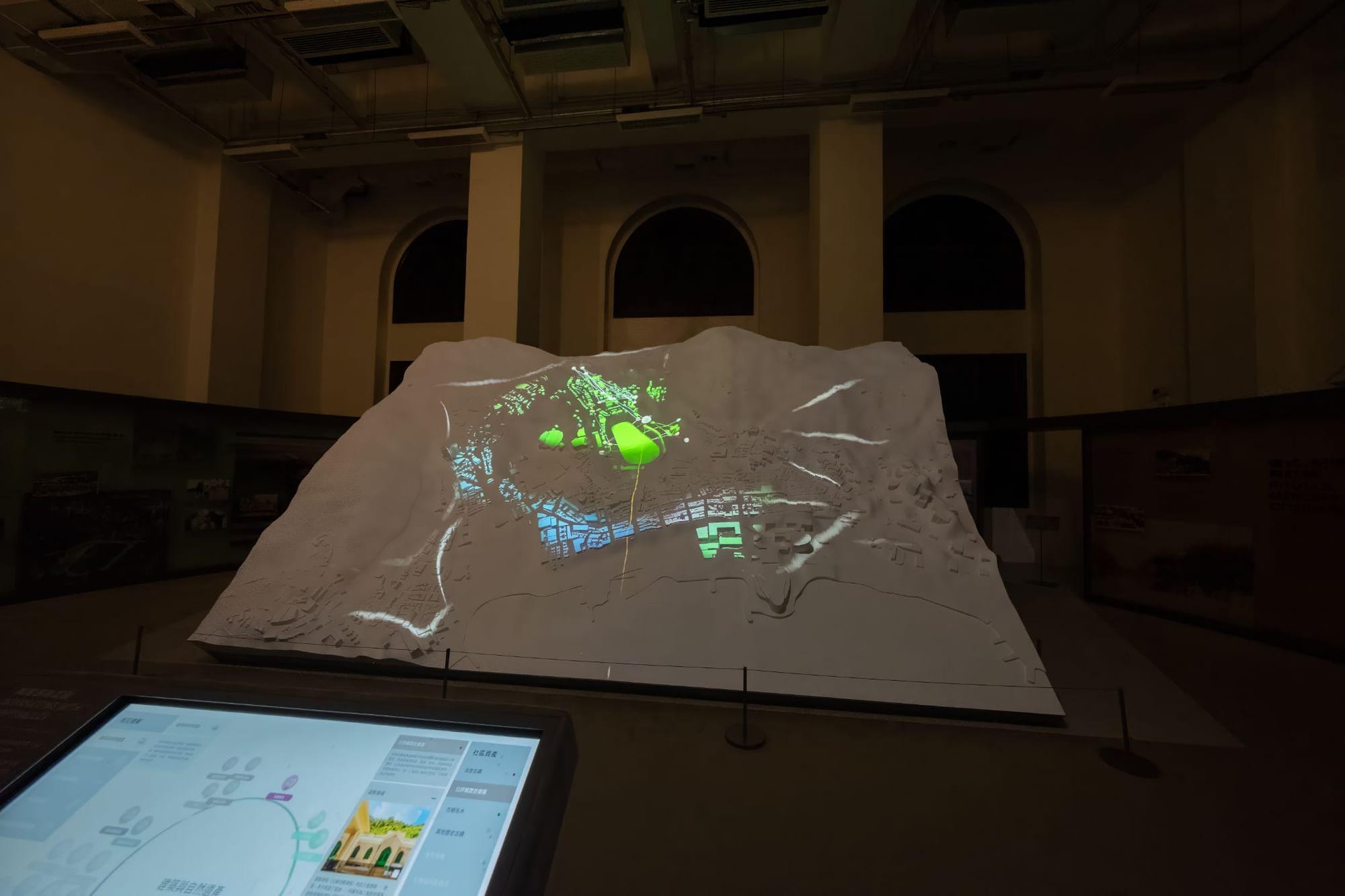
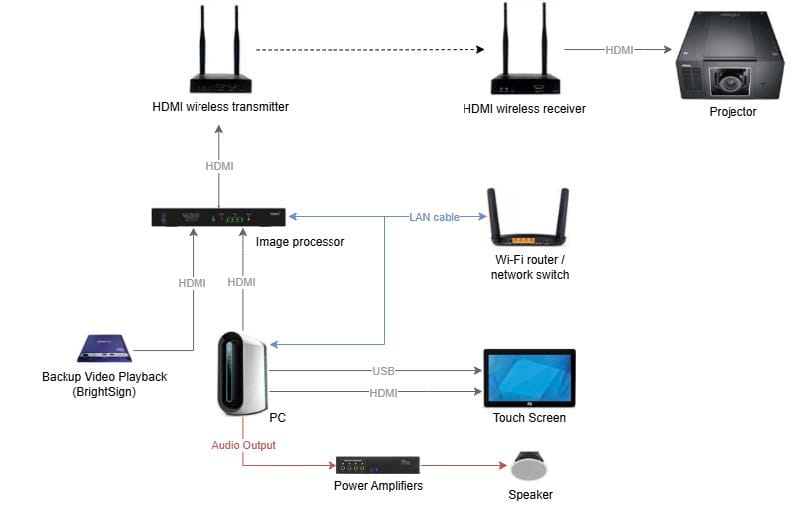
The two display outputs from the program: top to the projector and the bottom to the touch screen.
Real-Time Audio and Live Coding in Interactive Work
In many contemporary interactive installations, sound is generated or controlled in real time rather than played back from fixed files. Environments such as Max/MSP, SuperCollider and ChucK allow artists to build synthesizers, process live audio and respond to incoming data from sensors or cameras. Tracking information (for example hand position from MediaPipe or a depth camera) can be sent to these audio systems using OSC or UDP, so that movement directly changes pitch, volume, spatial position or texture of the sound.
Live coding takes this further by treating the act of writing code itself as a performance. Tools such as Strudel (for algorithmic sound patterns) and Hydra (for generative visuals) run directly in a web browser. Performers modify code live while the audience sees both the resulting sound and visuals and, often, the code itself. These browser-based approaches lower the technical barrier and make real-time audiovisual performance more accessible. Desktop systems such as SuperCollider and ChucK offer greater precision and are frequently used when tight timing or complex synthesis is required.
Communication between systems is usually handled by lightweight protocols. OSC (Open Sound Control) is widely used to send high-resolution values such as coordinates or sensor readings between visual software, tracking applications and audio engines. MIDI remains useful for connecting physical controllers, while UDP provides fast local network transfer of real-time data.
Glossary
[Glossary]
NUI (Natural User Interface)
- An interface that allows users to interact through natural behaviours such as touch, gesture, or voice, without the need for traditional input devices
Projection Mapping
- A technique that projects imagery onto physical surfaces, often with geometric correction and edge blending to fit non-flat or multi-screen environments
UDP (User Datagram Protocol)
- A lightweight network communication protocol commonly used for real-time data transmission between devices on a local network
OSC (Open Sound Control)
- A protocol for sending high-resolution control data (such as sensor values or coordinates) between software applications, frequently used to link visuals and audio.
Depth Camera
- A camera that captures spatial depth information in addition to colour, enabling gesture and body tracking; the Microsoft Kinect is one example
Live Coding
- The practice of writing or modifying code in real time during a performance to generate sound, visuals or both.
Spatial Audio
- Sound that can be positioned and moved in three-dimensional space, often controlled by tracking data or interactive input.